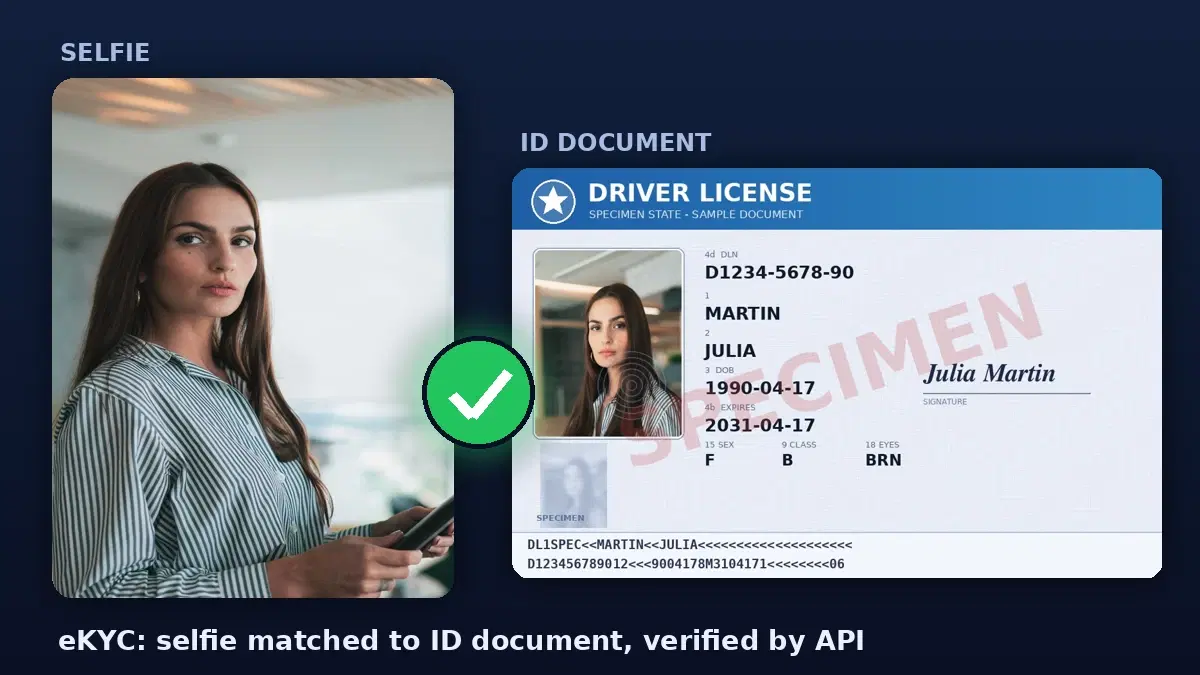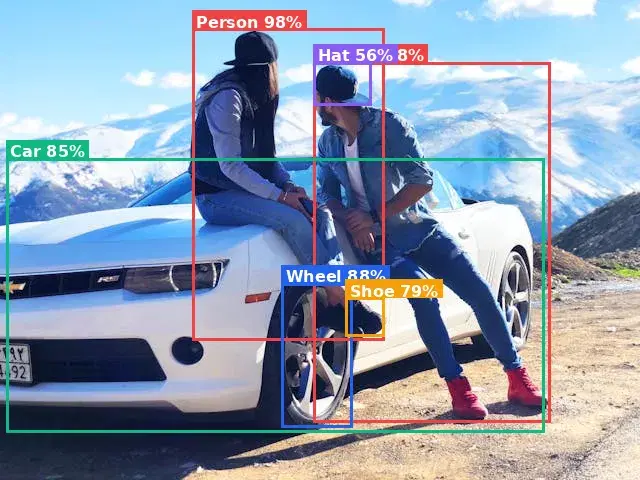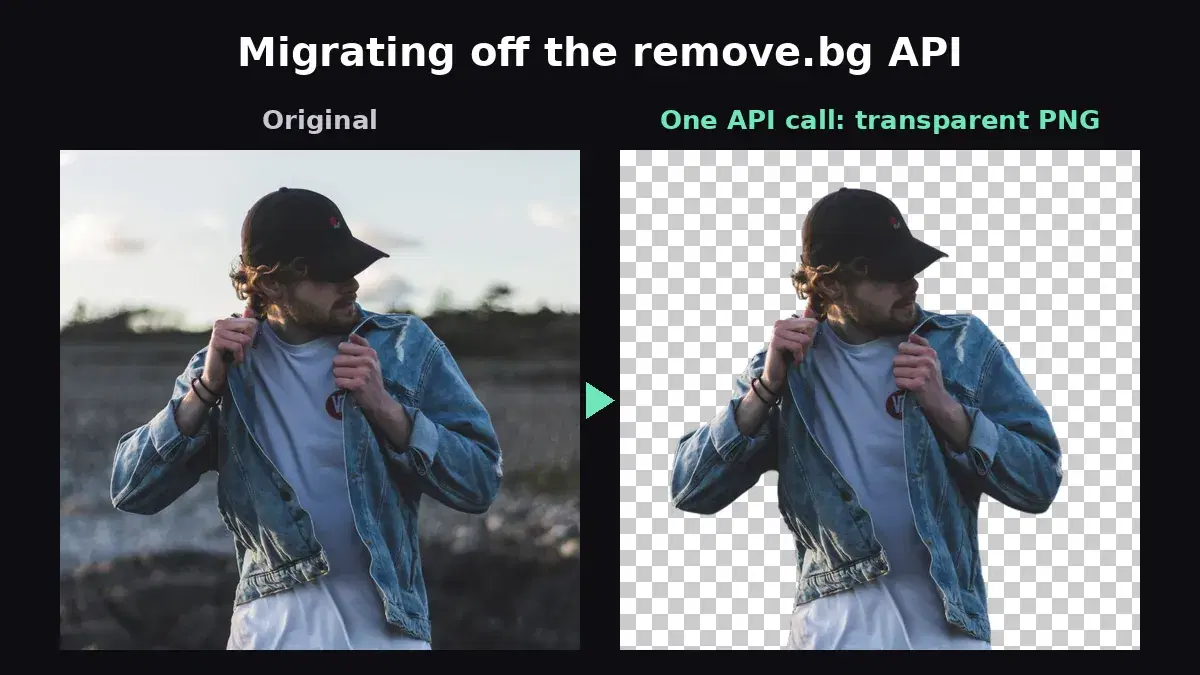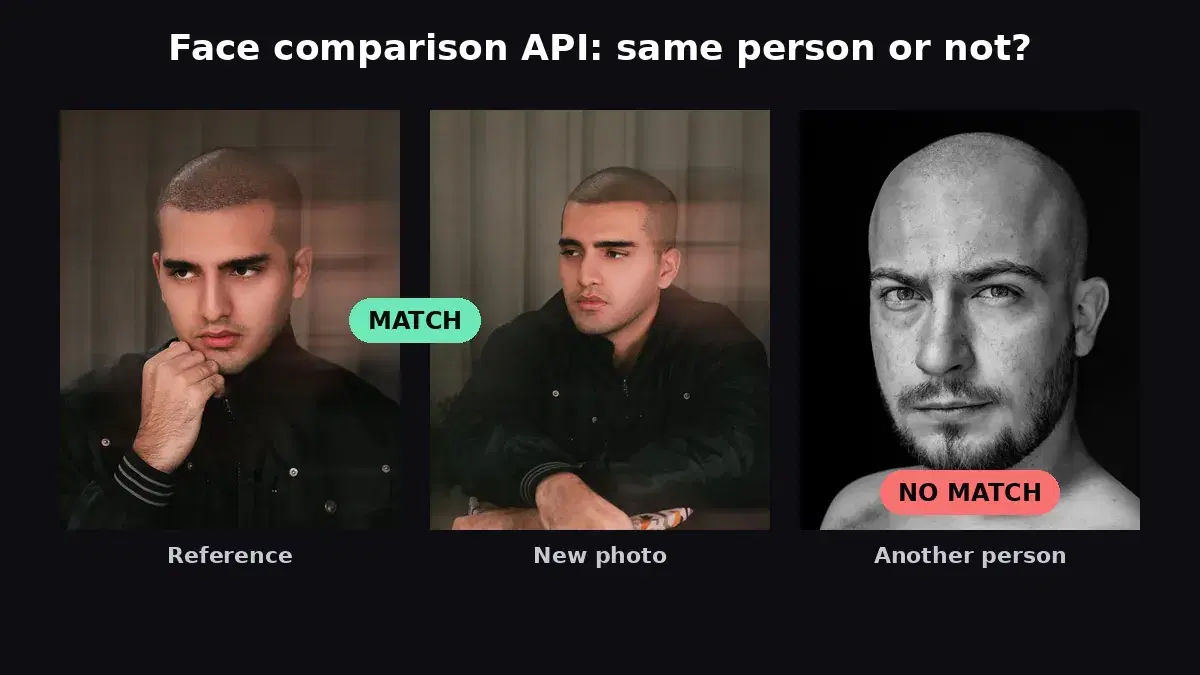
This tutorial uses the Face Analyzer API. See the docs, live demo, and pricing.
If you are adding identity checks to an app, such as selfie-to-ID verification at signup, face login, employee check-in or duplicate account detection, a face recognition API saves you from training, hosting and tuning your own models. The market changed in 2025 and 2026: Google Vision still does not recognize faces, a well-known open-source server stopped shipping releases, and two long-standing APIs pivoted or went offline. This guide compares the options developers can actually sign up for today, with real cost at 10,000 calls a month and the catches you only find in the docs.
Quick Comparison
Prices come from each provider's official pricing page checked in October 2026, at list price for 10,000 calls a month.
| API | Compare (1:1) | Search (1:N) | Cost at 10K calls/month | Catch |
|---|---|---|---|---|
| AI Engine Face Analyzer | Yes | Yes (repositories) | $22.99 | No liveness check |
| Face++ | Yes | Yes (FaceSets) | $20 | Free key shares 3 QPS; failed calls are billed |
| Luxand.cloud | Yes | Yes | $39 | Overage price not published |
| Google Cloud Vision | No | No | $13.50 (detection only) | No face recognition at all |
| CompreFace (self-hosted) | Yes | Yes | $0 licence + your servers | No release since 2023 |
Face Detection, Comparison and Search: Which One You Need
Vendors use "face recognition" loosely. Before comparing prices, pin down which operation your feature needs, because not every API offers all three:
- Face detection: finds faces in an image and returns boxes, landmarks and sometimes attributes (age range, emotion, glasses). It does not tell you who the person is. Use it for cropping, counting faces or checking that a selfie contains exactly one face.
- Face comparison or verification (1:1): answers "are these two photos the same person?". This is the core of selfie-to-ID checks and face login. Searches for a face matching API or face verification API usually mean this.
- Face search or identification (1:N): you enroll known faces in a gallery, then ask "who is this?" for a new photo. Attendance systems, VIP recognition and duplicate account detection need this.
1. AI Engine Face Analyzer API
The Face Analyzer API covers all three operations through plain REST calls with one API key: face analysis (boxes, landmarks, age range, gender, emotions, glasses, smile), 1:1 comparison, and 1:N search in facial repositories you create and manage through the API.
Pricing
- Free: 30 requests/month to test
- Pro: $12.99/month for 5,000 requests
- Ultra: $22.99/month for 10,000 requests (~$0.0023/call)
- Mega: $92.99/month for 50,000 requests (~$0.0019/call)
Compare two faces (1:1)
import requests

HEADERS = {
    "x-rapidapi-host": "faceanalyzer-ai.p.rapidapi.com",
    "x-rapidapi-key": "YOUR_API_KEY",
}

resp = requests.post(
    "https://faceanalyzer-ai.p.rapidapi.com/compare-faces",
    headers=HEADERS,
    data={
        "source_image_url": "https://example.com/id-photo.jpg",
        "target_image_url": "https://example.com/selfie.jpg",
    },
)
body = resp.json()["body"]
print("Same person" if body["matchedFaces"] else "Different person")
The response lists matchedFaces and unmatchedFaces, each with a bounding box and landmarks. You can also upload files with the source_image and target_image multipart fields.
Search a face among enrolled users (1:N)
API = "https://faceanalyzer-ai.p.rapidapi.com"
REPO = "employees"

# 1. Create a repository once
requests.post(f"{API}/create-facial-repository", headers=HEADERS,
              data={"repository_id": REPO})

# 2. Enroll each person with your own ID
requests.post(f"{API}/save-face-in-repository", headers=HEADERS,
              files={"image": open("alice.jpg", "rb")},
              data={"repository_id": REPO, "external_id": "alice", "max_faces": "1"})

# 3. Identify a new photo
resp = requests.post(f"{API}/search-face-in-repository", headers=HEADERS,
                     files={"image": open("door-camera.jpg", "rb")},
                     data={"repository_id": REPO})
for match in resp.json()["body"]["FaceMatches"]:
    print(match["ExternalImageId"], round(match["Similarity"], 2))
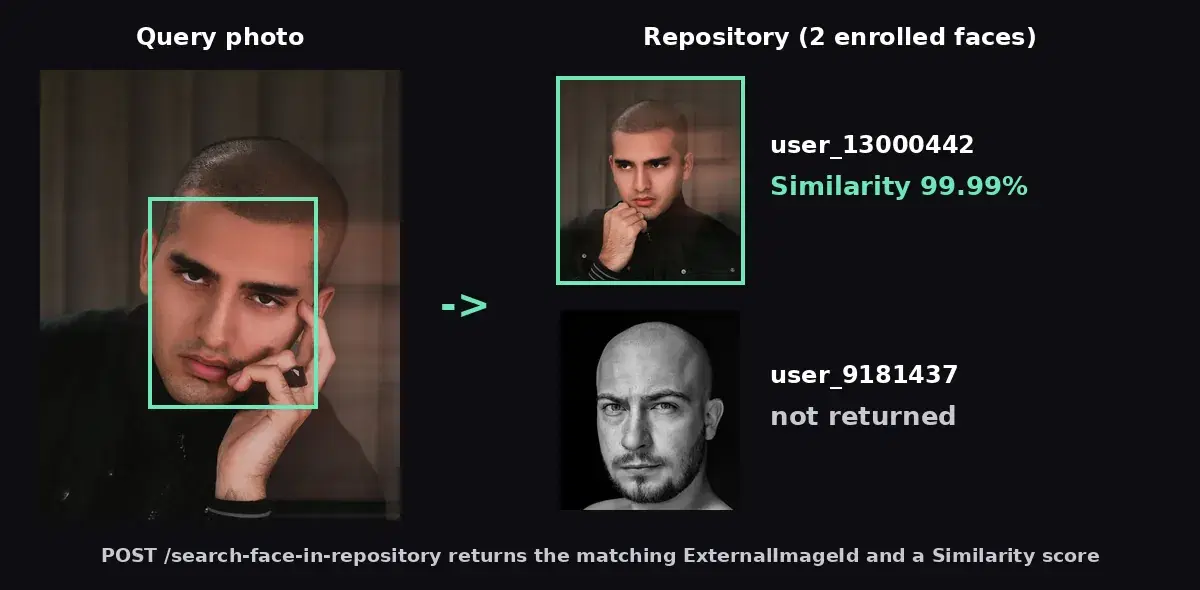
We ran this flow with two enrolled people and a third photo of one of them taken in a different pose. The search returned only the right person, with a similarity of 99.99:
Best For
Teams that want comparison and search with a single API key and plain REST calls, without an SDK, servers or an approval process. There is no liveness (anti-spoofing) endpoint, so pair it with a liveness step if your use case faces spoofing attempts.
2. Face++ (Megvii)
Face++ has a long-running API with detection, compare, search in FaceSets and face analysis, priced per call.
- Price: Compare and Search $0.002 per call, Detect and Analyze $0.0005
- Free key: no total cap, but it shares a 3 queries-per-second capacity with other users
- Watch out: failed requests are billed too, and guaranteed throughput is sold separately per QPS
3. Luxand.cloud
Luxand bundles recognition, verification, similarity, liveness, emotion and age/gender detection in every plan, which makes it attractive if you need liveness without a separate vendor.
- Plans: from $9 for 1,500 requests; $39 for 10,000 ($0.0039/call); $99 for 200,000
- Watch out: each plan caps how many faces you can store, and overage pricing is not published
4. Google Cloud Vision
Often assumed to do face recognition, it does not. Google's documentation states that recognizing specific individuals is not supported: Vision returns face boxes, landmarks, head angles and emotion likelihoods only. Use it for detection, not for comparison or search.
5. CompreFace (Self-Hosted)
CompreFace is an open-source (Apache 2.0) face recognition server you run with Docker. It offers detection, verification and recognition, with plugins for age, gender, mask and head pose.
- Cost: no licence fee; you pay for servers (the CPU needs AVX, a GPU is optional)
- Watch out: the last release is from August 2023 and the last commit from November 2023, so security fixes and model updates are on you
If you are weighing self-hosted against an API, our face matching in Python guide shows what the detect, encode and compare steps involve.
What Happened to Kairos and Betaface?
- Kairos still operates, but its current docs cover identity verification only (document checks, selfie-to-ID matching, liveness). The classic enroll and recognize gallery API is no longer documented, and prices are not published.
- Betaface lists its public API as temporarily down, and the API domain did not respond when we checked in October 2026. It still sells on-premise licences.
Pricing Breakdown: 10,000 Calls/Month
| API | Monthly Cost | Cost per Call |
|---|---|---|
| Face++ (Compare) | $20 | $0.002 |
| AI Engine Face Analyzer | $22.99 | $0.0023 |
| Luxand.cloud | $39 | $0.0039 |
At this volume the spread is small in absolute terms: $20 to $39 a month. The real differences are setup effort, throughput limits, how many faces you can store and whether liveness is included.
Which API Should You Choose?
Choose AI Engine if...
- You want comparison and 1:N search with one API key and a few lines of REST, no SDK or servers
- You also need face attributes (age range, emotions, glasses) from the same API
- You want to prototype on a free tier and ship on a flat monthly plan
Choose Luxand.cloud if...
- You need liveness detection bundled with recognition from one vendor
Choose CompreFace if...
- Images must never leave your infrastructure and you can maintain the stack yourself
For complete builds, see our guides to selfie-to-ID verification (eKYC), face-based access control and a face recognition attendance system.
Sources
- Google Cloud Vision face detection docs - detection only, no recognition
- Face++ pricing - per-call prices and free key limits
- Luxand.cloud pricing - plans and included features
- CompreFace on GitHub - licence, features and release history
The right face recognition API is the one your team can ship this week. If you want 1:1 comparison and 1:N search behind a single key, test the Face Analyzer API on your own photos with the free tier.
Frequently Asked Questions
- What is the cheapest face recognition API in 2026?
- Among the APIs compared here, Face++ lists $0.002 per comparison ($20 for 10,000 calls), AI Engine costs about $0.0023 per call on its 10,000-request plan ($22.99) and Luxand.cloud $0.0039 ($39). CompreFace has no licence fee but you run and maintain the servers yourself.
- Does Google Cloud Vision do face recognition?
- No. Google's documentation states that recognizing specific individuals is not supported. Cloud Vision detects faces and returns landmarks, emotion likelihoods and head angles, but it cannot compare two faces or search a face in a gallery.
- What is the difference between face comparison and face recognition?
- Face comparison (verification, 1:1) answers whether two photos show the same person, for example a selfie against an ID photo. Face recognition or face search (identification, 1:N) finds who a face belongs to among many enrolled faces, for example an employee check-in system.