OCR API — Extract Text from Images & PDFs with AI
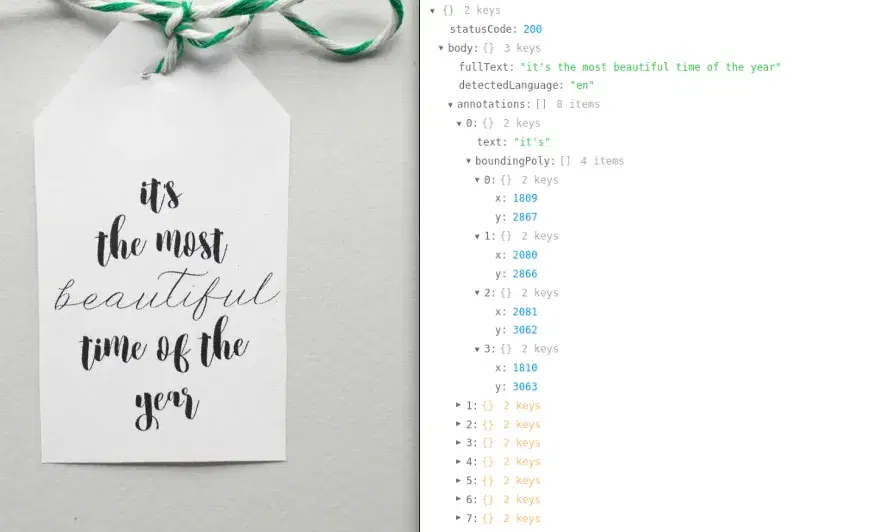
The ultimate OCR API for text recognition from handwritten documents, scanned images, and PDF files. Supports all languages with high accuracy, low latency, and word-level bounding box annotations.
See It in Action
Real examples of text extraction from handwritten notes, printed documents, and multilingual content.

Features
All Languages
Supports every language on the planet — Latin, Arabic, Chinese, Cyrillic, Devanagari and more.
Handwriting Support
Accurately recognizes handwritten text from notes, forms, and documents.
PDF Processing
Extract text from PDF documents with page range control. Process single pages or entire documents.
Word-Level Annotations
Get bounding box coordinates for every detected word — perfect for overlay and highlighting.
Language Detection
Automatically detects the language of the text in each image or PDF page.
Fast & Reliable
Low latency, high availability cloud infrastructure. Production-ready for any workload.
API Reference
2 endpoints, simple integration. Here's everything you need.
Supported Content Types
https://ocr-wizard.p.rapidapi.com/ocrExtract text from an image. Returns full text, detected language, and word-level annotations with bounding boxes.
imagefilerequiredImage file to process (JPEG, PNG, etc.) — use with multipart/form-data
urlstringrequiredPublic URL of the image to process — use with application/x-www-form-urlencoded
Send either image (file upload) or url (form-encoded), not both.
{
  "statusCode": 200,
  "body": {
    "fullText": "The full extracted text...",
    "detectedLanguage": "en",
    "annotations": [
      {
        "text": "word",
        "boundingPoly": [
          [x1, y1], [x2, y2], [x3, y3], [x4, y4]
        ]
      }
    ]
  }
}https://ocr-wizard.p.rapidapi.com/ocr-pdfExtract text from a PDF document. Returns per-page results with full text, detected language, and word-level annotations.
pdf_filefilerequiredThe PDF file to process
first_pageintegerFirst page to process. Default: 1
last_pageintegerLast page to process. Default: 1
Use first_page and last_page to control the page range for large PDFs.
{
  "statusCode": 200,
  "body": {
    "pages": [
      {
        "fullText": "Text from page 1...",
        "detectedLanguage": "en",
        "annotations": [
          {
            "text": "word",
            "boundingPoly": [
              [x1, y1], [x2, y2], [x3, y3], [x4, y4]
            ]
          }
        ]
      }
    ]
  }
}
Response
Returns JSON with extracted text, detected language, and word-level annotations with bounding box coordinates.
Quick Start
Copy-paste code to get started in seconds. Replace YOUR_API_KEY with your RapidAPI key.
# OCR from image file
curl -X POST "https://ocr-wizard.p.rapidapi.com/ocr" \
  -H "x-rapidapi-key: YOUR_API_KEY" \
  -H "x-rapidapi-host: ocr-wizard.p.rapidapi.com" \
  -F "image=@document.jpg"

# OCR from image URL
curl -X POST "https://ocr-wizard.p.rapidapi.com/ocr" \
  -H "x-rapidapi-key: YOUR_API_KEY" \
  -H "x-rapidapi-host: ocr-wizard.p.rapidapi.com" \
  -d "url=https://example.com/document.jpg"

# OCR from PDF (pages 1 to 3)
curl -X POST "https://ocr-wizard.p.rapidapi.com/ocr-pdf" \
  -H "x-rapidapi-key: YOUR_API_KEY" \
  -H "x-rapidapi-host: ocr-wizard.p.rapidapi.com" \
  -F "pdf_file=@document.pdf" \
  -F "first_page=1" \
  -F "last_page=3"
Pricing
Start free, scale as you grow. All plans include full API access with no credit card required for the free tier.
Basic
30 requests/mo
- Full API access
- All endpoints
- Standard support
Pro
5,000 requests/mo
- Full API access
- All endpoints
- Standard support
Ultra
10,000 requests/mo
- Full API access
- All endpoints
- Standard support
Mega
50,000 requests/mo
- Full API access
- All endpoints
- Standard support
Frequently Asked Questions
- What types of text can the OCR API extract from images?
- The OCR API extracts printed and handwritten text from images in any language, including Latin, Arabic, Chinese, Cyrillic, and Devanagari scripts. It returns the full extracted text, detected language, and word-level bounding box annotations for precise text localization.
- Does the OCR API support PDF text extraction?
- Yes. The OCR API has a dedicated PDF endpoint that extracts text from scanned PDF documents. You can specify a page range with first_page and last_page parameters to process specific sections of large documents, and results are returned per page.
- How accurate is the text recognition for handwritten documents?
- The OCR API uses advanced AI models optimized for handwriting recognition and achieves high accuracy on notes, forms, and handwritten documents. Each detected word includes bounding box coordinates, making it easy to build overlays or highlight recognized text in your application.
Tutorials & Guides
Learn how to integrate this API with step-by-step tutorials and real-world use cases.
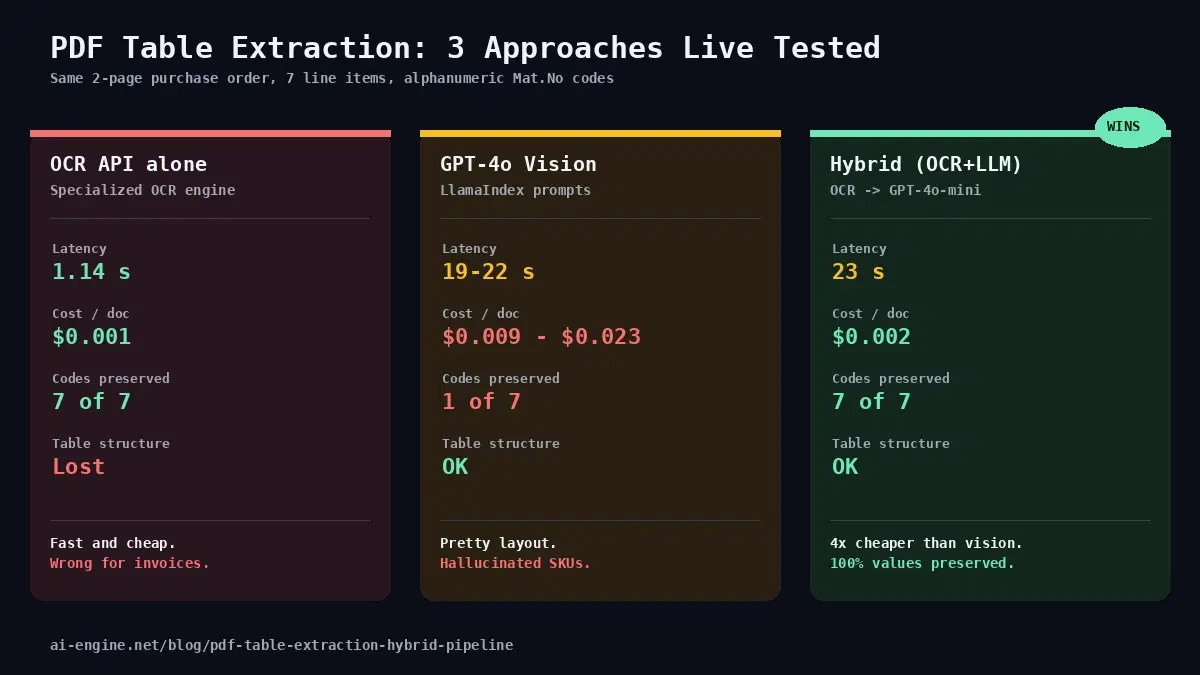
Extract PDF Tables in 2026: Hybrid OCR + LLM Beats GPT-4o Vision
Vision LLMs hallucinate codes on invoices. Pure OCR loses structure. Live-tested hybrid pipeline (OCR + GPT-4o-mini) wins at 4x lower cost and 100% accuracy.
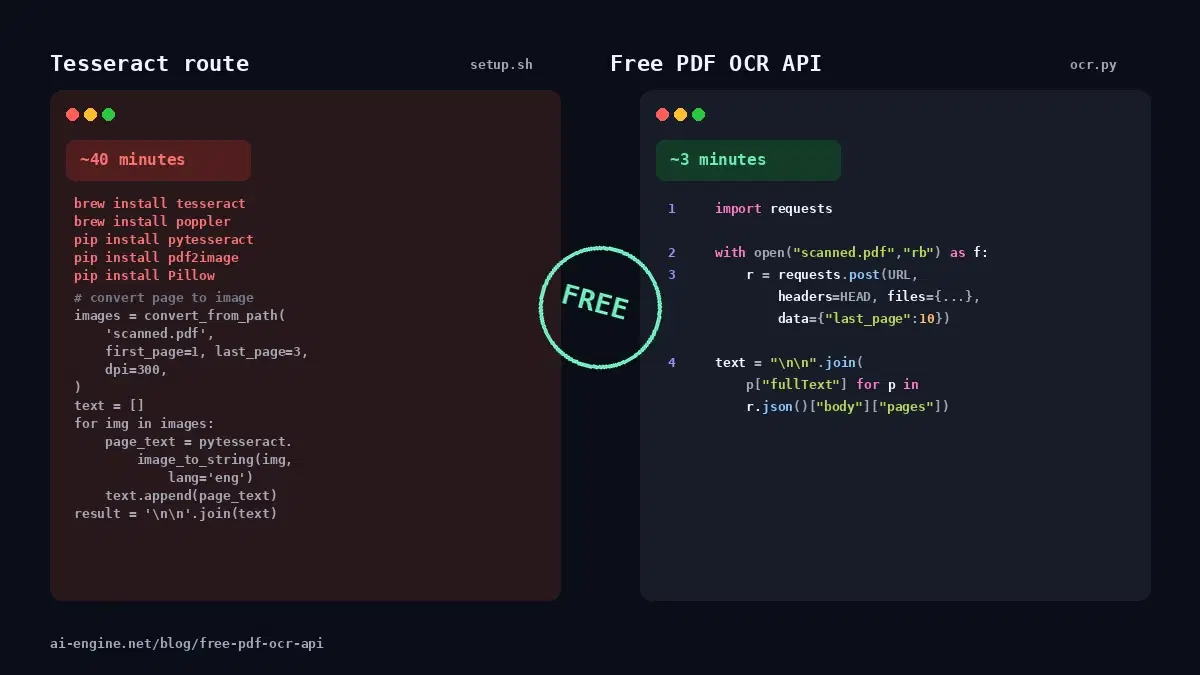
Free PDF OCR API: Extract Text from Scanned PDFs (No Setup)
Extract text from scanned PDFs with a free OCR API. No Tesseract install, no Poppler, no model setup. One API key, one HTTP request, real text back.
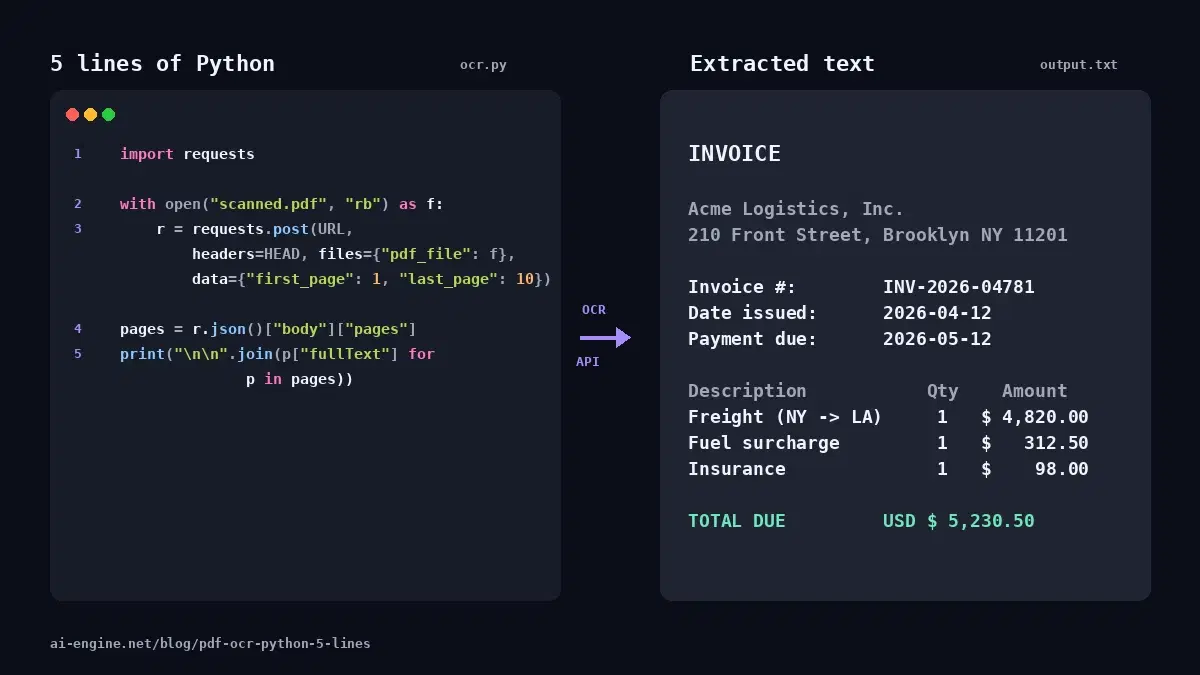
PDF OCR in Python: Extract Text from Scanned PDFs in 5 Lines
Extract text from a scanned PDF in 5 lines of Python with an OCR API. Multi-page support, no Tesseract install, no model setup. Working code you can copy-paste.
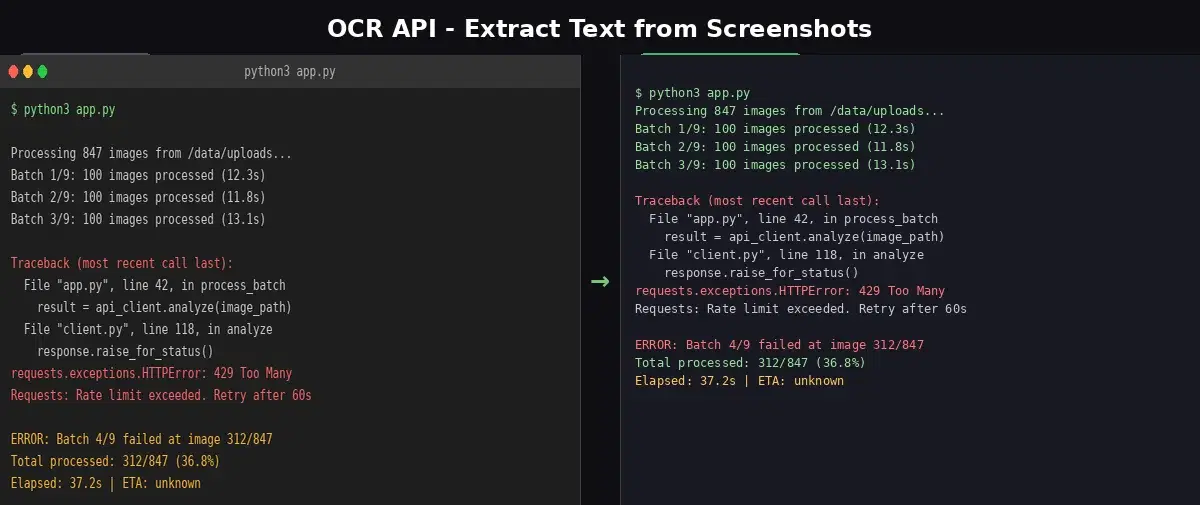
Extract Text from Screenshots with an OCR API
Learn to extract text from screenshots using the OCR Wizard API in Python. Handle dense text, tables, and multi-language content with accurate OCR results.
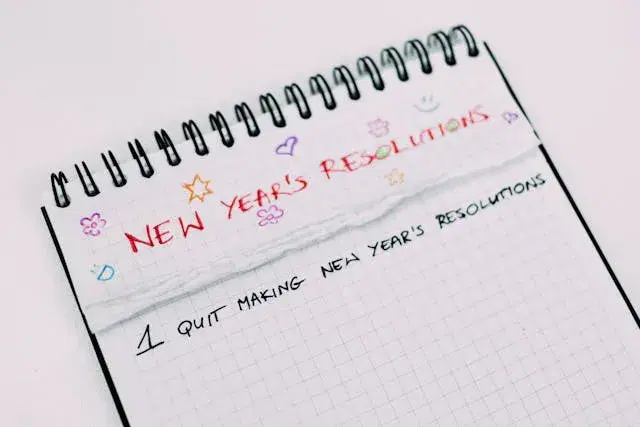
Tesseract is Dead. The OCR API That Replaced 500 Lines of Setup with 3.
We ran Tesseract and an OCR API on the same image. Tesseract returned nothing. The API extracted every word. Here is why developers are switching.
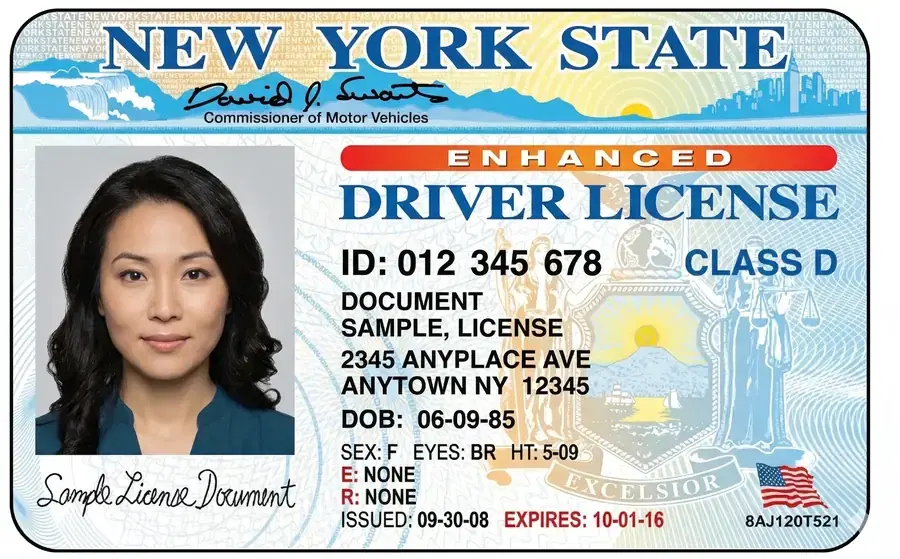
ID Card to JSON in 10 Lines of Python: OCR API + GPT-4o mini
Extract structured data (name, DOB, document number, expiry) from any ID card worldwide using an OCR API and GPT-4o mini. Python tutorial with cost comparison vs AWS Textract AnalyzeID.
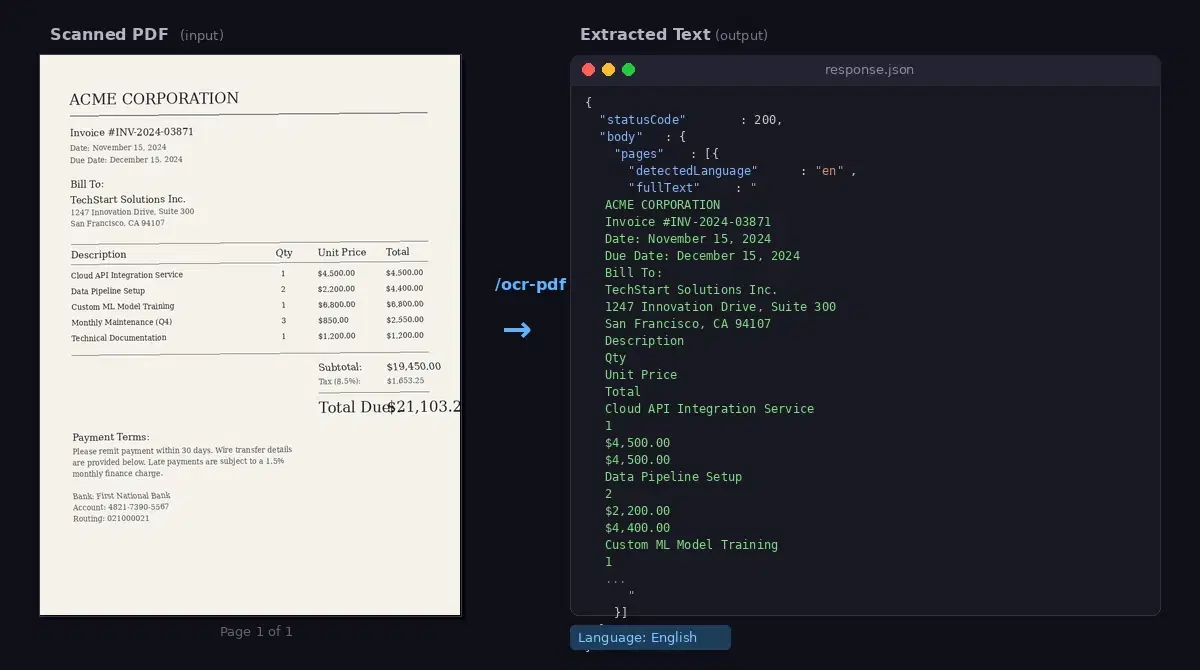
AI PDF OCR API: Extract Text from Scanned Documents (Python)
Extract text from scanned PDFs and documents with an AI OCR API. Multi-page support, Python and JavaScript code examples, page-range control for large files.
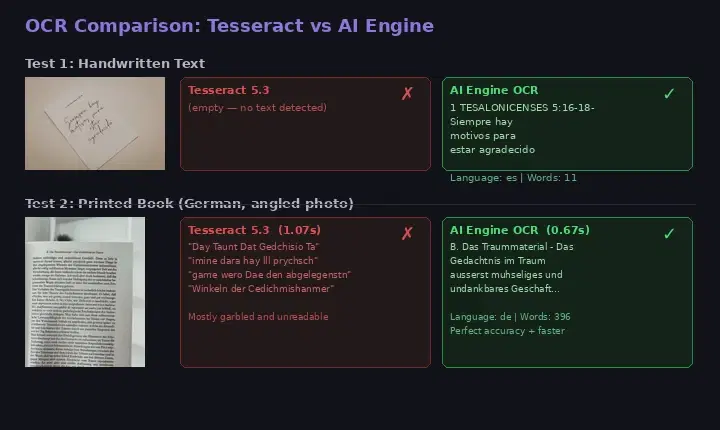
Best OCR APIs — Why Open-Source Falls Short for Devs
Compare Tesseract, EasyOCR, and PaddleOCR against a managed OCR API. Benchmarks on handwritten and printed text show when an API is worth it.
Image to Text API: Extract Text from Photos with Code Examples
Learn how to convert images to text using an OCR API. Covers handwriting recognition, document scanning, and integration examples in cURL, Python, and JavaScript.
Start Using OCR Wizard Today
Sign up on RapidAPI to get your API key. The free tier includes generous monthly requests — no credit card required.