Photo to Anime API — Transform Photos into Cartoon Art
Transform portraits into stunning artistic styles with AI. Choose from 6 premium high-quality styles (Cartoon Pro, Caricature, Arcane, Comic, Pixar, Illustration), 7 classic cartoon styles, or the Studio Ghibli style. Upload a photo or pass a URL and get back a stylized JPEG result.
See It in Action
Real examples generated by the API. See the quality for yourself.
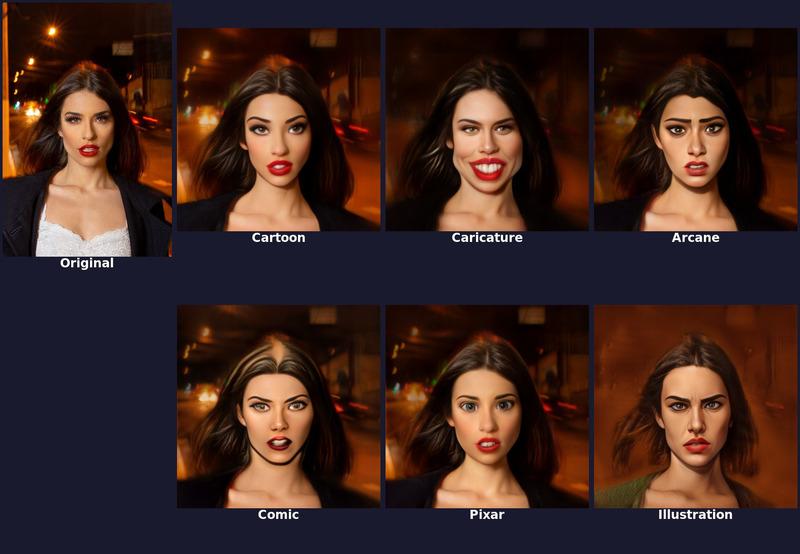
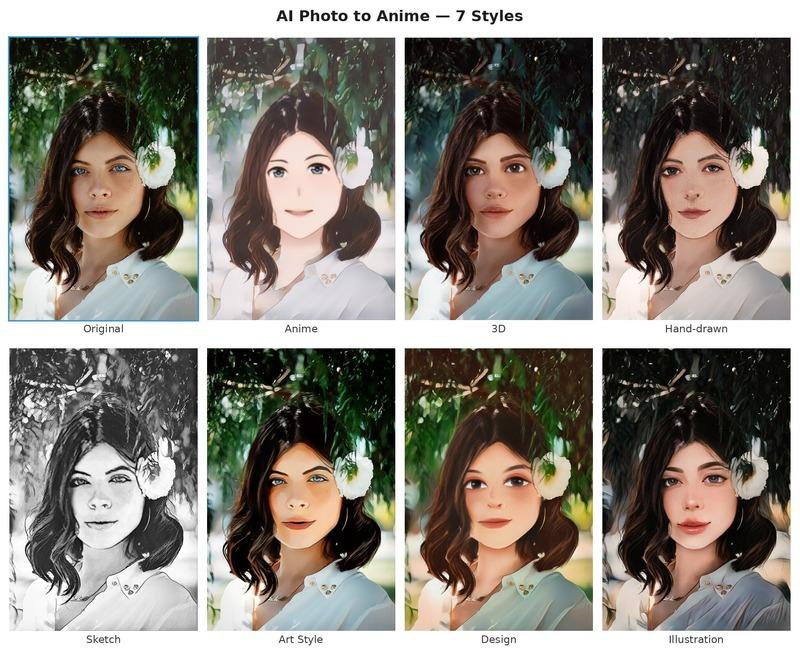
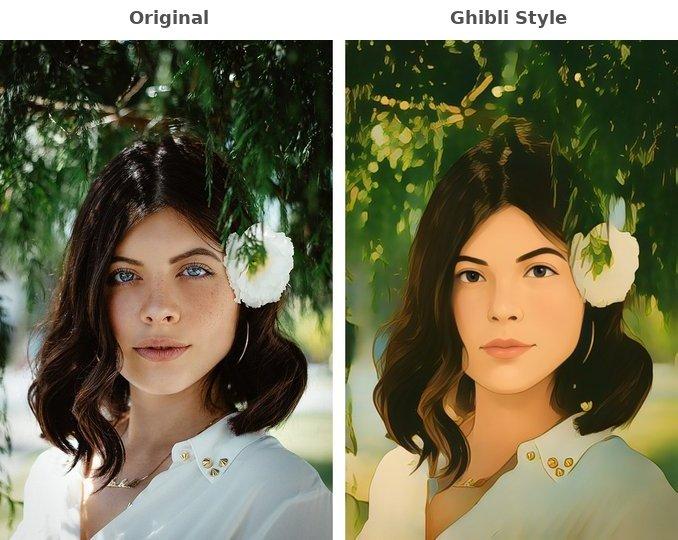
Cartoonize Pro endpoint: original photo transformed into Cartoon, Caricature, Arcane, Comic, Pixar, and Illustration
Features
6 Premium Styles
High-quality portrait style transfer with Cartoon Pro, Caricature, Arcane, Comic, Pixar, and Illustration — each producing distinct artistic results.
7 Classic Styles
Anime, 3D, Hand-drawn, Sketch, Art Style, Design, and Illustration — choose the perfect aesthetic for your use case.
Studio Ghibli Style
Dedicated Ghibli endpoint with face enhancement and smooth blending for high-quality Ghibli-style results.
Adjustable Intensity
Control style degree from 0.0 (subtle) to 1.0 (strong) and choose sub-style variations with style_id parameter on premium styles.
Face-Aware Processing
AI detects faces for high-quality head stylization with smooth blending into the background.
Production Ready
Handles images up to 10 MB, supports JPEG, PNG, WebP, and more. Output delivered via CloudFront CDN.
API Reference
3 endpoints, simple integration. Here's everything you need.
Supported Content Types
https://phototoanime1.p.rapidapi.com/cartoonize-proPremium high-quality portrait style transfer. Choose from 6 premium styles: cartoon, caricature, arcane, comic, pixar, illustration. Supports sub-style variations and adjustable intensity.
imagefilerequiredImage file (JPEG, PNG, WebP, BMP, TIFF). Max 10 MB — use with multipart/form-data
image_urlstringrequiredPublic URL of the image to process — use with application/json or application/x-www-form-urlencoded
stylestringPremium style to apply: "cartoon", "caricature", "arcane", "comic", "pixar", or "illustration". Defaults to "cartoon".
style_idintegerSub-style variation index. Range depends on style: cartoon (0-316), caricature (0-198), arcane (0-99), comic (0-100), pixar (0-121), illustration (0-155).
style_degreenumberStyle intensity from 0.0 (subtle) to 1.0 (strong). Defaults to 0.5.
Send either image (file upload) or image_url (JSON/form-encoded), not both.
{
  "image_url": "https://images.ai-engine.net/photo-to-anime-ai/uuid.jpg",
  "width": 1280,
  "height": 1600,
  "size_bytes": 415000
}https://phototoanime1.p.rapidapi.com/cartoonizeTransform a portrait photo into an anime/cartoon style. Choose from 7 classic styles: anime, 3d, handdrawn, sketch, artstyle, design, illustration.
imagefilerequiredImage file (JPEG, PNG, WebP, BMP, TIFF). Max 10 MB — use with multipart/form-data
image_urlstringrequiredPublic URL of the image to process — use with application/json or application/x-www-form-urlencoded
stylestringCartoon style to apply: "anime", "3d", "handdrawn", "sketch", "artstyle", "design", or "illustration". Defaults to "anime".
Send either image (file upload) or image_url (JSON/form-encoded), not both.
{
  "image_url": "https://images.ai-engine.net/photo-to-anime-ai/uuid.jpg",
  "width": 1280,
  "height": 960,
  "size_bytes": 245678
}https://phototoanime1.p.rapidapi.com/ghibliTransform a photo into Studio Ghibli anime style. Automatically detects faces and enhances them for high-quality Ghibli-style results with smooth blending into the stylized background.
imagefilerequiredImage file (JPEG, PNG, WebP, BMP, TIFF). Max 10 MB — use with multipart/form-data
image_urlstringrequiredPublic URL of the image to process — use with application/json or application/x-www-form-urlencoded
Send either image (file upload) or image_url (JSON/form-encoded), not both.
{
  "image_url": "https://images.ai-engine.net/photo-to-anime-ai/uuid.jpg",
  "width": 1280,
  "height": 960,
  "size_bytes": 245678
}
Response
Returns JSON with a public URL to the processed JPEG image, along with width, height, and file size. The URL expires after 24 hours.
Quick Start
Copy-paste code to get started in seconds. Replace YOUR_API_KEY with your RapidAPI key.
# Premium style (Arcane) — file upload
curl -X POST "https://phototoanime1.p.rapidapi.com/cartoonize-pro" \
  -H "x-rapidapi-key: YOUR_API_KEY" \
  -H "x-rapidapi-host: phototoanime1.p.rapidapi.com" \
  -F "image=@photo.jpg" \
  -F "style=arcane"

# Classic style (anime) — JSON with URL
curl -X POST "https://phototoanime1.p.rapidapi.com/cartoonize" \
  -H "x-rapidapi-key: YOUR_API_KEY" \
  -H "x-rapidapi-host: phototoanime1.p.rapidapi.com" \
  -H "Content-Type: application/json" \
  -d '{"image_url": "https://example.com/photo.jpg", "style": "anime"}'

# Ghibli style — file upload
curl -X POST "https://phototoanime1.p.rapidapi.com/ghibli" \
  -H "x-rapidapi-key: YOUR_API_KEY" \
  -H "x-rapidapi-host: phototoanime1.p.rapidapi.com" \
  -F "image=@photo.jpg"
Pricing
Start free, scale as you grow. All plans include full API access with no credit card required for the free tier.
Basic
100 requests/mo
- Full API access
- All endpoints
- Standard support
Pro
10,000 requests/mo
- Full API access
- All endpoints
- Standard support
Ultra
50,000 requests/mo
- Full API access
- All endpoints
- Standard support
Mega
200,000 requests/mo
- Full API access
- All endpoints
- Standard support
Frequently Asked Questions
- What styles does the photo to anime API support?
- The API supports 14 styles across 3 endpoints. The /cartoonize-pro endpoint provides 6 premium styles (Cartoon Pro, Caricature, Arcane, Comic, Pixar, Illustration) with adjustable intensity and sub-style variations. The /cartoonize endpoint offers 7 classic styles (Anime, 3D, Hand-drawn, Sketch, Art Style, Design, Illustration). The /ghibli endpoint produces Studio Ghibli style results with face enhancement.
- How do I adjust the style intensity?
- Premium styles on the /cartoonize-pro endpoint support a style_degree parameter from 0.0 (subtle stylization) to 1.0 (strong effect). The default is 0.5. You can also choose sub-style variations with the style_id parameter (range varies per style, from 0-99 for arcane up to 0-316 for cartoon).
- Can I convert photos to anime style programmatically at scale?
- Yes. The photo to anime API is a REST endpoint that accepts image files or public URLs and returns a CDN link to the stylized result. It supports JPEG, PNG, WebP, BMP, and TIFF up to 10 MB, making it easy to integrate into apps, social media tools, or batch processing workflows.
Tutorials & Guides
Learn how to integrate this API with step-by-step tutorials and real-world use cases.
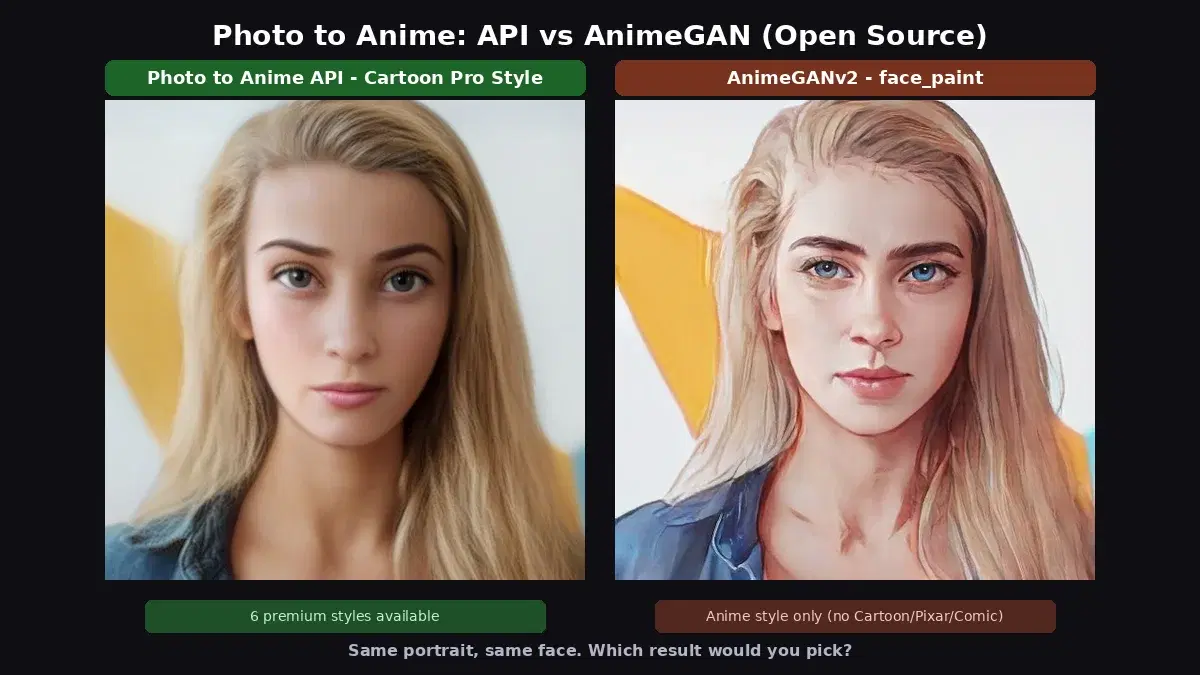
Photo to Anime: API vs AnimeGAN v2/v3 (Open Source)
Compare a cloud photo to anime API with AnimeGAN v2 and v3 open source. Same portrait, premium styles, benchmarks, Python code, and honest results.
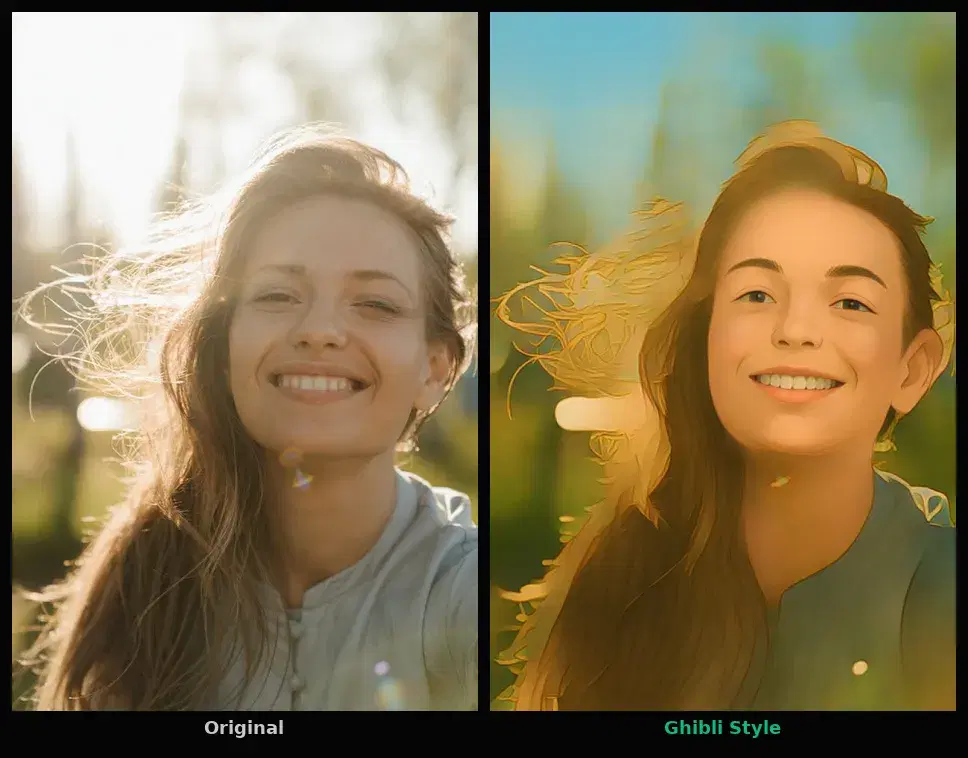
Turn Any Photo into Ghibli Art for Free with Python (3 Lines)
Transform your photos into Studio Ghibli style art with 3 lines of Python. No GPU, no model download, no PyTorch. 50 free transformations per month.

How to Build an Anime Filter App with Python and an API
Build an anime and cartoon filter app in Python using a Photo to Anime API. Seven styles, one endpoint, no GPU or ML setup required.
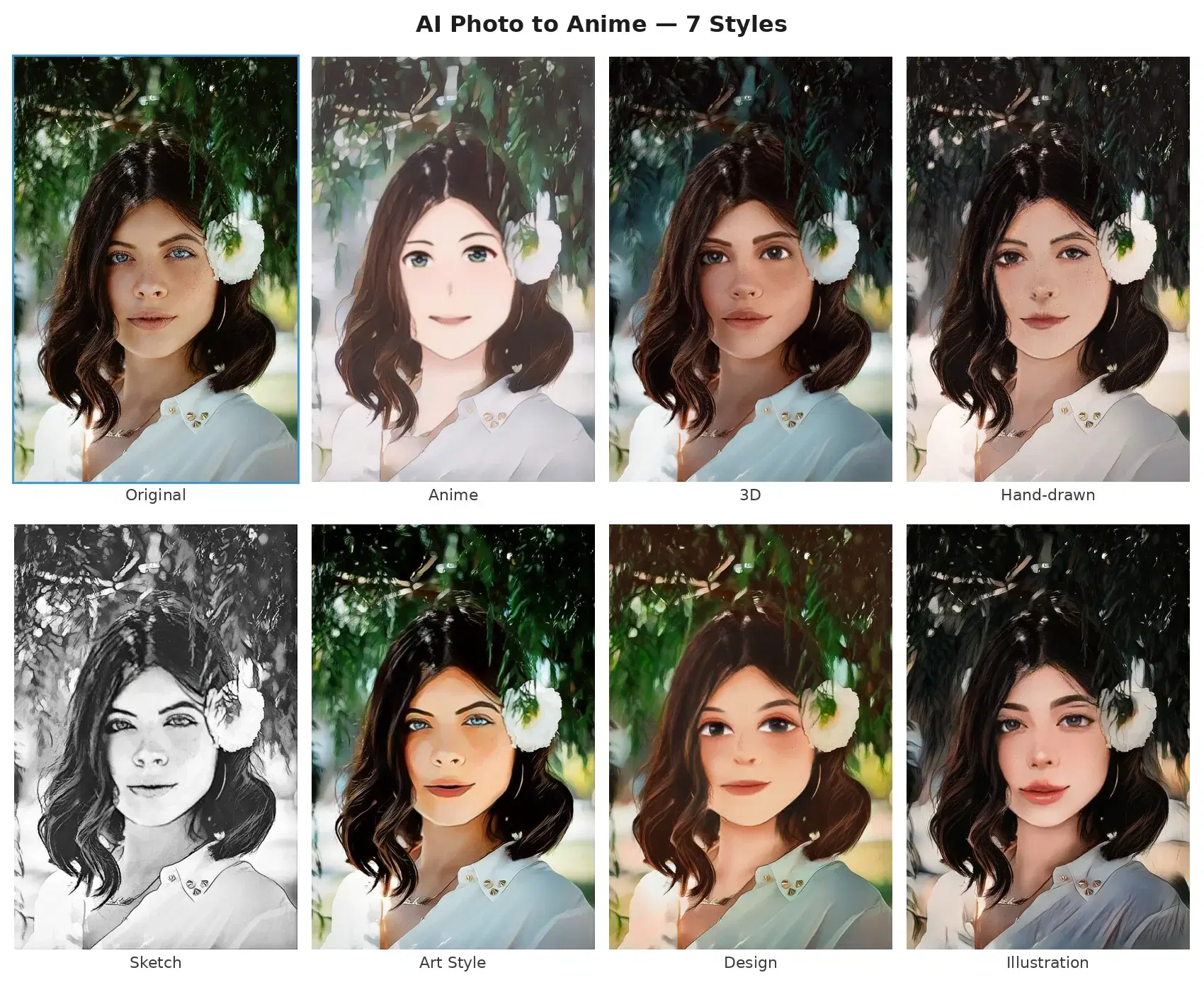
Photo to Anime & Cartoon API: AI Style Transfer with Python
Transform photos into anime, cartoon, sketch, and Ghibli styles with an AI style transfer API. Python and JavaScript code examples, no setup or training.
Start Using Photo to Anime Today
Sign up on RapidAPI to get your API key. The free tier includes generous monthly requests — no credit card required.