This tutorial uses the Face Analyzer API. See the docs, live demo, and pricing.
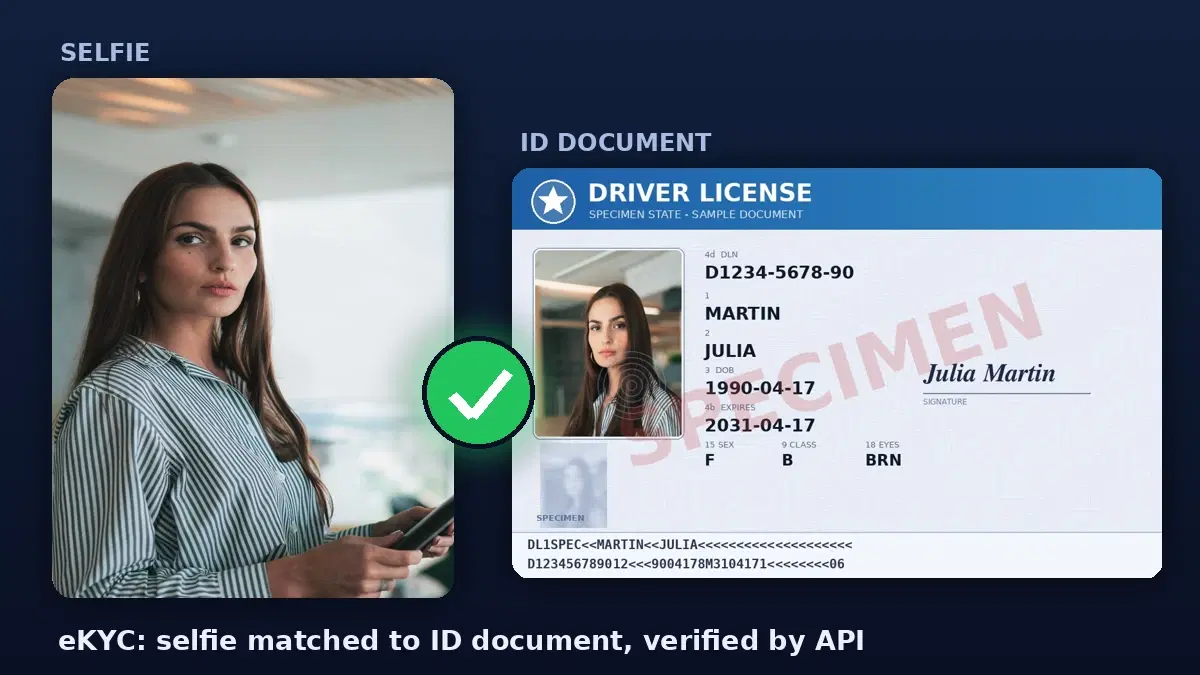
Your SaaS needs to confirm that new users are who they claim to be: a fintech opening accounts, a marketplace onboarding sellers, a gig-economy app vetting workers. The standard step is eKYC: the user uploads a government ID and takes a selfie, and your backend checks that the selfie matches the photo on the ID. Building this from scratch means face-recognition models and document parsing. Two APIs handle both halves, and you can wire the onboarding step together in an afternoon.
This guide builds the two layers you can ship quickly: extracting the ID data with an OCR API and matching the selfie to the ID photo with a face comparison API, then combining them into an approve / review / reject decision. All code runs against live endpoints.
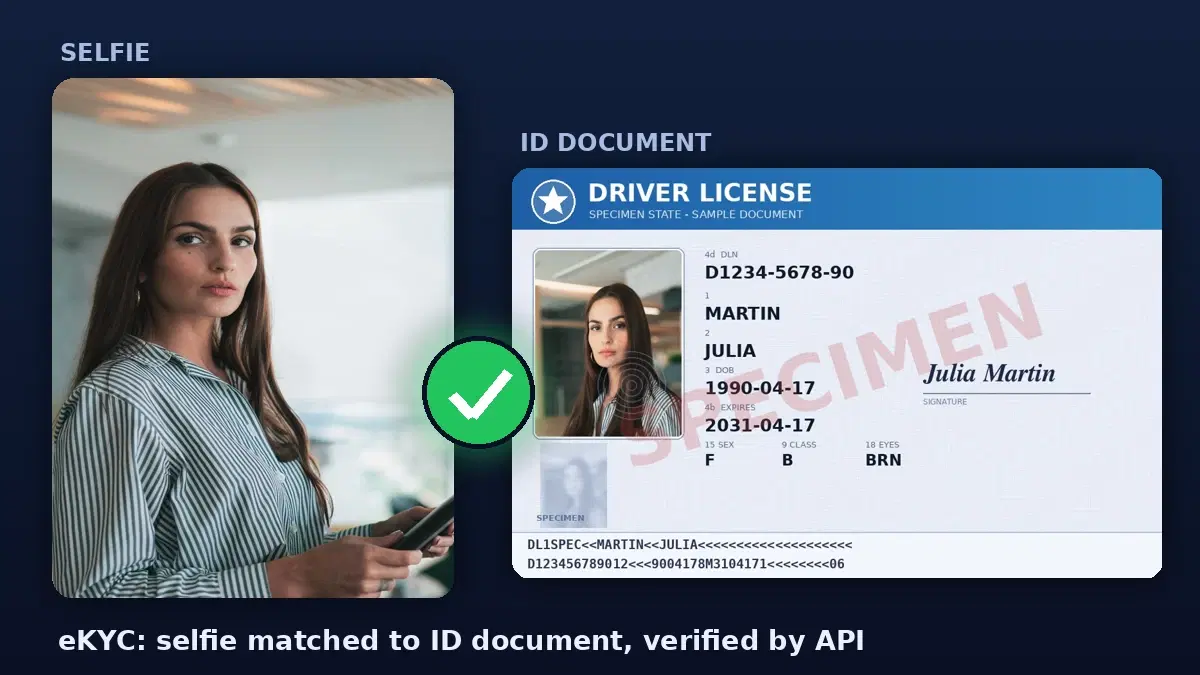
What eKYC Actually Requires
It helps to be precise about the layers, because no single API does all of them and overclaiming here is how teams ship insecure onboarding:
- Document data extraction — read the name, date of birth, document number, and expiry off the ID. This guide uses an OCR API.
- Face match — confirm the selfie is the same person as the ID photo. This guide uses a face comparison API.
- Liveness — confirm the selfie is a live person, not a photo of a photo or a screen replay. A separate concern, covered below in the honest-limits section.
- Document authenticity — confirm the ID itself is genuine and unaltered. Also separate, and the hardest to automate.
The first two are the layers you can build today with a couple of API calls. They are also the two that catch the most common case: a user submitting someone else's ID, or a typo-ridden manual data entry.
Step 1: Extract the ID Data with OCR
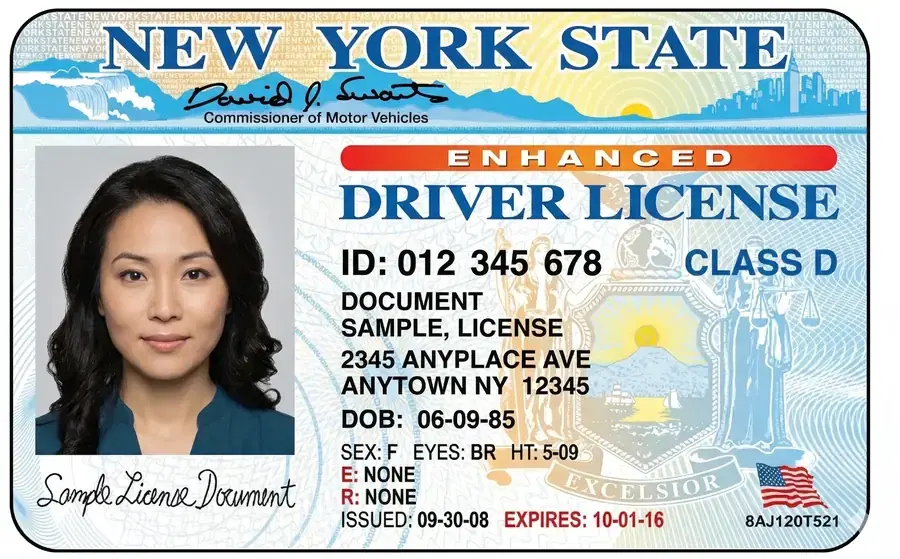
Send the ID image to the OCR Wizard API and get the text back. For a national ID, license, or passport, the OCR returns every printed field:
import requests

OCR_HEADERS = {
    "x-rapidapi-key": "YOUR_API_KEY",
    "x-rapidapi-host": "ocr-wizard.p.rapidapi.com",
}

def read_id_document(id_image_path):
    """OCR an ID document, return the raw extracted text."""
    with open(id_image_path, "rb") as f:
        r = requests.post(
            "https://ocr-wizard.p.rapidapi.com/ocr",
            headers=OCR_HEADERS,
            files={"image": f},
        )
    return r.json()["body"]["fullText"]

text = read_id_document("license.jpg")
print(text)
# DRIVER LICENSE
# LAST NAME
# MARTIN
# FIRST NAME
# JULIA
# DOB
# 1990-04-17
# EXPIRES
# 2031-04-17
# ... (labels and values land on separate lines, exact order varies by document)
To turn that raw text into structured fields (and handle OCR quirks, bilingual labels, and varied layouts), pipe it through an LLM. The ID Card to JSON tutorial shows that exact pattern, returning a clean object with name, date of birth, document number, and expiry.
Step 2: Match the Selfie to the ID Photo
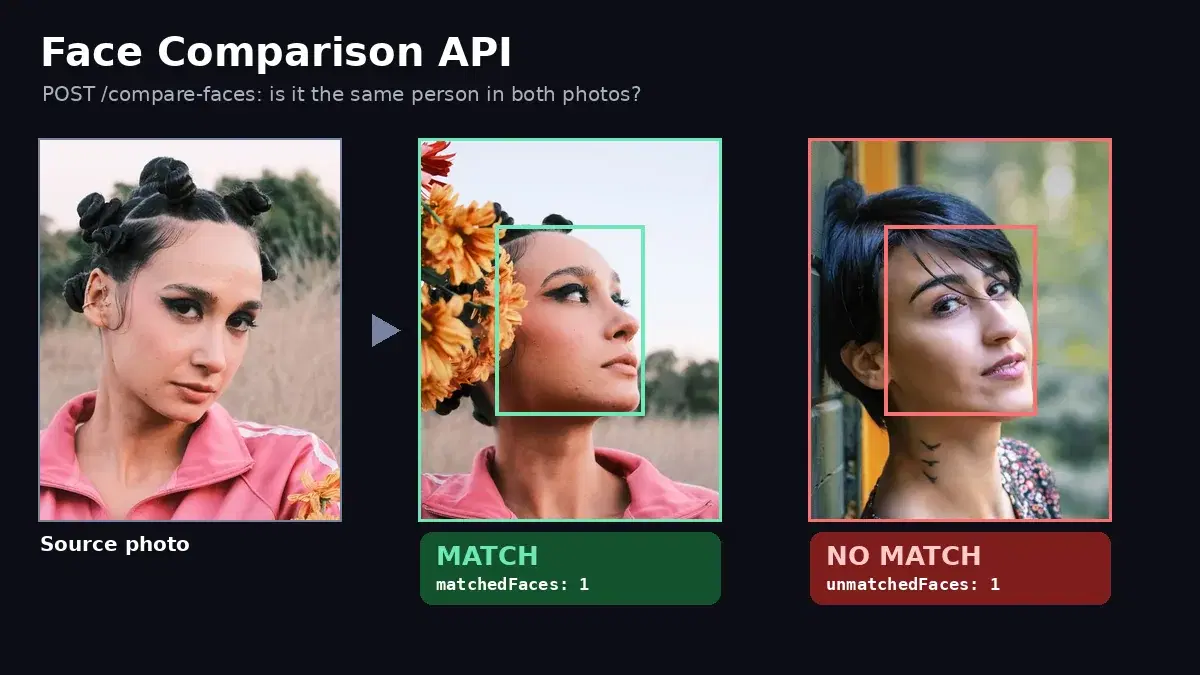
Now the core of identity verification: does the selfie belong to the same person as the photo on the ID. The Face Analyzer API /compare-faces endpoint takes two images and returns the faces that matched. A useful detail: you can pass the full ID image as the target without cropping the photo first, and the API locates the face on the document for you.
FACE_HEADERS = {
    "x-rapidapi-key": "YOUR_API_KEY",
    "x-rapidapi-host": "faceanalyzer-ai.p.rapidapi.com",
}

def faces_match(selfie_path, id_image_path):
    """Return True if the selfie matches the face on the ID document."""
    with open(selfie_path, "rb") as selfie, open(id_image_path, "rb") as id_img:
        r = requests.post(
            "https://faceanalyzer-ai.p.rapidapi.com/compare-faces",
            headers=FACE_HEADERS,
            files={
                "source_image": ("selfie.jpg", selfie, "image/jpeg"),
                "target_image": ("id.jpg", id_img, "image/jpeg"),
            },
        )
    body = r.json()["body"]
    # matchedFaces is non-empty when the same person appears in both images
    return len(body.get("matchedFaces", [])) > 0

print(faces_match("selfie.jpg", "license.jpg"))   # True
The endpoint returns matchedFaces (faces present in both images) and unmatchedFaces (faces it could not pair). A non-empty matchedFaces means the selfie and the ID photo are the same person. An empty match with a populated unmatchedFaces means a mismatch, and an empty result for both usually means no face was detected, which is its own signal worth flagging.
Step 3: Quality-Gate the Inputs with Face Detection
The compare call finds the face on the ID for you, so you do not need detection to make the match. Where detection earns its place is as a quality gate before the comparison: confirm the selfie shows exactly one clear face, and confirm the ID actually has a detectable photo. That turns a useless empty match into a clear, actionable reason like “no face found on the document” and stops you wasting a compare call on a blurry or faceless upload. The Face Analyzer API /faceanalysis endpoint returns every face it detects:
def count_faces(image_path):
    """Return how many faces the detector finds in an image."""
    with open(image_path, "rb") as f:
        r = requests.post(
            "https://faceanalyzer-ai.p.rapidapi.com/faceanalysis",
            headers=FACE_HEADERS,
            files={"image": f},
        )
    return len(r.json()["body"]["faces"])

print(count_faces("selfie.jpg"))    # 1
print(count_faces("license.jpg"))   # 1  (the photo on the ID)
A count other than one is a signal in itself: zero faces on the selfie means a bad capture, two or more means someone else is in frame, and zero on the ID means the photo region was not readable. Each of those is a reason to stop and route to review rather than guess at a match. (For face detection on its own, see the face detection REST API guide.)
Step 4: Turn It Into a Verification Decision
No single call is a decision. Combine the face-detection gate, the document data, the expiry check, and the face match into one verdict your onboarding flow can act on:
import re
from datetime import date

def verify_identity(selfie_path, id_image_path):
    """Run the eKYC checks and return a verdict: approve, review, or reject."""
    # Quality gate: both images must contain exactly one detectable face
    if count_faces(selfie_path) != 1:
        return "review", "selfie must show exactly one clear face"
    if count_faces(id_image_path) != 1:
        return "review", "could not find a single face on the ID document"

    text = read_id_document(id_image_path)

    # Pull the expiry date out of the OCR text (adapt the pattern to your IDs)
    m = re.search(r"EXPIRES\s+(\d{4}-\d{2}-\d{2})", text)
    expiry = date.fromisoformat(m.group(1)) if m else None
    if expiry is not None and expiry < date.today():
        return "reject", "ID is expired"

    if not faces_match(selfie_path, id_image_path):
        # No match could be a real mismatch or a bad scan, so review it
        return "review", "selfie did not match the ID photo"
    if expiry is None:
        return "review", "could not read the expiry date"
    return "approve", "identity verified"


verdict, reason = verify_identity("selfie.jpg", "license.jpg")
print(verdict, "-", reason)   # approve - identity verified
Auto-approve when everything lines up, auto-reject on a clear failure (expired document), and send the ambiguous middle to a human queue rather than guessing. That keeps your reviewers focused on the genuinely uncertain cases while the clean pass-through happens automatically.
Wiring It Into a SaaS Onboarding Flow
In a real product this runs server-side after the user uploads their documents. Expose it as an endpoint your frontend calls during signup:
from flask import Flask, request, jsonify

app = Flask(__name__)

@app.route("/onboarding/verify", methods=["POST"])
def verify():
    selfie = request.files["selfie"]
    id_doc = request.files["id_document"]
    selfie.save("/tmp/selfie.jpg")
    id_doc.save("/tmp/id.jpg")

    verdict, reason = verify_identity("/tmp/selfie.jpg", "/tmp/id.jpg")

    # approve -> activate account, review -> queue, reject -> block
    return jsonify({"verdict": verdict, "reason": reason})
Store the verdict and the extracted fields against the user record, and gate account activation on an approve. Keep the original images only as long as your compliance policy requires, and encrypt them at rest: you are handling government IDs.
Honest Limits: What This Does Not Cover
The two layers here catch the common failure modes (wrong person, bad data entry, expired ID), but they are not a complete eKYC stack on their own:
- No liveness. A face match alone cannot tell a live selfie from a held-up photo of the ID owner. For anything high-risk (financial accounts, regulated industries), add a liveness step (a blink or head-turn challenge, or a dedicated liveness provider) before you trust the selfie.
- No document authenticity check. OCR reads what is printed; it does not verify the ID is genuine. Forged or photoshopped documents need a separate authenticity layer.
- Thresholds are yours to tune. How strict the match needs to be, and how much of the ambiguous middle you send to humans, depends on your risk tolerance and regulatory context.
Treat this as the face-match and data-extraction core of your eKYC, not the whole thing. For a deeper look at the face comparison side on its own, see verifying user identity with a face comparison API.
Getting Started
Grab keys from the Face Analyzer API and the OCR Wizard API, drop them into the functions above, and run the flow against a sample ID and selfie. Both have a free tier so you can test the full onboarding path before committing. From there, add your decision thresholds, a review queue, and a liveness step, and you have an eKYC onboarding flow you control end to end.
Frequently Asked Questions
- Does a selfie-to-ID face match replace a full KYC / eKYC process?
- No. A face match answers one question: is the person holding the camera the same person shown on the ID. A production eKYC process also needs document authenticity checks (is the ID real and unaltered) and liveness detection (is the selfie a live person, not a printed photo or a screen). The face comparison and document data extraction shown here are two core layers you can build in an afternoon; pair them with a liveness step before you trust the result for anything high-risk.
- Can the face comparison API find the photo on an ID document automatically?
- Yes. You can pass the full ID image as the target without cropping the photo first. The compare-faces endpoint detects the face on the document and compares it to the selfie, returning matched and unmatched faces. In testing, a selfie matched the photo embedded in a license image in a single call.
- How do I turn the match result into an approve or reject decision?
- Combine three signals: the document data extracted by OCR (name, date of birth, expiry), whether the ID is expired, and whether the selfie matched the ID photo. Auto-approve when all three pass, auto-reject on a clear face mismatch or expired document, and route the ambiguous middle (no face detected, low-quality scan) to a manual review queue. The decision function in this guide shows that logic.