This tutorial uses the Face Analyzer API. See the docs, live demo, and pricing.
If you are looking for a face-api.js alternative, you are probably maintaining a project built on it. face-api.js made face recognition in JavaScript easy in 2019, but its last release (0.22.2) shipped in March 2020 and still pins TensorFlow.js core 1.7.0. This guide shows how to replace it with a face recognition API in Node.js: face detection, face comparison and a FaceMatcher replacement, each with code we ran against the live API.
Everything below uses the Face Analyzer API from Node.js 20 with built-in fetch and FormData. No SDK, no model weights, no native build.
Where face-api.js Stands in 2026
- face-api.js: last release 0.22.2 on 22 March 2020, built on
@tensorflow/tfjs-core1.7.0, with 475 open issues and pull requests on GitHub. - @vladmandic/face-api, the fork most teams moved to: now archived on GitHub, last updated in February 2025. Its README says it is superseded by the author's newer library.
- Usage: the two packages still show about 465,000 and 518,000 npm downloads a month. A lot of production code depends on a frozen dependency.
In Node.js, face-api.js also needs canvas (a native module), @tensorflow/tfjs-node for usable speed, a monkeyPatch call for the browser classes, and model weight files loaded from disk at startup. Every Node.js or OS upgrade is a chance for one of those native pieces to break.
face-api.js Calls Mapped to API Endpoints
| face-api.js | Face Analyzer API |
|---|---|
nets.*.loadFromDisk("./models") | Nothing to load |
detectAllFaces().withFaceLandmarks() | /faceanalysis: boundingBox and landmarks per face |
.withAgeAndGender(), .withFaceExpressions() | /faceanalysis: AgeRange, Gender, Emotions, Smile, Eyeglasses |
euclideanDistance(d1, d2) < 0.6 | /compare-faces: matchedFaces and unmatchedFaces |
new FaceMatcher(labeledDescriptors) | /save-face-in-repository with an external_id label |
faceMatcher.findBestMatch(descriptor) | /search-face-in-repository: label and Similarity (0 to 100) |
The biggest change is recognition. With face-api.js you store 128-value descriptors yourself and tune the 0.6 distance threshold of FaceMatcher. With the API, faces live in a repository on the server side and the search returns a label with a similarity score.
Step 1: One Helper for Every Endpoint
Every endpoint takes a multipart form, so one helper covers them all. openAsBlob streams the file from disk, and the key stays in an environment variable:
// face.mjs
import { openAsBlob } from "node:fs";

const BASE = "https://faceanalyzer-ai.p.rapidapi.com";
const HEADERS = {
  "x-rapidapi-host": "faceanalyzer-ai.p.rapidapi.com",
  "x-rapidapi-key": process.env.RAPIDAPI_KEY,
};

export async function callApi(endpoint, files = {}, fields = {}) {
  const form = new FormData();
  for (const [name, path] of Object.entries(files)) {
    form.append(name, await openAsBlob(path), path);
  }
  for (const [name, value] of Object.entries(fields)) {
    form.append(name, value);
  }
  const res = await fetch(`${BASE}${endpoint}`, {
    method: "POST",
    headers: HEADERS,
    body: form,
  });
  return (await res.json()).body;
}
Step 2: Face Detection and Attributes
This replaces detectAllFaces(input).withFaceLandmarks().withFaceExpressions() and its age and gender variants:
import { callApi } from "./face.mjs";

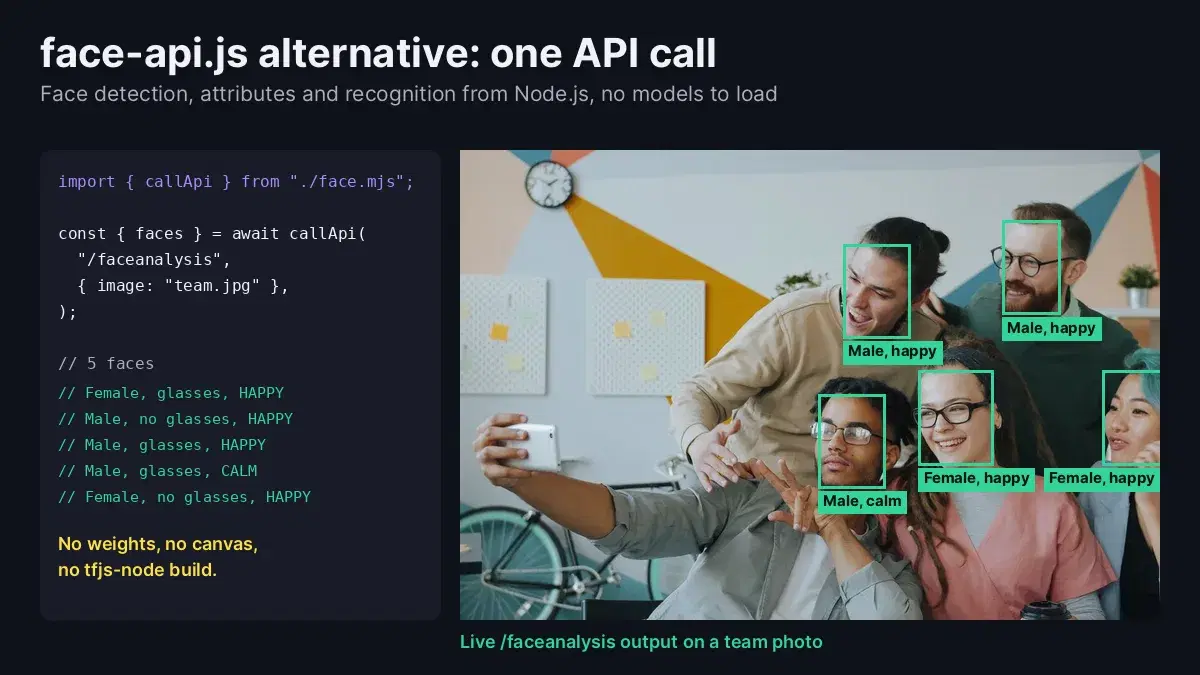
const { faces } = await callApi("/faceanalysis", { image: "team.jpg" });
console.log(faces.length, "faces");
for (const face of faces) {
  const { Gender, Eyeglasses, Emotions } = face.facialFeatures;
  console.log(Gender, Eyeglasses ? "glasses" : "no glasses", Emotions.join(", "));
}
On a team selfie with five people:
5 faces
Female glasses HAPPY
Male no glasses HAPPY
Male glasses HAPPY
Male glasses CALM
Female no glasses HAPPY
Each face also carries a boundingBox (coordinates from 0 to 1), an AgeRange, Smile, Sunglasses and eye, brow, nose, mouth and chin landmarks, so the overlay code you wrote for face-api.js keeps working after a scale by the image size. An image without faces returns an empty faces list.
Step 3: Compare Two Faces
Where you used to compute two descriptors and check their euclidean distance, send both images in one call:
import { callApi } from "./face.mjs";

async function samePerson(sourcePath, targetPath) {
  const body = await callApi("/compare-faces", {
    source_image: sourcePath,
    target_image: targetPath,
  });
  return body.matchedFaces.length > 0;
}

console.log(await samePerson("alex_badge.jpg", "alex_today.jpg")); // true
console.log(await samePerson("alex_badge.jpg", "maya.jpg"));       // false
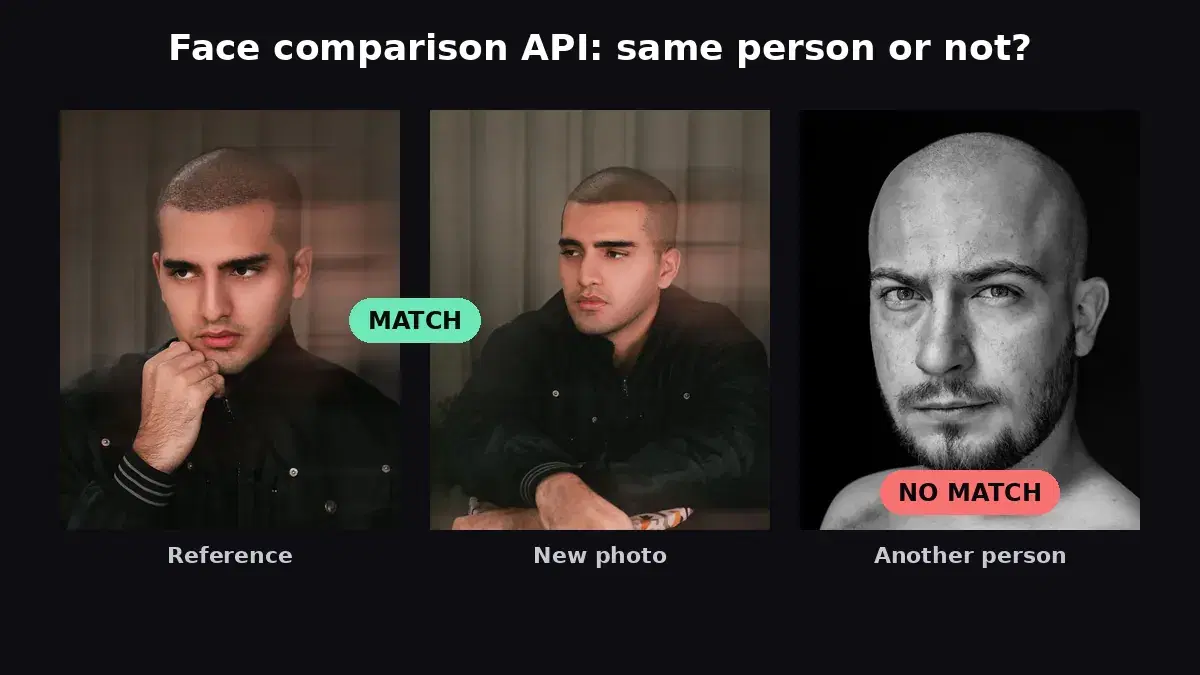
Every face in the target lands in matchedFaces or unmatchedFaces, so there is no threshold to tune. One result surprised us: on a photo of a colleague, the API found Alex again, out of focus in the background and half hidden behind the colleague's arm.
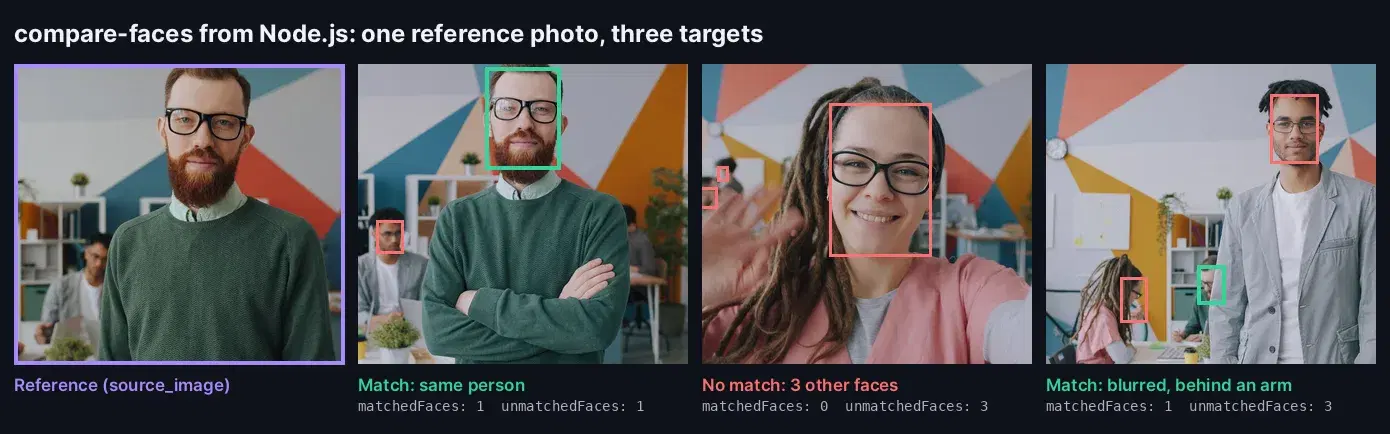
/compare-faces results: matched faces in green, other faces in red.For verification flows (selfie against ID photo, check-in against an enrolled photo) the face comparison tutorial covers the decision logic in detail.
Step 4: Replace FaceMatcher with a Face Repository
FaceMatcher takes labeled descriptors and answers "who is this?". The API version stores one face per label in a repository, once, and searches it:
import { callApi } from "./face.mjs";

const REPO = "team-faces";
await callApi("/create-facial-repository", {}, { repository_id: REPO });

const team = { alex: "alex_badge.jpg", maya: "maya.jpg", sam: "sam.jpg" };
for (const [label, path] of Object.entries(team)) {
  await callApi("/save-face-in-repository", { image: path }, {
    repository_id: REPO,
    external_id: label,
    max_faces: "1",
  });
}

async function whoIs(path) {
  const { FaceMatches = [] } = await callApi(
    "/search-face-in-repository",
    { image: path },
    { repository_id: REPO },
  );
  const best = FaceMatches.reduce(
    (a, b) => (!a || b.Similarity > a.Similarity ? b : a),
    null,
  );
  return best && best.Similarity >= 90
    ? `${best.ExternalImageId} (${best.Similarity.toFixed(2)})`
    : "unknown";
}

console.log(await whoIs("alex_office.jpg")); // alex (100.00)
console.log(await whoIs("visitor.jpg"));     // unknown
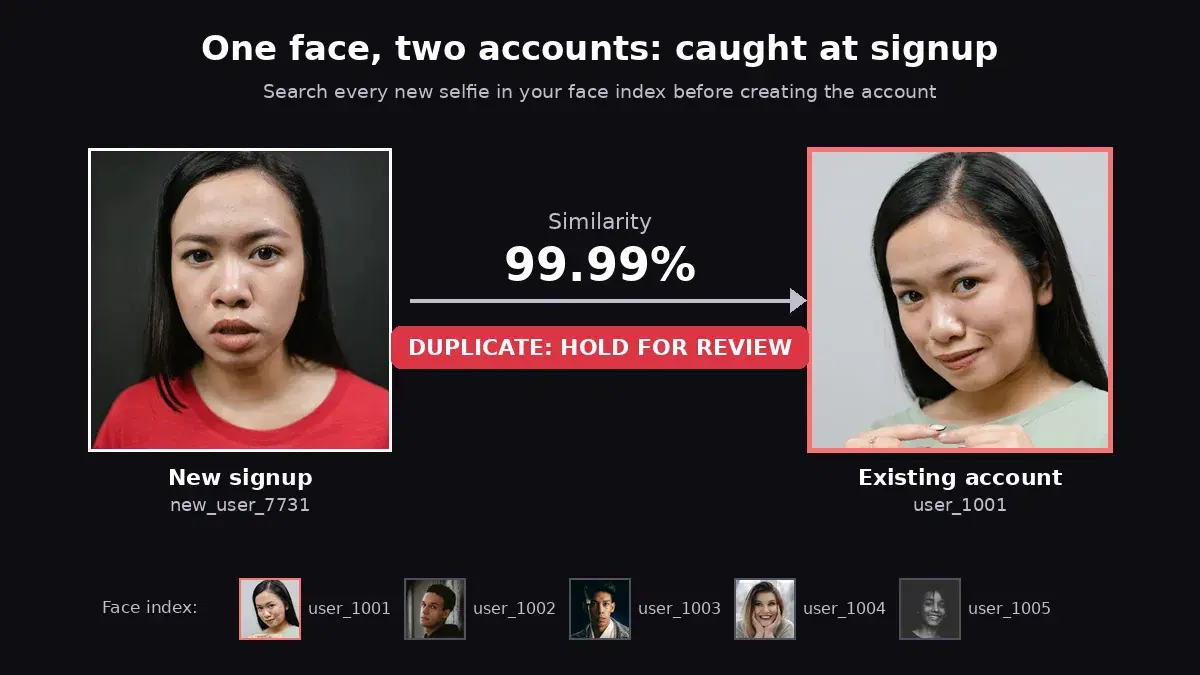
Enrollment happens once; after that each lookup is a single call. The whole script, including creating the repository and enrolling three people, ran in about 3.4 seconds. The labels are yours: user IDs, employee numbers or file names. The same pattern runs a face recognition attendance system or duplicate account detection.
Step 5: Browser Uploads Through Your Server
face-api.js ran in the browser, so many apps detect faces on a webcam frame or an uploaded file client side. Keep that UX, but route the image through your server so the API key never reaches the browser:
// server.mjs  (npm i express multer)
import express from "express";
import multer from "multer";

const BASE = "https://faceanalyzer-ai.p.rapidapi.com";
const HEADERS = {
  "x-rapidapi-host": "faceanalyzer-ai.p.rapidapi.com",
  "x-rapidapi-key": process.env.RAPIDAPI_KEY,
};

const app = express();
const upload = multer({ limits: { fileSize: 5 * 1024 * 1024 } });

app.post("/api/faces", upload.single("image"), async (req, res) => {
  if (!req.file) return res.status(400).json({ error: "image is required" });
  const form = new FormData();
  form.append(
    "image",
    new Blob([req.file.buffer], { type: req.file.mimetype }),
    req.file.originalname,
  );
  const r = await fetch(`${BASE}/faceanalysis`, {
    method: "POST",
    headers: HEADERS,
    body: form,
  });
  res.status(r.status).json((await r.json()).body);
});

app.listen(3000, () => console.log("listening on http://localhost:3000"));
In the browser, post the file and draw the boxes as before:
const form = new FormData();
form.append("image", fileInput.files[0]);
const { faces } = await (await fetch("/api/faces", { method: "POST", body: form })).json();
We tested the route with Express 5.3 and multer 2.4: a team photo returned all five faces, and a request without a file returned the 400 error.
Migration Tips
- Remove the native dependencies. Once the calls are migrated, drop
face-api.js,canvas,@tensorflow/tfjs-nodeand themodelsfolder. Your Docker image and CI get lighter immediately. - Re-enroll, do not convert. Stored face-api.js descriptors cannot be imported. Run your reference photos through
/save-face-in-repositoryonce, with your existing labels asexternal_id. - Scale boxes by image size. Coordinates come back from 0 to 1, so multiply by the displayed width and height before drawing.
- Keep the key server side. Read it from
process.env, never bundle it into front-end code. - Handle empty results. No face means an empty
faceslist from/faceanalysisand two empty lists from/compare-faces; show a "no face found" message instead of an error.
Move Off face-api.js This Week
A face-api.js alternative does not have to mean another frozen model to maintain. Copy face.mjs, swap your detectAllFaces and FaceMatcher calls for the endpoints above, and delete the native dependencies. Get a key on the Face Analyzer API page; a free tier is available to run the scripts on your own photos. To compare providers first, see the face recognition APIs comparison.
Sources
- face-api.js on GitHub - releases, README (Node.js setup with canvas and tfjs-node, FaceMatcher) and open issues.
- face-api.js on npm - version 0.22.2 and its
@tensorflow/tfjs-core1.7.0 dependency. - @vladmandic/face-api on GitHub - archived fork and its maintenance note.
- Node.js fs.openAsBlob - the built-in used to upload files with fetch.
- Office team photo series on Pexels - source of the test photos.
Frequently Asked Questions
- Is face-api.js still maintained?
- No. The last face-api.js release is 0.22.2 from March 2020, and it depends on TensorFlow.js core 1.7.0. The best-known fork, @vladmandic/face-api, is now archived on GitHub (last updated in February 2025) and its author points users to a different library. Both packages still get hundreds of thousands of npm downloads a month, mostly from existing projects.
- What can replace face-api.js in Node.js?
- A face recognition API covers the same jobs with plain fetch calls: face detection with landmarks and attributes, one-to-one face comparison, and labeled face search that replaces FaceMatcher. There are no model weights to load, no canvas polyfill and no native TensorFlow build in your Node.js app.
- Can I call a face recognition API from the browser?
- Call it from your server, not the browser, so your API key never ships to clients. The browser uploads the image to your own endpoint (an Express route with multer, for example), and that route forwards it to the face API and returns the JSON.