AI Image Generation API — Create Images from Text
Create images from text descriptions, modify images with inpainting and outpainting, and generate variations of existing images. A versatile generative AI API for marketers, designers, and developers.
See It in Action
Real examples generated by the API. See the quality for yourself.
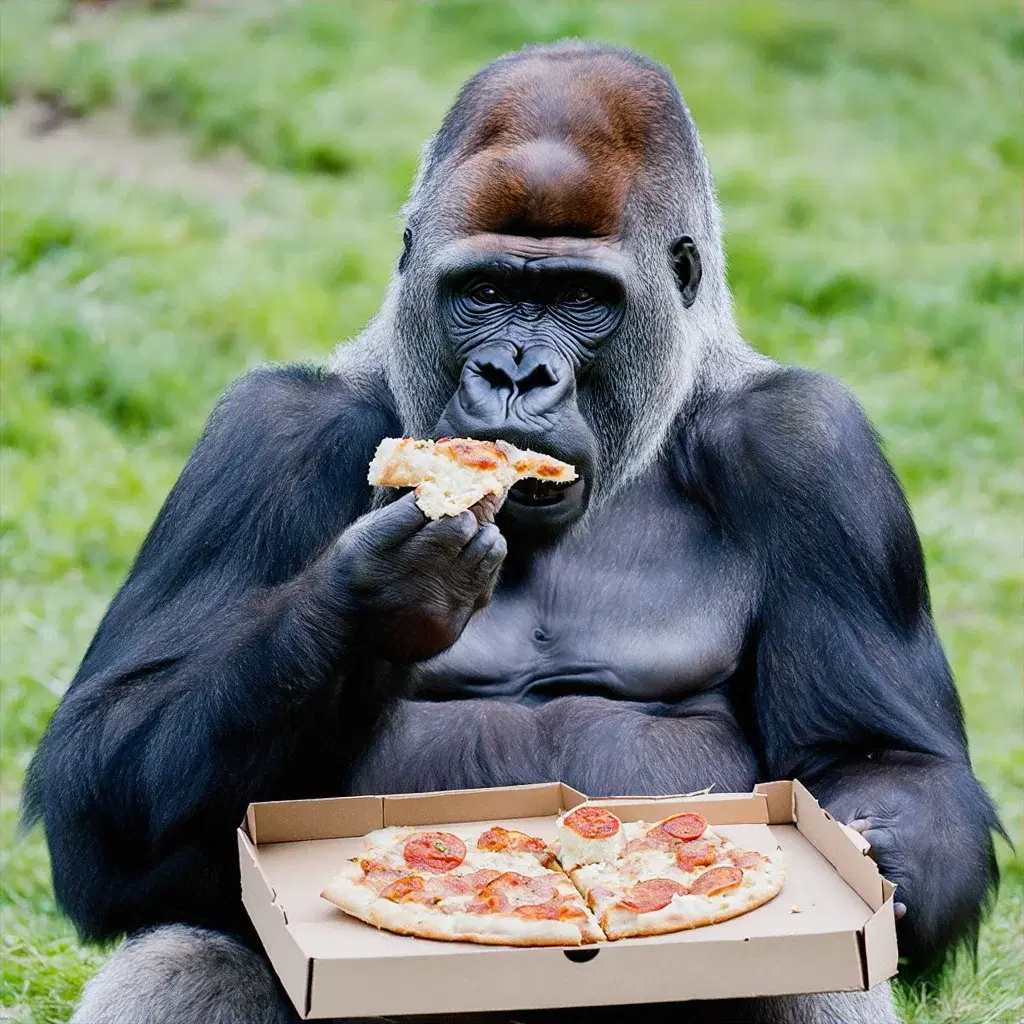
Prompt: "gorilla eating pizza" — Size: 1024x1024
Features
Text to Image
Generate images from text prompts with fine control over style, composition, and content.
Inpainting
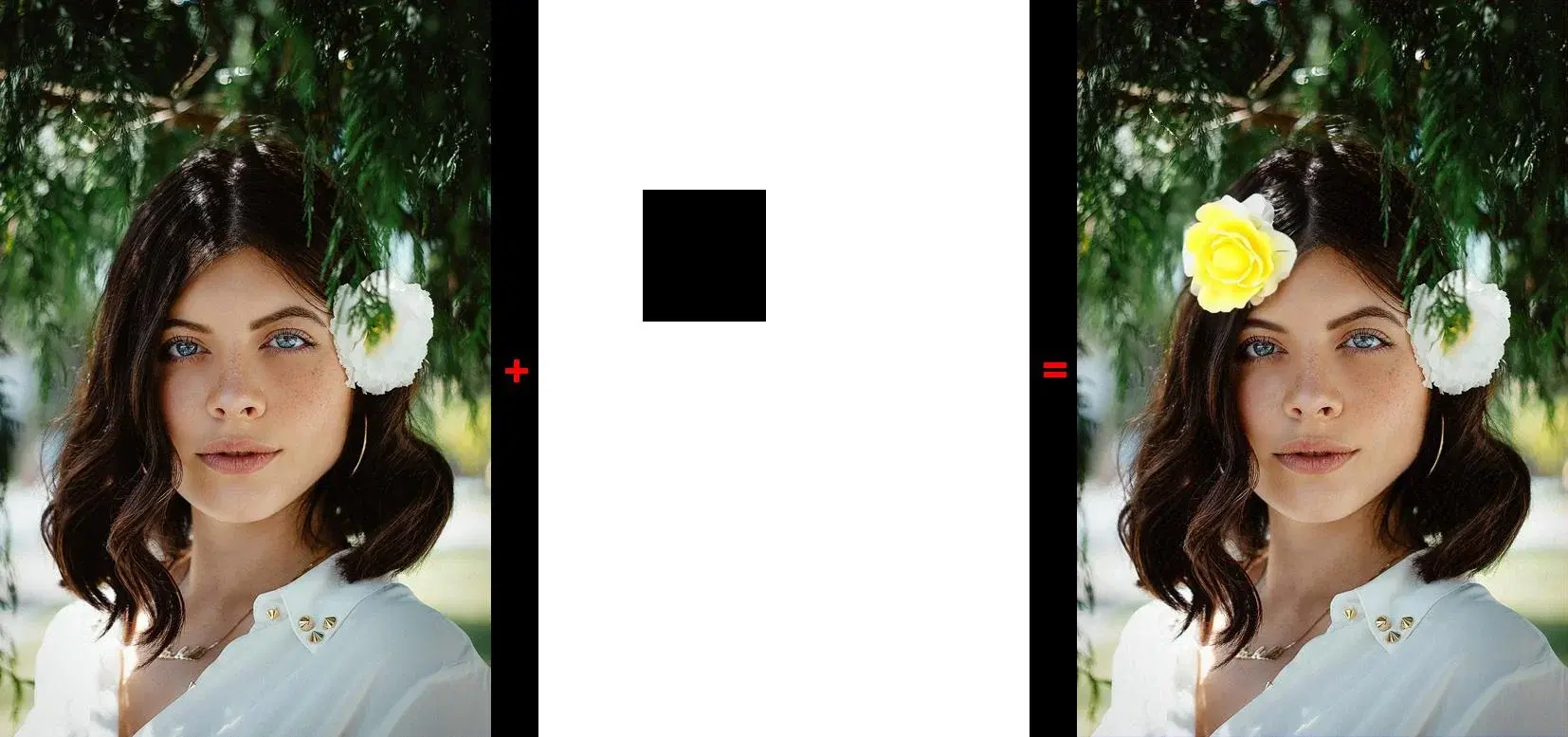
Modify specific regions of an image by painting inside a mask area with AI-generated content.
Outpainting
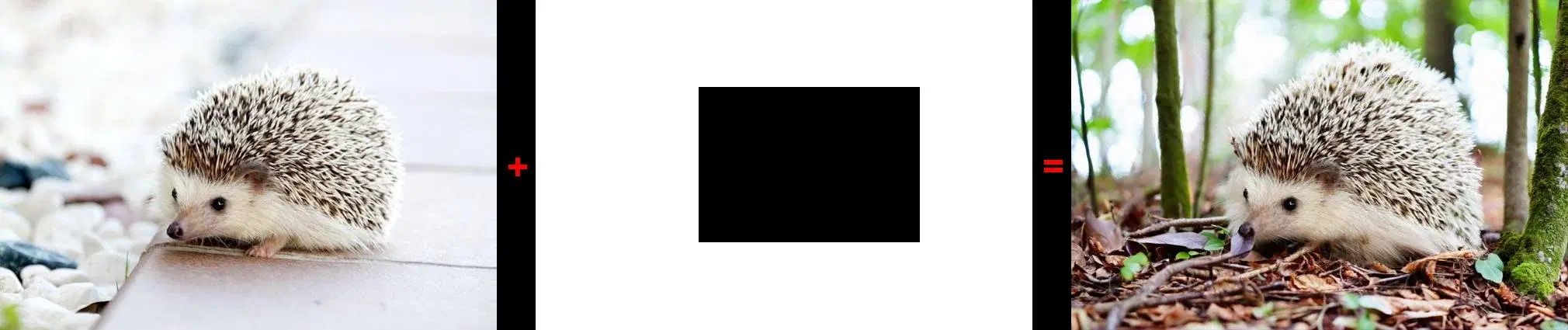
Extend images beyond their original boundaries with seamless AI-generated expansions.
Image Variations
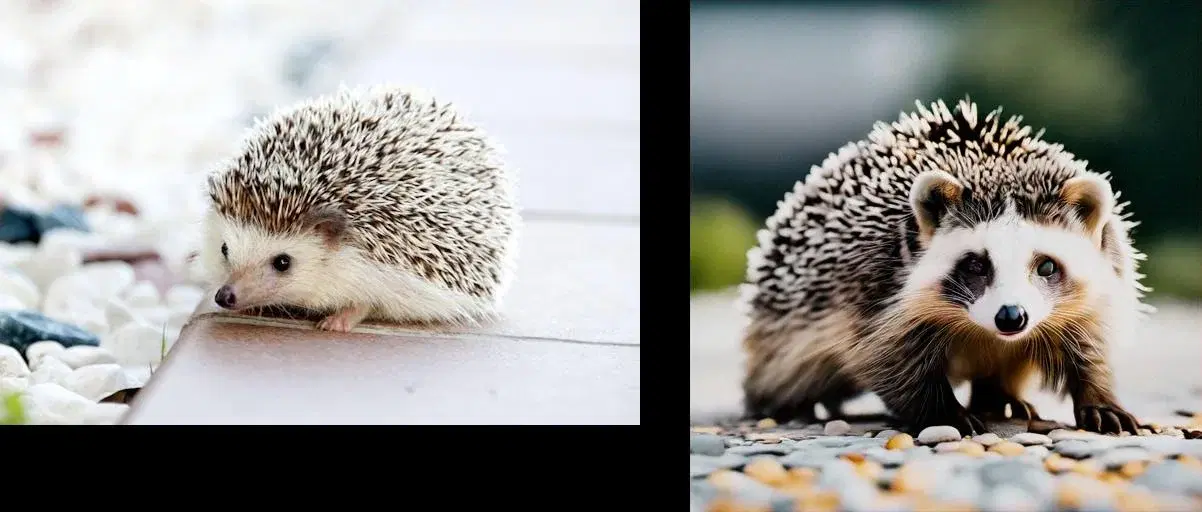
Create variations of existing images while preserving the overall composition and style.
Fine Control
Tune results with cfg_scale, seed, negative prompts, and multiple output sizes up to 1408x768.
Cloud-Based
No GPU needed on your end. Fully managed cloud infrastructure handles the processing.
API Reference
4 endpoints, simple integration. Here's everything you need.
Supported Content Types
https://imagegenius-ai.p.rapidapi.com/generate-imageGenerate an image from a text prompt. Supports size, cfg_scale, seed, and negative prompts.
promptstringrequiredText description of the image to generate
negative_textstringText describing what to exclude from the image
sizestringOutput dimensions, e.g. 1024x1024, 768x768, 512x512. Default: 512x512
cfg_scalefloatPrompt adherence strength (1.1-10.0). Lower = more random. Default: 8.0
seedintegerSeed for reproducible results (0-2,147,483,646). Default: 0
{
  "statusCode": 200,
  "body": {
    "imageUrl": "https://...generated-image.webp"
  }
}https://imagegenius-ai.p.rapidapi.com/inpaintingModify an image by changing the area inside a mask to match the prompt or surrounding background.
image / image_urlfile/stringrequiredThe image to modify (binary or URL)
mask_image / mask_image_urlfile/stringrequiredMask image defining the area to modify (black=inside, white=outside)
promptstringText describing what to paint inside the mask. If omitted, fills with background.
negative_textstringText describing what to exclude
cfg_scalefloatPrompt adherence strength (1.1-10.0). Default: 8.0
{
  "statusCode": 200,
  "body": {
    "imageUrl": "https://...inpainted-image.webp"
  }
}https://imagegenius-ai.p.rapidapi.com/outpaintingExtend an image beyond its original boundaries. The mask defines the region to preserve.
image / image_urlfile/stringrequiredThe image to extend (binary or URL)
mask_image / mask_image_urlfile/stringrequiredMask defining the region to keep (black=keep, white=extend)
promptstringrequiredText describing what to generate outside the mask
negative_textstringText describing what to exclude
outpainting_modestringDEFAULT (may adjust original) or PRECISE (preserves original exactly)
cfg_scalefloatPrompt adherence strength (1.1-10.0). Default: 8.0
{
  "statusCode": 200,
  "body": {
    "imageUrl": "https://...outpainted-image.webp"
  }
}https://imagegenius-ai.p.rapidapi.com/image-variationGenerate variations of an existing image. Optionally guide the variation with a prompt.
image / image_urlfile/stringrequiredThe source image (binary or URL)
promptstringText to guide what to preserve or change
negative_textstringText describing what to exclude
sizestringOutput dimensions, e.g. 1024x1024, 512x512. Default: 512x512
cfg_scalefloatPrompt adherence strength (1.1-10.0). Default: 8.0
{
  "statusCode": 200,
  "body": {
    "imageUrl": "https://...variation-image.webp"
  }
}
Response
Returns JSON with a temporary URL to the generated image. The URL is valid for approximately 1 hour.
Quick Start
Copy-paste code to get started in seconds. Replace YOUR_API_KEY with your RapidAPI key.
# Text to Image
curl -X POST "https://imagegenius-ai.p.rapidapi.com/generate-image" \
  -H "x-rapidapi-key: YOUR_API_KEY" \
  -H "x-rapidapi-host: imagegenius-ai.p.rapidapi.com" \
  -H "Content-Type: application/x-www-form-urlencoded" \
  -d "prompt=a futuristic city at sunset&size=1024x1024"

# Inpainting
curl -X POST "https://imagegenius-ai.p.rapidapi.com/inpainting" \
  -H "x-rapidapi-key: YOUR_API_KEY" \
  -H "x-rapidapi-host: imagegenius-ai.p.rapidapi.com" \
  -F "image=@photo.webp" \
  -F "mask_image=@mask.png" \
  -F "prompt=add yellow flowers"
Pricing
Start free, scale as you grow. All plans include full API access with no credit card required for the free tier.
Basic
5 requests/mo
- Full API access
- All endpoints
- Standard support
Pro
400 requests/mo
- Full API access
- All endpoints
- Standard support
Ultra
800 requests/mo
- Full API access
- All endpoints
- Standard support
Mega
4,000 requests/mo
- Full API access
- All endpoints
- Standard support
Frequently Asked Questions
- How does the text-to-image generation API work?
- The image generation API converts text prompts into images using AI. Describe what you want in natural language, and the API generates a matching image. You can control output size, prompt adherence strength (cfg_scale), use negative prompts to exclude unwanted elements, and set a seed for reproducible results.
- What is the difference between inpainting and outpainting?
- Inpainting modifies a specific region inside an image defined by a mask, filling it with AI-generated content based on your prompt. Outpainting extends an image beyond its original boundaries, generating new content around the edges. Both features use masks to define the target area.
- Can I generate variations of an existing image?
- Yes. The image variation endpoint takes an existing image and creates AI-generated variations that preserve the overall composition and style. You can optionally guide the variation with a text prompt and control the output size up to 1024x1024 pixels.
Tutorials & Guides
Learn how to integrate this API with step-by-step tutorials and real-world use cases.
Start Using Image Generation Today
Sign up on RapidAPI to get your API key. The free tier includes generous monthly requests — no credit card required.