This tutorial uses the NSFW Detect API. See the docs, live demo, and pricing.
If your product generates images (an avatar app, an AI art tool, an ad creative generator, a chatbot that draws), every output is content you publish. An NSFW filter for AI-generated images checks each output before a user sees it, so a bad generation becomes a retry instead of a screenshot on social media. This guide wires a moderation API into a generation pipeline: where the check goes, a policy built for generated content, a generate_safely() wrapper with retries and an audit log, and what it costs in latency.
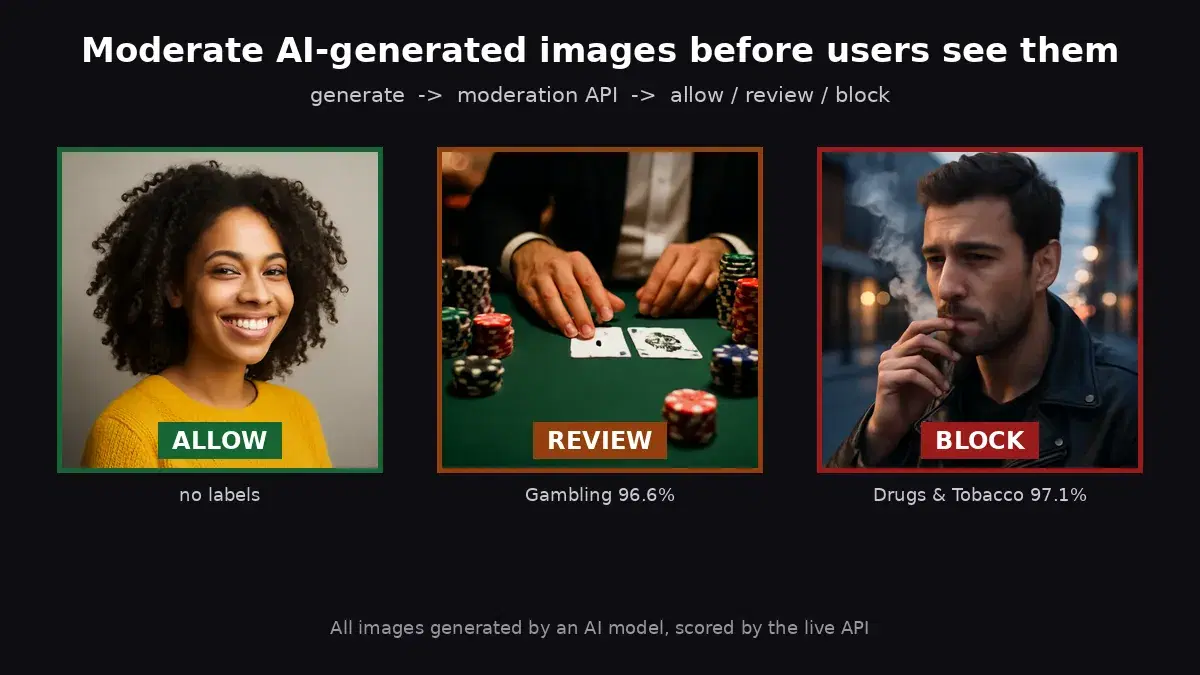
Every image in this article was produced by a text-to-image model and scored by the live NSFW Detect API. The numbers are real responses, not illustrations.
Why Prompt Filters and Built-in Checkers Are Not Enough
Most generation apps start with a blocklist on the prompt. It helps, but it judges the request, not the result:
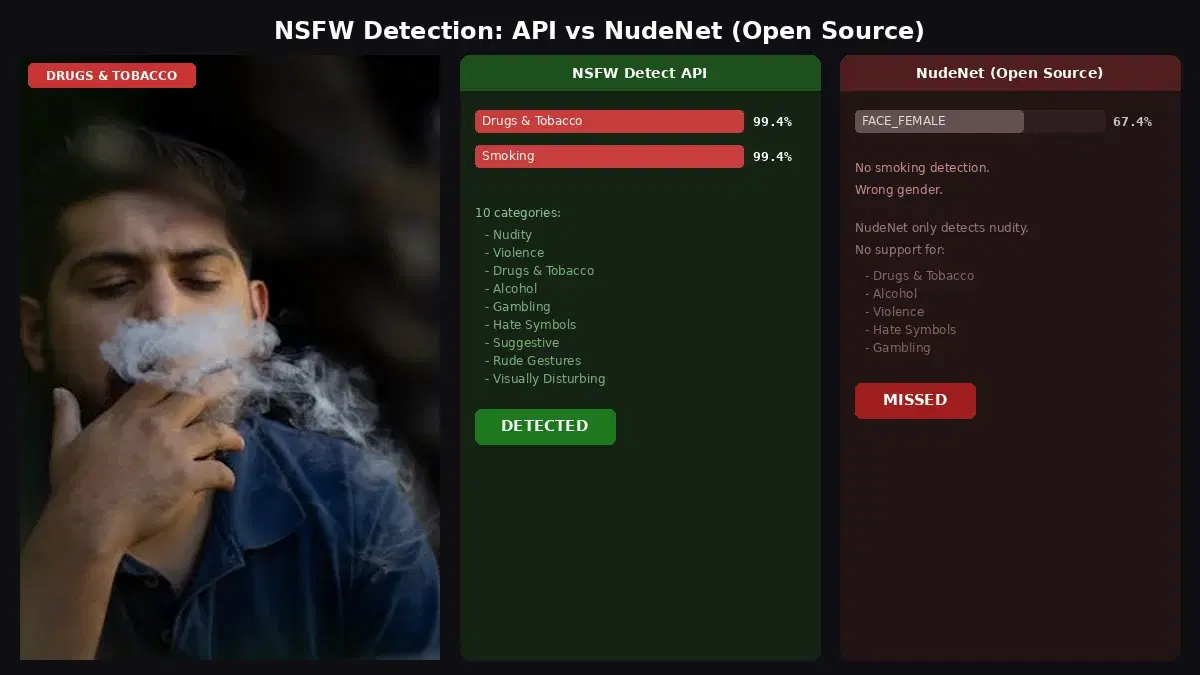
- Harmless prompts can produce unsafe images. Models fill in details nobody asked for. A prompt about a moody street scene can come back with a cigarette in hand; a beach scene can come back with far less clothing than requested.
- Users route around word lists. Misspellings, other languages, euphemisms and image-to-image uploads all get past a keyword filter.
- Built-in checkers are coarse. The safety checker that ships with Stable Diffusion pipelines in Hugging Face diffusers returns one boolean per image (
nsfw_content_detected), orNonewhen the checker is not loaded, and the pipeline acceptssafety_checker=None. A yes/no flag cannot tell alcohol from nudity, so you cannot write a real policy on it. - Hosted providers moderate on their terms. Their filters protect them, follow their policy, and change when you switch provider. Your platform still owns what it shows.
Checking the output closes the gap. It does not care how the image was produced or which model made it.
Where the Check Goes in the Pipeline
The order matters more than the model:
- Prompt filter (cheap, stops obvious abuse before you pay for a generation)
- Generate the image
- Moderate the generated bytes
- Only then: write to storage, push to a CDN, return to the client
The common mistake is uploading the output to a public bucket first and moderating from its URL. If the check fails or times out, the image is already public. Moderate the bytes in memory, and only persist what passes.
Step 1: Moderate the Generated Bytes
Generators hand you bytes (usually PNG), so send them straight to the API as a multipart upload. No temporary file, no public URL:
import requests

NSFW_URL = "https://nsfw-detect3.p.rapidapi.com/nsfw-detect"
HEADERS = {
    "x-rapidapi-key": "YOUR_API_KEY",
    "x-rapidapi-host": "nsfw-detect3.p.rapidapi.com",
}

def moderate(image_bytes, filename="output.png"):
    """Send generated image bytes to the moderation API, return its labels."""
    r = requests.post(
        NSFW_URL,
        headers=HEADERS,
        files={"image": (filename, image_bytes, "image/png")},
        timeout=30,
    )
    r.raise_for_status()
    return r.json()["body"]["ModerationLabels"]

labels = moderate(open("generated.png", "rb").read())
print(labels)
On a generated photo of a man smoking on a city street, the API returns the full label hierarchy:
[
  {"Name": "Smoking", "ParentName": "Drugs & Tobacco Paraphernalia & Use", "Confidence": 97.1, "TaxonomyLevel": 3},
  {"Name": "Drugs & Tobacco Paraphernalia & Use", "ParentName": "Drugs & Tobacco", "Confidence": 97.1, "TaxonomyLevel": 2},
  {"Name": "Drugs & Tobacco", "ParentName": "", "Confidence": 97.1, "TaxonomyLevel": 1}
]
A clean image returns an empty list. The entry with an empty ParentName (and TaxonomyLevel 1) is the top-level category, and that is what your policy should key on: a generated still life of a joint and a grinder came back under the sub-label Pills, but its top-level category was still Drugs & Tobacco at 99.7%. If the image is already hosted, the same endpoint also accepts a public URL as a form field (url=https://..., form-urlencoded, not JSON).
Step 2: A Policy Built for Generated Content
Labels are not decisions. The same category means different things on different products, so the policy is a table you own:
| Top-level category | General-audience avatar app | Adult (18+) art platform |
|---|---|---|
| Explicit | Block | Review or allow, per your terms |
| Non-Explicit Nudity of Intimate parts and Kissing | Block | Allow |
| Swimwear or Underwear | Review | Allow |
| Drugs & Tobacco | Block | Review |
| Gambling | Review | Allow |
| Violence, Visually Disturbing, Hate Symbols | Block | Block |
| Alcohol | Allow | Allow |
Here is the general-audience column as code:
# Top-level category -> (action, minimum confidence). Absent = allowed.
POLICY = {
    "Explicit": ("block", 50),
    "Non-Explicit Nudity of Intimate parts and Kissing": ("block", 50),
    "Violence": ("block", 60),
    "Visually Disturbing": ("block", 60),
    "Hate Symbols": ("block", 40),
    "Drugs & Tobacco": ("block", 60),
    "Swimwear or Underwear": ("review", 60),
    "Gambling": ("review", 50),
    "Rude Gestures": ("review", 60),
    # "Alcohol" is not listed: allowed on this platform
}

def decide(labels):
    verdict, reasons = "allow", []
    for label in labels:
        if label["ParentName"]:  # keep top-level categories only
            continue
        rule = POLICY.get(label["Name"])
        if not rule or label["Confidence"] < rule[1]:
            continue
        reasons.append(f"{label['Name']} ({label['Confidence']:.1f}%)")
        if rule[0] == "block":
            verdict = "block"
        elif verdict == "allow":
            verdict = "review"
    return verdict, reasons
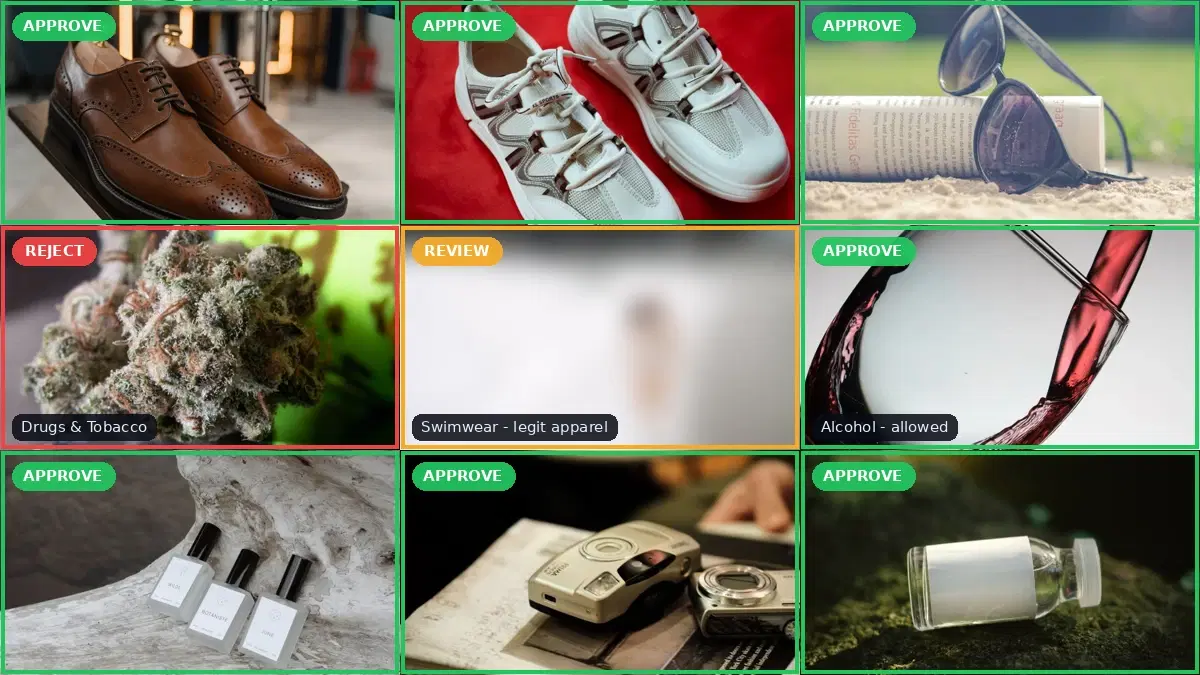
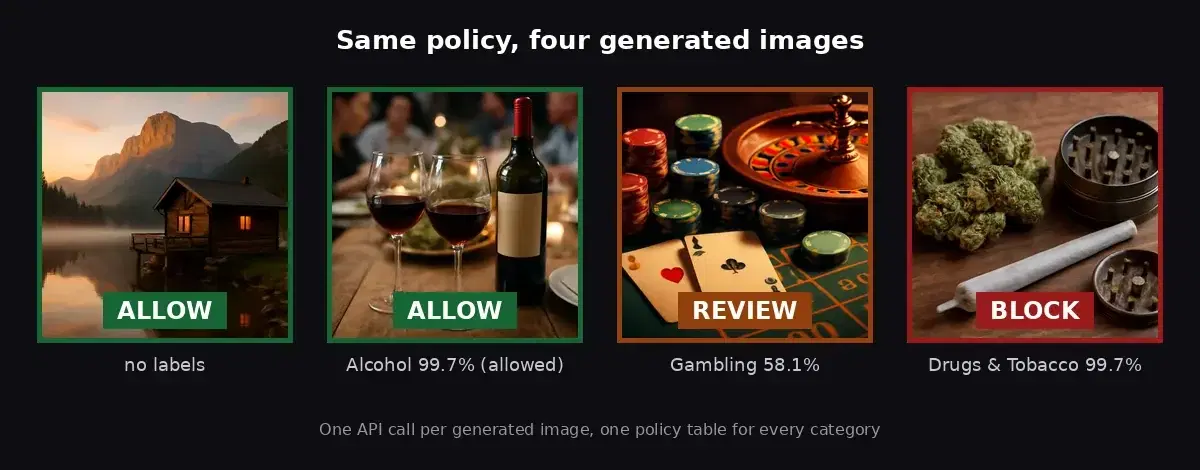
The thresholds are set per category, so one table covers every style your generator produces, from photoreal renders to illustrations. In our run, the illustrated casino scene with chips, cards and a roulette wheel was caught as Gambling and routed to review, while the wine dinner passed and the cannabis scene was blocked.
Step 3: generate_safely() With Retries and an Audit Log
Wrap your generator so nothing leaves it unchecked. The generator is a plain function you pass in, so this works with any provider or a local model:
import hashlib
import json
import random
import time

def audit(record):
    with open("moderation_audit.jsonl", "a") as f:
        f.write(json.dumps(record) + "\n")

def generate_safely(prompt, generate, user_id, max_attempts=3):
    """generate(prompt, seed) is your image model or provider, returning PNG bytes."""
    for attempt in range(1, max_attempts + 1):
        seed = random.randint(0, 2**31 - 1)
        image = generate(prompt, seed)
        started = time.time()
        try:
            verdict, reasons = decide(moderate(image))
        except requests.RequestException as e:
            verdict, reasons = "review", [f"moderation unavailable: {e}"]  # fail closed
        audit({
            "ts": time.time(), "user": user_id, "prompt": prompt, "seed": seed,
            "attempt": attempt, "verdict": verdict, "reasons": reasons,
            "sha256": hashlib.sha256(image).hexdigest(),
            "check_ms": round((time.time() - started) * 1000),
        })
        if verdict == "allow":
            return {"status": "ok", "image": image, "seed": seed}
        if verdict == "review":
            return {"status": "held_for_review", "seed": seed, "reasons": reasons}
        # blocked: discard this image and try a new seed
    return {"status": "refused", "reasons": reasons}
Four decisions are baked in:
- Block means regenerate, not error. A new seed often produces a clean image for a benign prompt, so the user gets a result instead of a failure. Cap the attempts: each retry costs a generation.
- Review means hold. The image is kept out of the user's feed until a moderator approves it, or you show it only to its creator, depending on your product.
- Fail closed. If the moderation call errors or times out, the image goes to review, never straight to the user.
- Log the decision, not the image. The audit line keeps the prompt, seed, verdict, reasons and a SHA-256 of the bytes. That is enough to answer "why was this shown?" months later without storing blocked images.
We ran the wrapper against the live API with a stub generator that returned two blocked images and then a clean one. The audit log recorded two block lines (Drugs & Tobacco 99.7%, then 97.1%) and an allow, and the caller received the third image.
Repeated Blocks Are a Signal
One blocked generation is noise. A user whose prompts hit refused several times an hour is probing your filter. Count refusals per user from the audit log and act on the pattern: slow them down, require review for all their outputs, or suspend the account. The moderation API gives you the per-image verdict; the abuse decision sits in your product logic.
Latency and Cost per Image
One moderation call per generated image. Measured end to end from a client over the network:
- About 0.8 seconds for a 140 KB JPEG (median of 12 calls)
- About 1.3 seconds for a 1.2 MB PNG straight from the generator
Generation usually takes several seconds, so the check is a small slice of the wait. If your app generates four variants per prompt, moderate them in parallel with a thread pool rather than one after another.
Moderate the exact bytes you are going to publish. If you serve JPEGs, check the JPEG; if you serve the original PNG, check the PNG.
Generation apps produce a lot of images, and every image is a call. Size your plan on outputs, including retries, not on user count. See the NSFW Detect API page for the tiers.
The Rules Around Generated Content Are Tightening
Two concrete examples a generation app should know:
- Google Play's AI-Generated Content policy requires apps that generate content with AI to prevent the generation of restricted content and to include in-app reporting or flagging, so users can report offensive outputs without leaving the app.
- The EU AI Act, Article 50, requires providers of systems that generate synthetic images to mark outputs in a machine-readable format, detectable as artificially generated. It applies from 2 August 2026. Marking is a transparency duty, separate from safety, but it raises the same question: can you show what your system produced and what you did about it? The audit log above is the start of that answer.
Neither replaces legal advice for your market. Both point the same way: the platform is expected to control what its generator shows.
Production Tips
- Calibrate on your own presets. Run a few hundred outputs from each style preset through the API before launch and adjust the per-category thresholds to the decisions you want.
- Start strict, then relax. Send borderline categories to review at first, then move them to allow or block once the review queue shows a clear pattern.
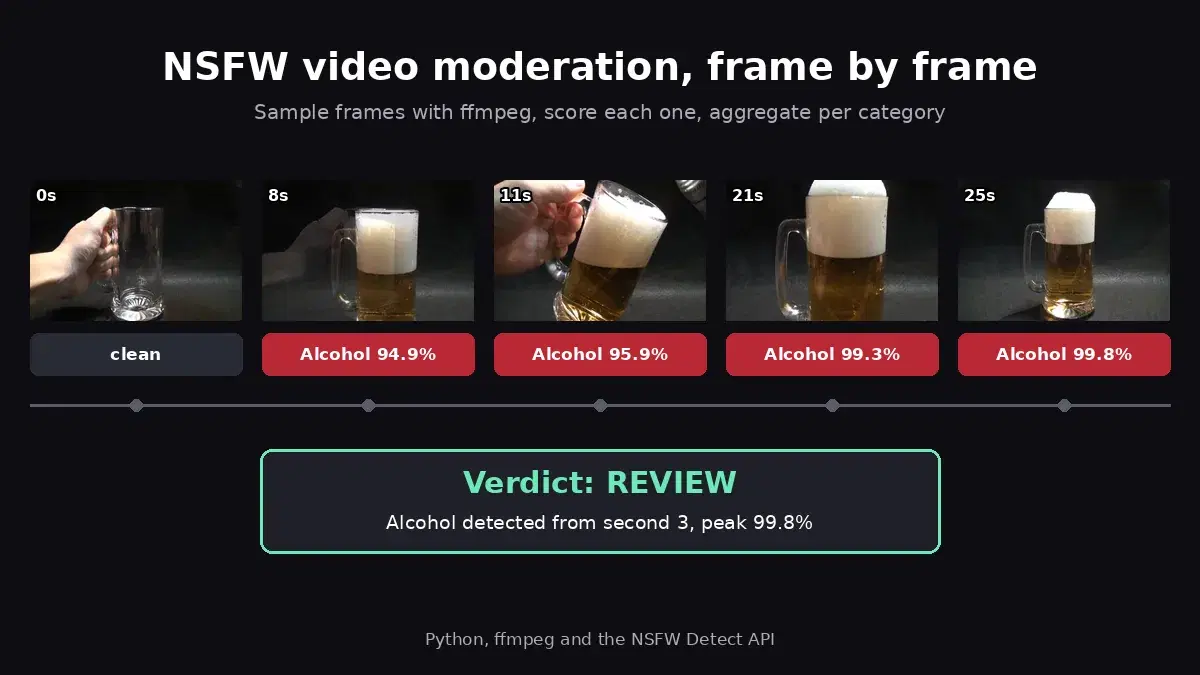
- Extend to video. Generated clips use the same policy on sampled frames: see NSFW video and GIF moderation in Python.
For a side-by-side of moderation providers, see the best NSFW detection APIs comparison. The same policy engine for user uploads (with a review queue and concurrent batches) is in the content moderation API guide, and if you would rather blur borderline outputs than discard them, the blur NSFW content tutorial shows how.
Getting Started
Grab a key from the NSFW Detect API page, paste moderate(), decide() and generate_safely() into your generation service, and point the wrapper at your existing generator. Run your style presets through it on a few hundred prompts first and read the audit log: it shows you which thresholds to move before real users arrive. A free tier is available to test it.
Sources
- Google Play: Understanding the AI-Generated Content policy: prevent restricted content, in-app reporting or flagging.
- EU AI Act, Article 50: machine-readable marking of synthetic image outputs, applicable from 2 August 2026.
- Hugging Face diffusers: StableDiffusionPipeline:
safety_checkerparameter and the booleannsfw_content_detectedoutput.
Frequently Asked Questions
- Do AI image generators need a separate NSFW filter?
- Yes, if you show or store the outputs. Prompt filters miss harmless-looking prompts that still produce unsafe images, built-in safety checkers return a single yes/no flag (or nothing when they are disabled), and hosted providers each apply their own policy. A moderation API on the output gives you per-category labels and a policy you control, whatever generator you use.
- Should I check the prompt or the generated image?
- Both, for different reasons. A prompt filter is cheap and stops obvious abuse before you pay for a generation. The image check is the one that matters for safety, because it judges what the user will actually see. Run the prompt filter first, then moderate every generated image before it reaches storage, a CDN or the screen.
- How much latency does moderating each generated image add?
- In our tests the moderation call took about 0.8 seconds for a 140 KB JPEG and about 1.3 seconds for a 1.2 MB PNG, measured end to end over the network. Image generation itself usually takes several seconds, so the check adds a small fraction to the total wait. Batches of images can be checked in parallel.