This tutorial uses the NSFW Detect API. See the docs, live demo, and pricing.
The moment your product lets users upload images (profile photos, listing pictures, chat attachments, review photos), you inherit a Trust and Safety problem. Someone will upload something that violates your policy, and if it reaches other users before you catch it, that is a brand and sometimes a legal incident. Manual review does not scale past a trickle of uploads. A content moderation API screens every image automatically and lets a human handle only the genuinely ambiguous ones.
This guide builds that flow: one call to score an image across a broad set of risk categories, a per-category policy engine that turns scores into an allow / review / block decision, and a concurrent batch pattern for the volume a real platform sees. All code is Python and runs against a live API.

Moderation Is More Than a Nudity Filter
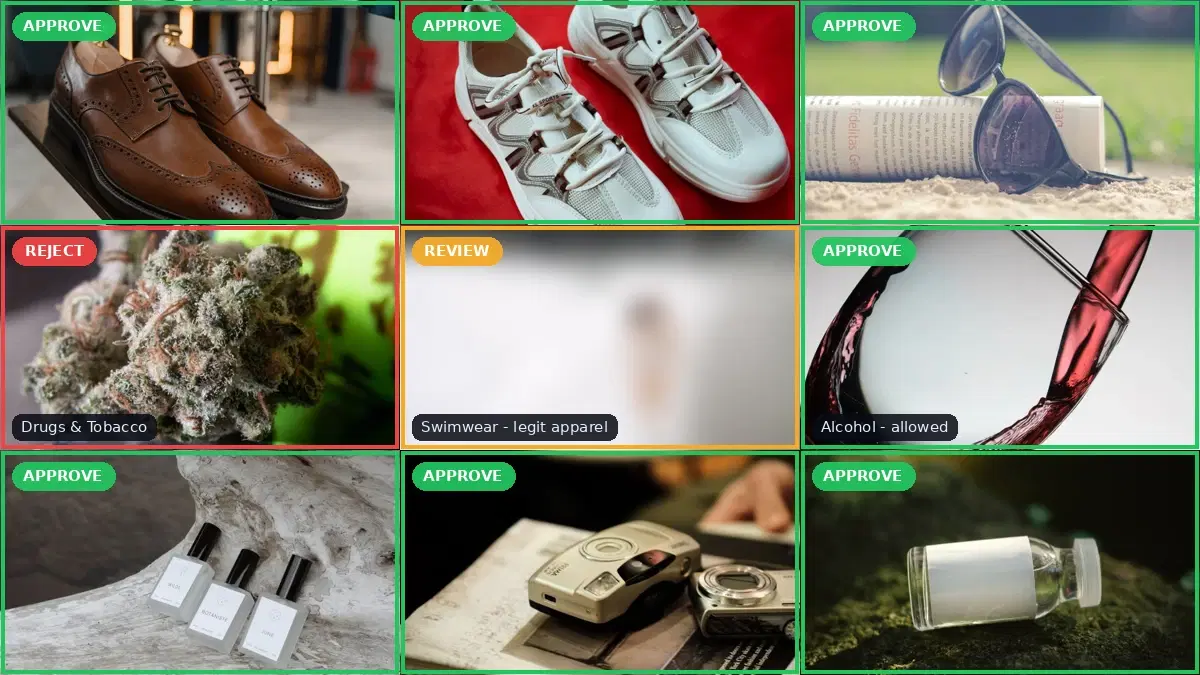
A lot of "NSFW detection" content treats moderation as a single yes/no question about nudity. Real platform policy is broader. Weapons and gore, drug paraphernalia, hate symbols, and gambling promotions all break the rules on most platforms, and none of them are nudity. The content moderation API returns labels across a broad set of categories, each with a confidence score:
- Explicit nudity and suggestive content
- Violence and visually disturbing imagery
- Drugs and tobacco, alcohol
- Gambling, hate symbols, rude gestures
Labels are hierarchical: each result has a top-level category (its ParentName is empty) and, often, more specific sub-labels beneath it. That breadth is the difference between a toy filter and something you can run a platform on, because it lets your policy distinguish a weapon from a wine bottle instead of lumping everything into "bad."
Step 1: Score an Image
Send an image (file upload or a public URL) and get back the labels the model is confident about. A clean image returns an empty list:
import requests

HEADERS = {
    "x-rapidapi-key": "YOUR_API_KEY",
    "x-rapidapi-host": "nsfw-detect3.p.rapidapi.com",
}

def moderate(image_path):
    """Return the moderation labels for an image (empty list means clean)."""
    with open(image_path, "rb") as f:
        r = requests.post(
            "https://nsfw-detect3.p.rapidapi.com/nsfw-detect",
            headers=HEADERS,
            files={"image": f},
        )
    return r.json()["body"]["ModerationLabels"]

print(moderate("clean_photo.jpg"))
# []  (no labels: the image is clean)

print(moderate("product_with_wine.jpg"))
# [{"Name": "Alcoholic Beverages", "ParentName": "Alcohol", "Confidence": 97.9},
#  {"Name": "Alcohol", "ParentName": "", "Confidence": 97.9}]
Each label has a Name, a Confidence (0 to 100), and a ParentName. Top-level categories have an empty ParentName; sub-labels point back to their category. The wine photo above is a useful example: it is flagged Alcohol at high confidence, but whether that matters is a policy question, not a detection one.
Because labels are hierarchical and the grouping is not always obvious (a specific drug label, for instance, sits under a broader Drugs & Tobacco category), the reliable way to build a policy is to first see which top-level categories the API actually returns on your own content:
# List the top-level categories present in an image (empty ParentName)
labels = moderate("sample_upload.jpg")
categories = [l["Name"] for l in labels if l["ParentName"] == ""]
print(categories)
# ['Gambling']                                              on a poker photo
# ['Drugs & Tobacco']                                       on a pills photo
# ['Swimwear or Underwear', 'Non-Explicit Nudity ...']      on a beach photo
# []                                                        on a clean photo
Run that across a representative sample of your uploads once, and you have the exact category names to write your policy against in the next step.
Step 2: Turn Scores Into a Policy Decision
The labels are not a decision. A wine marketplace allows alcohol; a children's app blocks it. Your platform's policy lives in a small table that maps each category to an action and a confidence threshold, and a function that applies it:
# Map each top-level category to an action and a confidence threshold.
# Use the exact Names the API returns for your content (see Step 1).
# A category absent from the table is allowed.
POLICY = {
    "Explicit":                                          {"action": "block",  "threshold": 60},
    "Non-Explicit Nudity of Intimate parts and Kissing": {"action": "block",  "threshold": 60},
    "Violence":                                          {"action": "block",  "threshold": 70},
    "Hate Symbols":                                      {"action": "block",  "threshold": 50},
    "Drugs & Tobacco":                                   {"action": "block",  "threshold": 70},
    "Swimwear or Underwear":                             {"action": "review", "threshold": 60},
    "Gambling":                                          {"action": "review", "threshold": 80},
    # Alcohol is not listed, so it is allowed (e.g. a wine marketplace)
}

def decide(labels):
    """Map moderation labels to a verdict: allow, review, or block."""
    verdict, reasons = "allow", []
    for label in labels:
        if label["ParentName"]:          # match on top-level categories only
            continue
        rule = POLICY.get(label["Name"])
        if not rule or label["Confidence"] < rule["threshold"]:
            continue
        reasons.append(f"{label['Name']} ({label['Confidence']:.0f}%)")
        if rule["action"] == "block":
            verdict = "block"
        elif verdict != "block":
            verdict = "review"
    return verdict, reasons


print(decide(moderate("clean_photo.jpg")))    # ('allow', [])
print(decide(moderate("wine_listing.jpg")))   # ('allow', [])  Alcohol is not in the policy
print(decide(moderate("poker_table.jpg")))    # ('review', ['Gambling (99%)'])
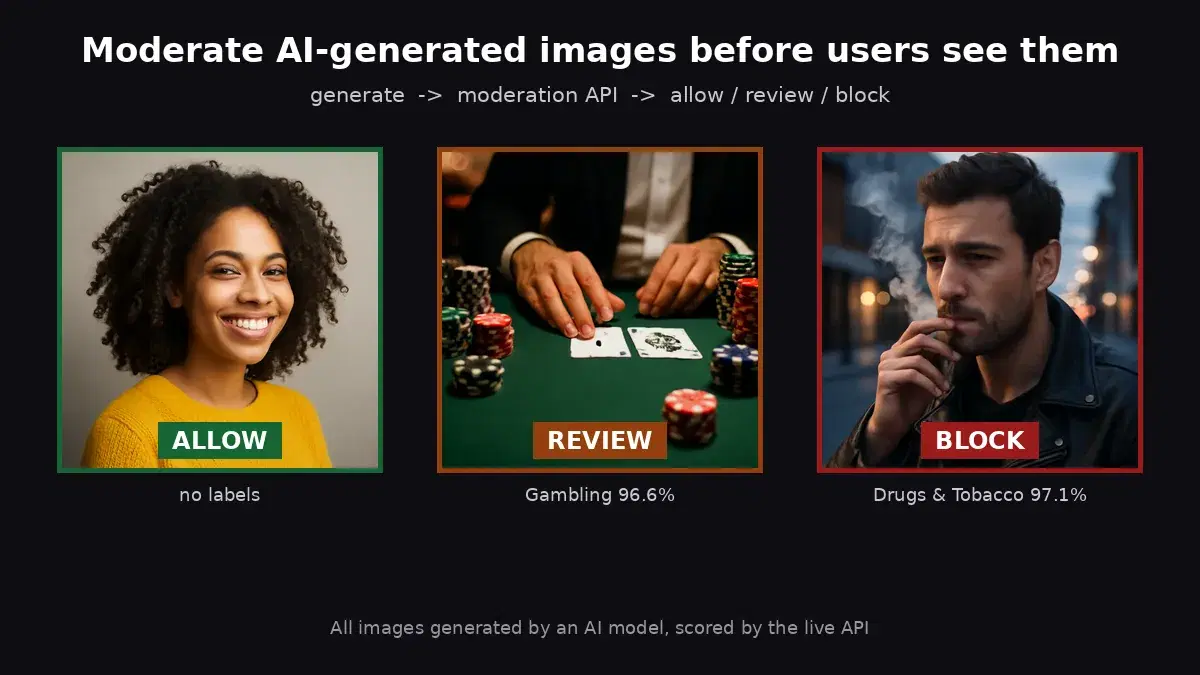
Three ideas make this work at platform scale. First, match on the top-level category (the label whose ParentName is empty), so a deeply nested sub-label still maps to the right rule instead of slipping through. Second, thresholds per category: you can be strict on hate symbols (block at 50%) and lenient on swimwear or underwear (review only above 60%). Third, three outcomes, not two: block for clear violations, allow for clean images, and review for the uncertain middle a human should see. Flip one line in POLICY and the same code serves a kids' app or an adult marketplace.
Step 3: Screen Uploads at Scale
A live platform does not moderate one image at a time. Screen a batch of uploads concurrently, and act on the verdict as each result lands:
from concurrent.futures import ThreadPoolExecutor, as_completed

def screen(upload):
    """upload: dict with id and local path. Returns the moderation verdict."""
    try:
        verdict, reasons = decide(moderate(upload["path"]))
    except Exception as e:
        # On error, fail safe to review rather than letting content through
        verdict, reasons = "review", [f"moderation error: {e}"]
    return {"id": upload["id"], "verdict": verdict, "reasons": reasons}

def screen_batch(uploads, max_workers=10):
    blocked, review, allowed = [], [], []
    with ThreadPoolExecutor(max_workers=max_workers) as pool:
        futures = [pool.submit(screen, u) for u in uploads]
        for fut in as_completed(futures):
            r = fut.result()
            {"block": blocked, "review": review, "allow": allowed}[r["verdict"]].append(r)
    return blocked, review, allowed

blocked, review, allowed = screen_batch(pending_uploads)
print(f"{len(allowed)} allowed, {len(review)} to review, {len(blocked)} blocked")
Publish the allowed bucket immediately, hold the blocked bucket and notify the uploader, and push the review bucket to your moderation queue. The fail-safe to review on error matters: when the API call fails, you want the image held for a human, not published unchecked.
Keep a Human in the Loop
The review bucket is where automation hands off to people. A good queue shows the moderator the image, the labels that triggered it, and one-click approve or remove. Two reasons this stays important: confidence scores near your threshold are exactly the calls a model gets wrong, and context the model cannot see (a medical photo, a news image, satire) often flips the right decision. Automation should shrink the human queue to the hard cases, not eliminate it.
Feed moderator decisions back into your thresholds over time. If humans approve 95% of what lands in review for a category, your threshold for that category is too aggressive and you can raise it.
Honest Limits
A moderation API is a strong first line, not the whole system:
- It scores pixels, not intent. The same image can be a policy violation or legitimate news depending on context the model does not have. That is what the review queue is for.
- Thresholds are a product decision. Strict thresholds catch more but annoy real users with false positives; lenient ones let more through. Tune them against your own traffic, not a default.
- Policy is regional. What is allowed varies by country and by the law that applies to your platform. The API gives you the signal; legal and policy decide the rules.
- Images are one surface. Text, video, and audio need their own moderation. This covers the image upload path.
How It Compares to Self-Hosting
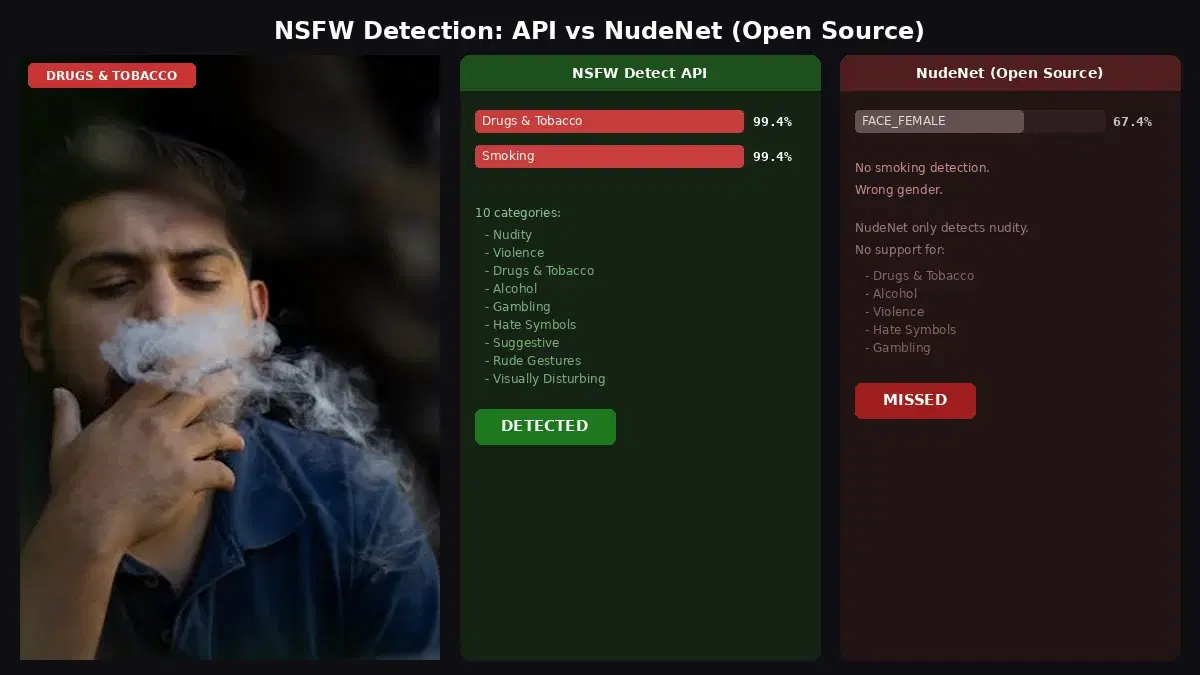
You can self-host an open-source nudity model, but platform moderation needs the broader category set (violence, drugs, hate symbols), and running that well means models, GPUs, and tuning you now own. For a measured comparison of the managed API against the open-source route, see NSFW detection API vs NudeNet, and for a head-to-head of providers, the best content moderation APIs comparison. If you only need to soften borderline images rather than remove them, the blur NSFW content guide shows that path. For video uploads, the NSFW video moderation guide applies the same policy frame by frame.
Getting Started
Grab a key from the content moderation API page, drop it into the moderate function, and run it against a sample of your own uploads to see which labels fire. Edit the POLICY table to match your platform's rules, wire the three buckets into your upload pipeline and review queue, and you have automated image moderation that scales with your traffic. A free tier is available to test on real content before committing.
Frequently Asked Questions
- What categories can an image content moderation API detect besides nudity?
- A full moderation API goes well beyond explicit nudity. It returns labels covering nudity and suggestive content, violence and visually disturbing imagery, drugs and tobacco, alcohol, gambling, hate symbols, and rude gestures. Labels are hierarchical: a top-level category (for example Gambling, or Drugs & Tobacco) plus more specific sub-labels, each with its own confidence score. You act on the top-level category for a broad rule or a sub-label for a finer one. That range is what separates platform-grade moderation from a simple nudity filter.
- Should every flagged image be blocked automatically?
- No. Auto-blocking everything produces false positives that frustrate real users, and auto-allowing everything defeats the point. The practical pattern is three buckets: auto-block high-confidence policy violations, auto-allow clean images, and route the uncertain middle to a human review queue. A per-category policy decides which bucket an image lands in, and you tune the thresholds to your platform's risk tolerance.
- Is the same content policy right for every platform?
- No, and the API does not assume one. The same alcohol label that a wine marketplace allows, a kids' education app blocks. The moderation API returns the labels and confidence; your policy layer decides what each one means for your platform. The policy engine in this guide is a plain dictionary you edit per product, so a category can be block, review, or allow depending on context.