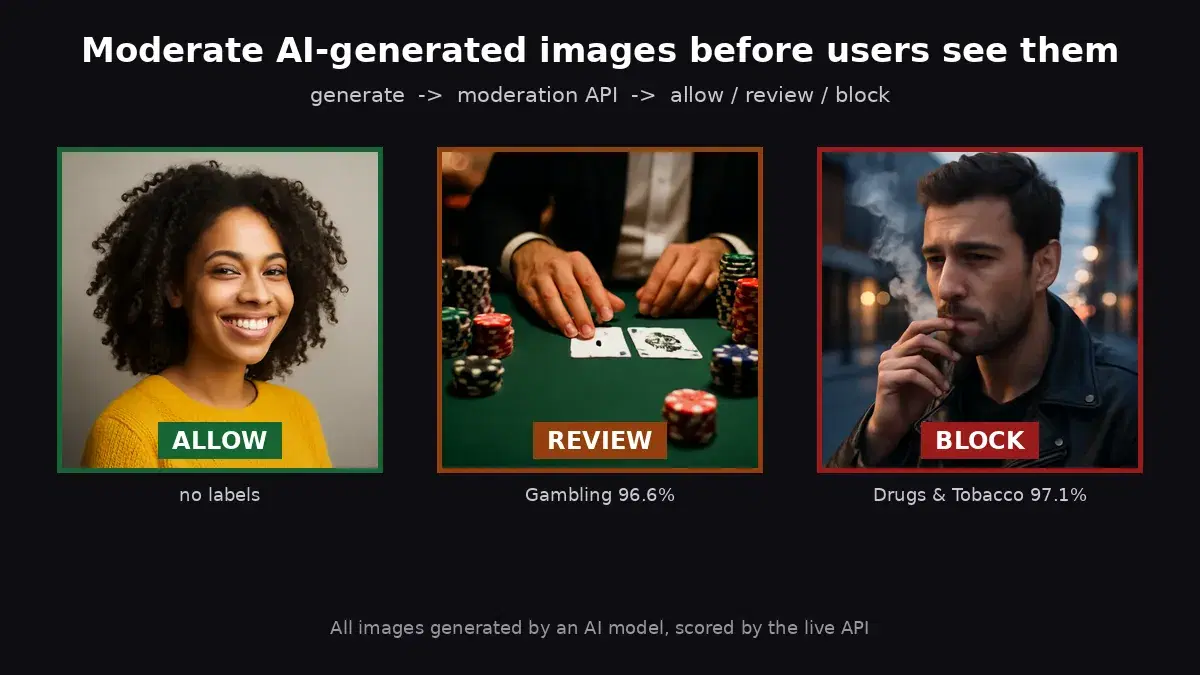
This tutorial uses the NSFW Detect API. See the docs, live demo, and pricing.
If your moderation pipeline calls Clarifai NSFW recognition, check it today: on 31 October 2026, the Clarifai API host no longer resolved. This guide maps Clarifai's NSFW and moderation concepts to the NSFW Detect API, then gives you a small Python module that returns the same concept format, so the rest of your code can stay as it is.
What Happened to the Clarifai API
- May 2026: Clarifai announced that Nebius would license its inference technology and bring in its core team. Clarifai's announcement says the agreement does not include its legacy computer vision models.
- June 2026: Clarifai's homepage stated that platform credit purchases would be disabled after June 18, 2026.
- July 2026: Ximilar reported that all Clarifai services would end on July 17, 2026. Ximilar sells a competing product, and we did not find this date in a notice from Clarifai.
- 31 October 2026: we queried public DNS (1.1.1.1 and 8.8.8.8).
api.clarifai.comanddocs.clarifai.comreturned no address, so calls to the API host cannot connect. - 7 November 2026: same check, same result: both hosts still return no address (NXDOMAIN).
Clarifai Concepts Mapped to Top-Level Categories
Clarifai's nsfw-recognition model returned nsfw and sfw. Its moderation model returned gore, drug, explicit, suggestive and safe. NSFW Detect returns 10 top-level categories, each with sub-labels, so you can keep your rules and add new ones:
| Clarifai concept | NSFW Detect top-level category |
|---|---|
| nsfw (nsfw-recognition) | Explicit, Non-Explicit Nudity of Intimate parts and Kissing |
| sfw (nsfw-recognition) | Empty ModerationLabels list |
| explicit | Explicit |
| suggestive | Non-Explicit Nudity of Intimate parts and Kissing, Swimwear or Underwear |
| gore | Violence, Visually Disturbing |
| drug | Drugs & Tobacco |
| safe | Empty ModerationLabels list |
| No equivalent concept | Alcohol, Gambling, Rude Gestures, Hate Symbols |
Clarifai values run from 0 to 1, while NSFW Detect confidence runs from 0 to 100. Top-level categories are the labels with an empty ParentName. Key your rules on those, so that a deep sub-label is always covered by its category.
Step 1: A Concept-Compatible Module
Code written for Clarifai's Python examples usually reads concepts in a loop like this:
for concept in output.data.concepts:
    print(concept.name, concept.value)
Save the module below as nsfw_compat.py. It returns a list of concepts with the same name and value fields, as dictionaries. Categories with no Clarifai equivalent keep their own lowercase name, such as alcohol.
import os
import requests

API_URL = "https://nsfw-detect3.p.rapidapi.com/nsfw-detect"
HEADERS = {
    "x-rapidapi-host": "nsfw-detect3.p.rapidapi.com",
    "x-rapidapi-key": os.environ["RAPIDAPI_KEY"],
}

# Top-level categories mapped to the concept names your code already uses
CONCEPTS = {
    "Explicit": "explicit",
    "Non-Explicit Nudity of Intimate parts and Kissing": "suggestive",
    "Swimwear or Underwear": "suggestive",
    "Violence": "gore",
    "Visually Disturbing": "gore",
    "Drugs & Tobacco": "drug",
}


def _to_concepts(labels):
    scores = {}
    for label in labels:
        if label["ParentName"] == "":  # top-level categories only
            name = CONCEPTS.get(label["Name"], label["Name"].lower())
            scores[name] = max(scores.get(name, 0), label["Confidence"] / 100)
    if not scores:
        return [{"name": "safe", "value": 1.0}]
    ranked = sorted(scores.items(), key=lambda item: item[1], reverse=True)
    return [{"name": name, "value": round(value, 3)} for name, value in ranked]


def predict_by_filepath(path):
    with open(path, "rb") as f:
        response = requests.post(API_URL, headers=HEADERS, files={"image": f})
    return _to_concepts(response.json()["body"]["ModerationLabels"])


def predict_by_url(image_url):
    response = requests.post(API_URL, headers=HEADERS, data={"url": image_url})
    return _to_concepts(response.json()["body"]["ModerationLabels"])
Step 2: Check Real Images
Set your key in the RAPIDAPI_KEY environment variable, then run:
from nsfw_compat import predict_by_filepath, predict_by_url

for path in ["bar.jpg", "poker.jpg", "jar.jpg", "salad.jpg"]:
    print(path, predict_by_filepath(path))

url = "https://images.pexels.com/photos/1871508/pexels-photo-1871508.jpeg"
print("url", predict_by_url(url))
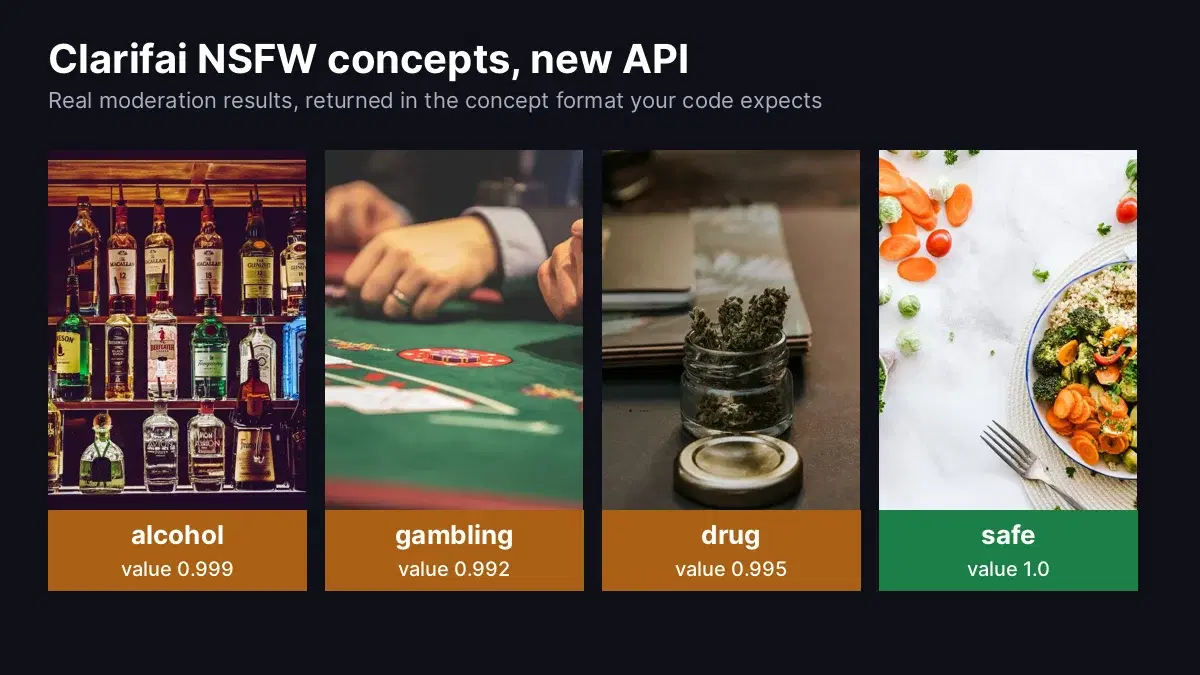
This is the real output, from a bar, a poker table, a jar on a desk and a salad:
bar.jpg [{'name': 'alcohol', 'value': 0.999}]
poker.jpg [{'name': 'gambling', 'value': 0.992}]
jar.jpg [{'name': 'drug', 'value': 0.995}]
salad.jpg [{'name': 'safe', 'value': 1.0}]
url [{'name': 'gambling', 'value': 0.948}]
The last line sends a Pexels URL instead of a file. It is a larger version of the poker photo, sent at its original size.
Step 3: Keep Your Moderation Rules
Your thresholds stay on the same 0 to 1 scale, and you can now add rules for the new categories:
from nsfw_compat import predict_by_filepath

BLOCK = {"explicit": 0.8, "gore": 0.8, "hate symbols": 0.8}
REVIEW = {"suggestive": 0.7, "drug": 0.7, "alcohol": 0.7, "gambling": 0.7}


def moderate(path):
    concepts = {c["name"]: c["value"] for c in predict_by_filepath(path)}
    if any(concepts.get(name, 0) >= limit for name, limit in BLOCK.items()):
        return "block"
    if any(concepts.get(name, 0) >= limit for name, limit in REVIEW.items()):
        return "review"
    return "allow"


for path in ["bar.jpg", "poker.jpg", "jar.jpg", "salad.jpg"]:
print(path, moderate(path))bar.jpg review
poker.jpg review
jar.jpg review
salad.jpg allowMigration Tips
- Search your code for the old host and model IDs: look for
api.clarifai.com,nsfw-recognition,moderation-recognitionandnsfw-v1.0. - Re-check your thresholds: run a sample of your own images through the new module and set each limit from the scores you see.
- Update attribute access: the module returns dictionaries, so
concept.namebecomesconcept["name"]. - Add video later: sample frames and check each one, as shown in the NSFW video moderation guide.
To compare other options, see the best NSFW detection APIs, or the NudeNet comparison if you are considering self-hosting.
Move Your Moderation Today
Get a key from the NSFW Detect API page, drop in nsfw_compat.py, and run it on your own images.
Sources
- Clarifai announcement, May 19, 2026: scope of the Nebius agreement (archived).
- Clarifai homepage: credit purchase notice (archived).
- Clarifai nsfw-recognition model page: NSFW and SFW taxonomy (archived).
- Clarifai moderation model page: moderation concepts (archived).
- Clarifai image prediction docs: concept output format (archived).
- SiliconANGLE: coverage of the Nebius deal.
- Ximilar: reported July 17, 2026 end date (a competing vendor).
- Test photos from Pexels.
Frequently Asked Questions
- Is the Clarifai NSFW API still available?
- On 31 October and again on 7 November 2026, api.clarifai.com and docs.clarifai.com did not resolve on public DNS. In May 2026, Clarifai said its agreement with Nebius does not include its legacy computer vision models, and its site announced that credit purchases would end after June 18, 2026.
- What did the Clarifai nsfw-recognition model return?
- It returned two concepts, nsfw and sfw, each with a value from 0 to 1. Clarifai's separate moderation model returned five concepts: gore, drug, explicit, suggestive and safe.
- How do I migrate from Clarifai to another NSFW API?
- Map each concept to the new API's top-level categories, convert confidence from 0-100 to 0-1, and wrap the call in a small module that returns the concept format your code already reads. Then re-check your thresholds on a sample of your own images.