This tutorial uses the Background Removal API. See the docs, live demo, and pricing.
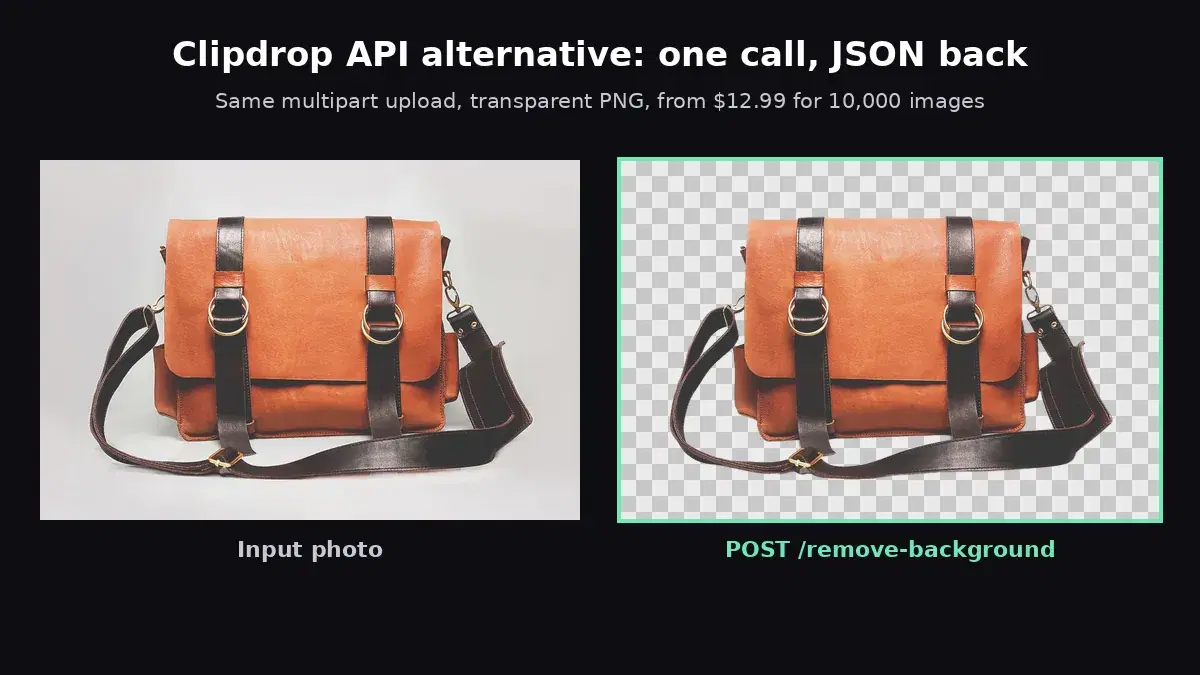
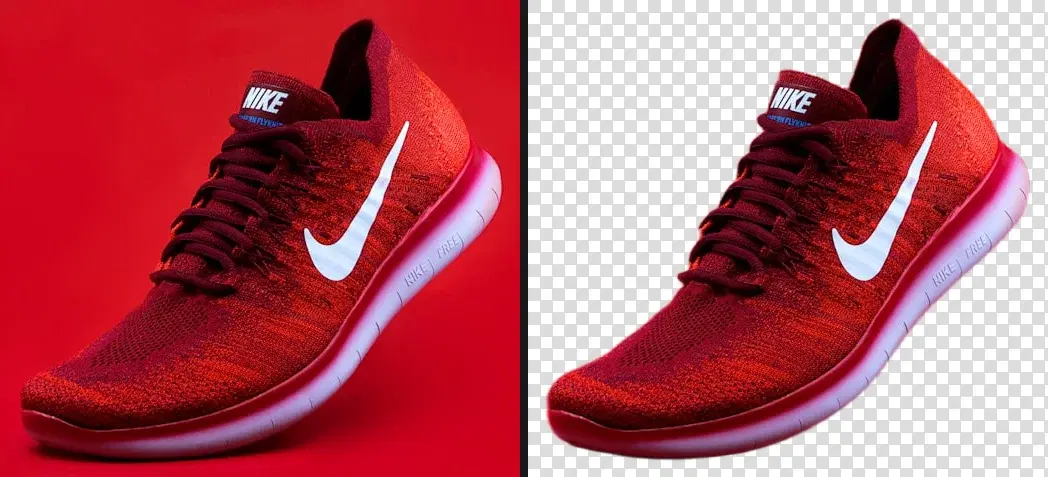
Product photos for an online store, design assets for a marketing campaign, avatar cutouts for a mobile app - they all need the same thing: a transparent background PNG. JPEG cannot store transparency. WebP support is still inconsistent in design toolchains. PNG with an alpha channel remains the universal format when you need a clean cutout. With a background removal API you can create one in a single HTTP request - no Photoshop, no manual masking, no per-image freelancer cost.
Why PNG for Transparent Backgrounds
Not every image format supports transparency. Here is how the three most common formats compare:
| Format | Transparency | Compression | Best For |
|---|---|---|---|
| JPEG | No | Lossy | Photos with opaque backgrounds |
| PNG | Yes (alpha channel) | Lossless | Cutouts, overlays, design assets |
| WebP | Yes | Lossy or lossless | Web delivery (smaller files) |
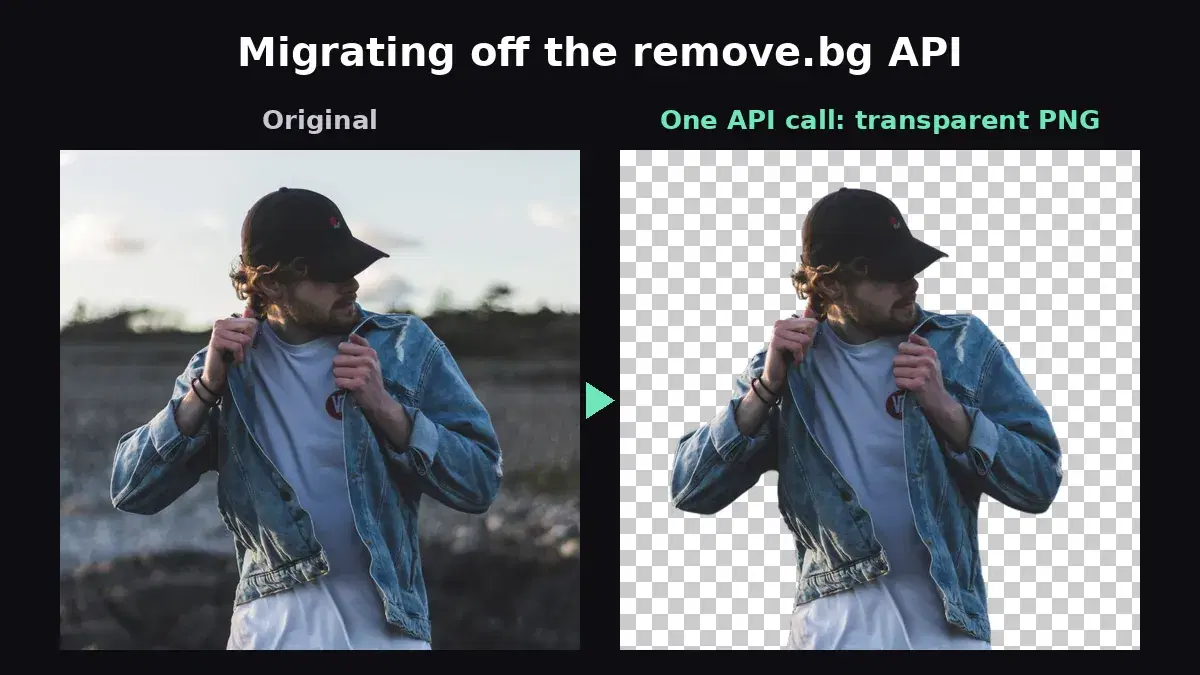
PNG stores transparency through an alpha channel - a fourth channel alongside Red, Green, and Blue. Each pixel gets a value from 0 (fully transparent) to 255 (fully opaque). This means edges can be semi-transparent, which is essential for natural-looking cutouts around hair, fur, or glass. When the Background Removal API processes an image, it outputs an RGBA PNG where the background pixels have an alpha of 0 and the subject is fully preserved.
Create a Transparent PNG in One API Call
The Background Removal API accepts an image file or a public URL and returns a JSON response with the URL of the resulting transparent PNG hosted on a CDN. Here are working examples in three languages.
cURL
curl -X POST "https://background-removal-ai.p.rapidapi.com/remove-background" \
  -H "x-rapidapi-key: YOUR_API_KEY" \
  -H "x-rapidapi-host: background-removal-ai.p.rapidapi.com" \
  -F "image=@product-photo.jpg"

# Response (JSON):
# {
#   "image_url": "https://images.ai-engine.net/background-removal-ai/abc123.png",
#   "width": 800,
#   "height": 600,
#   "size_bytes": 314000
# }
#
# Download the transparent PNG:
# curl -o transparent-result.png "<image_url from response>"
Python
import requests

API_URL = "https://background-removal-ai.p.rapidapi.com/remove-background"
HEADERS = {
    "x-rapidapi-host": "background-removal-ai.p.rapidapi.com",
    "x-rapidapi-key": "YOUR_API_KEY",
}

# Upload an image file
with open("product-photo.jpg", "rb") as f:
    resp = requests.post(API_URL, headers=HEADERS, files={"image": f})

data = resp.json()
print(data["image_url"])   # CDN URL of the transparent PNG
print(data["width"], "x", data["height"])

# Download the transparent PNG
png = requests.get(data["image_url"])
with open("transparent-result.png", "wb") as out:
    out.write(png.content)
JavaScript (fetch)
const formData = new FormData();
formData.append("image", fileInput.files[0]);

const response = await fetch(
  "https://background-removal-ai.p.rapidapi.com/remove-background",
  {
    method: "POST",
    headers: {
      "x-rapidapi-host": "background-removal-ai.p.rapidapi.com",
      "x-rapidapi-key": "YOUR_API_KEY",
    },
    body: formData,
  }
);

const data = await response.json();
console.log(data.image_url);  // CDN URL of the transparent PNG

// Display the result directly
const img = document.createElement("img");
img.src = data.image_url;
document.body.appendChild(img);

// Or download it
const a = document.createElement("a");
a.href = data.image_url;
a.download = "transparent-result.png";
a.click();
You can also pass a public URL instead of uploading a file. Send a JSON body with {"image_url": "https://..."} and set Content-Type: application/json.
Use the Transparent PNG: Composite It Anywhere
A cutout is only useful once you place it somewhere. Because the alpha channel marks every background pixel as fully transparent, you can drop the result onto any color or photo with a few lines of Pillow, and the edges blend without a white fringe. If you would rather skip the local code, the API can drop the subject straight onto a background image for you with the /image-background endpoint shown below:
from PIL import Image

cutout = Image.open("transparent-result.png").convert("RGBA")

# Composite onto a solid brand color
bg = Image.new("RGBA", cutout.size, (240, 240, 245, 255))
bg.alpha_composite(cutout)
bg.convert("RGB").save("on_color.jpg")

# Composite onto a photo scene, scaled to the cutout
scene = Image.open("scene.jpg").convert("RGBA").resize(cutout.size)
scene.alpha_composite(cutout)
scene.convert("RGB").save("on_scene.jpg")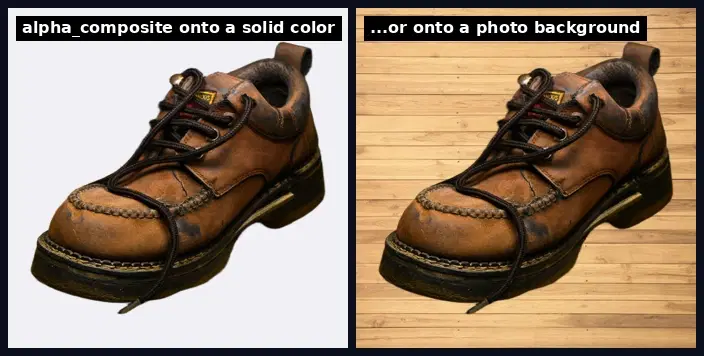
alpha_composite respects the semi-transparent edge pixels the model produced around hair and fur, which is why the composite looks natural instead of cut out with scissors. You can also read the alpha channel back to confirm the removal worked, a cheap quality gate when you process a batch:
alpha = cutout.getchannel("A")
transparent = sum(1 for p in alpha.getdata() if p == 0)
share = transparent / (cutout.width * cutout.height)

# A near-zero share means the background was not removed (flag for review)
print(f"{share:.0%} of the image is transparent")
# e.g. 71% of the image is transparent
Edge Quality: Hair, Fur, and Fine Details
The hardest part of creating a transparent background PNG is not removing the bulk of the background - it is handling the edges. A simple color-keying approach produces harsh, jagged outlines. The AI segmentation model behind the API handles difficult edge cases that trip up simpler tools:
- Hair and fur: Individual strands are preserved with semi-transparent alpha values instead of being chopped off at a hard boundary.
- Glass and translucent objects: Wine glasses, sunglasses, and sheer fabrics retain their see-through quality in the alpha channel.
- Shadows and reflections: Soft shadows at the base of a product are cleanly separated from the subject without leaving dark halos.
- Complex backgrounds: A subject wearing a red shirt against a red wall is still segmented accurately because the model understands depth and semantics, not just color difference.
This edge quality is what makes the output usable in professional workflows - you can drop the resulting PNG onto any background and it looks natural, without the telltale white fringe or staircase edges of a quick-and-dirty cutout.
Batch Processing: Generate Transparent PNGs at Scale
E-commerce catalogs, marketing asset libraries, and photo agencies often need to process hundreds or thousands of images. Here is a complete Python script that processes an entire folder of product photos with concurrent requests:
import os
from concurrent.futures import ThreadPoolExecutor
import requests

API_URL = "https://background-removal-ai.p.rapidapi.com/remove-background"
HEADERS = {
    "x-rapidapi-host": "background-removal-ai.p.rapidapi.com",
    "x-rapidapi-key": "YOUR_API_KEY",
}

def remove_bg(path):
    with open(path, "rb") as f:
        resp = requests.post(API_URL, headers=HEADERS, files={"image": f})

    data = resp.json()
    png = requests.get(data["image_url"])

    out = path.rsplit(".", 1)[0] + "_transparent.png"
    with open(out, "wb") as f:
        f.write(png.content)
    print(f"Done: {path} -> {out}  ({data['width']}x{data['height']})")

images = [
    os.path.join("products", f)
    for f in os.listdir("products")
    if f.lower().endswith((".jpg", ".jpeg", ".png", ".webp"))
]

print(f"Processing {len(images)} images...")
with ThreadPoolExecutor(max_workers=5) as pool:
    pool.map(remove_bg, images)

print("All done.")
Five concurrent workers is a good starting point. If you are on a higher-tier plan with more generous rate limits, you can increase max_workers to 10 or more. The script saves each result as filename_transparent.png next to the original.
Beyond Transparency: Blur, Color, Gradient, and Photo Backgrounds
Sometimes you do not need full transparency - you want a styled background instead. The same API offers four additional endpoints that replace the background in a single call:
- /blur-background: Blurs the original background while keeping the subject sharp. Great for portrait-style product shots. Accepts an optional
blur_radiusparameter (1-50). - /color-background: Replaces the background with a solid color. Pass
bg_colorasR,G,B,A(e.g.255,255,255,255for white). Perfect for marketplace listing requirements. - /gradient-background: Replaces the background with a vertical gradient. Pass
top_colorandbottom_colorasR,G,B,Avalues. - /image-background: Drops the subject onto a background image of your choice, composited server-side. Pass the background as a
bg_imagefile upload or a publicbg_image_url. Ideal for lifestyle product shots without any local image code.
# White background for Amazon/Shopify listings
resp = requests.post(
    "https://background-removal-ai.p.rapidapi.com/color-background",
    headers=HEADERS,
    files={"image": open("product.jpg", "rb")},
    data={"bg_color": "255,255,255,255"},
)

# Blurred background for social media
resp = requests.post(
    "https://background-removal-ai.p.rapidapi.com/blur-background",
    headers=HEADERS,
    files={"image": open("portrait.jpg", "rb")},
    data={"blur_radius": "25"},
)

# Drop the subject onto a lifestyle scene (server-side composite)
resp = requests.post(
    "https://background-removal-ai.p.rapidapi.com/image-background",
    headers=HEADERS,
    files={
        "image": open("product.jpg", "rb"),
        "bg_image": open("wood-table.jpg", "rb"),
    },
)
# Or point at a hosted background instead of uploading it:
# files={"image": open("product.jpg", "rb")},
# data={"bg_image_url": "https://example.com/wood-table.jpg"}
print(resp.json()["image_url"])  # width, height, size_bytes also returned
Real-World Use Cases
- E-commerce product catalogs: Marketplaces like Amazon, Shopify, and eBay require product photos on a white or transparent background. Automate this for your entire catalog instead of editing each photo manually.
- Social media graphics: Extract subjects from photos and overlay them on branded templates, promotional banners, or collage layouts.
- Print and packaging design: Generate clean PNG cutouts that designers can drop directly into InDesign, Illustrator, or Photoshop compositions without additional masking.
- Web and app UI assets: Create transparent avatars, product thumbnails, or icon assets for websites and mobile apps. Serve the PNG directly or convert to WebP for smaller payloads.
- Video compositing: Use transparent PNGs as overlay elements in video editing pipelines - lower thirds, product placements, or animated stickers.
Optimize PNG File Size
Transparent PNGs can be large because PNG uses lossless compression and the alpha channel adds a fourth byte per pixel. Here are practical ways to keep file sizes manageable:
- Resize before uploading. If your source image is 4000x3000 but you only need a 800x600 cutout, resize it first. Smaller input = smaller output and faster API response.
- Quantize with pngquant. Tools like
pngquantreduce a 24-bit PNG to an 8-bit palette with alpha, cutting file size by 60-80% with minimal visible quality loss. Runpngquant --quality=65-80 result.pngafter downloading the cutout. - Use WebP for web delivery. If your target is browsers (not print or design tools), convert the PNG to WebP with transparency:
cwebp -q 80 result.png -o result.webp. WebP with alpha is typically 30-50% smaller than PNG. - Strip metadata. Remove EXIF data and unnecessary PNG chunks with
optipngorpngcrushto save a few extra kilobytes.
Getting Started
Creating a transparent background PNG programmatically is a single API call away. Upload a product photo, portrait, or design asset, and get back a clean cutout with professional-quality edges - no manual work required.
Ready to integrate? Check out the background removal tutorial for a deeper dive into the API, or read the API comparison guide to see how it stacks up against alternatives. Visit the Background Removal API page to get your API key and start generating transparent PNGs today.
Frequently Asked Questions
- How do I create a transparent background PNG?
- Send your image to a background removal API. The API uses AI to detect the foreground subject, removes the background, and returns a PNG file with an alpha channel (transparency). The result is a clean cutout ready for compositing, product listings, or graphic design.
- What is the difference between background removal and transparent PNG?
- Background removal is the process: the AI detects and removes the background. A transparent PNG is the output format: an image where removed areas are transparent instead of white or colored. The PNG format with its alpha channel is what preserves the transparency information.
- Can I batch process transparent PNGs with an API?
- Yes. Since the API works via HTTP requests, you can process hundreds of images programmatically by looping through your image files and sending each one to the API. Use parallel requests or async processing to speed up large batches.