This tutorial uses the Background Removal API. See the docs, live demo, and pricing.
If you are building an app that processes user-uploaded images, such as an e-commerce platform, a design tool or a marketing pipeline, a background removal API is usually cheaper and faster to ship than training and hosting your own segmentation model. The market moved a lot in 2026: remove.bg is shutting down its standalone API, Clipdrop now sells through Jasper, and a wave of low-cost APIs pushed prices under half a cent per image. This guide compares the options developers actually choose between today, with the cost per image at 10,000 images a month, free tiers, and the trade-offs that matter in production.
Quick Comparison
Prices come from each provider's official pricing page, checked in October 2026. Cost per image is calculated at 10,000 images a month on the cheapest plan that covers that volume.
| API | Free Tier | Cost/Image at 10K/month | Custom Background |
|---|---|---|---|
| AI Engine Best Value | 100 requests/mo | $0.0013 | Yes (image, blur, color, gradient) |
| Pixian.AI | Free API test mode | $0.0024 (2 MP) to $0.0166 (25 MP) | No |
| Poof | 100 credits/mo | $0.0029 | No |
| PhotoRoom | 10 images/mo | $0.02 | Yes (Plus plan) |
| Slazzer | 2 HD images at signup | $0.052 | Yes |
| Clipdrop (Jasper) | 100 dev credits | Not published (sales) | No |
| remove.bg | Closing 1 Dec 2026 | Leonardo.ai: $0.1047 | No (API) |
remove.bg Is Shutting Down: What It Means for API Users
remove.bg was the default choice for years, so this deserves its own section. The standalone remove.bg website and API close on 1 December 2026 at 9:00 CET. Unused pay-as-you-go credits expire the same day. Existing enterprise contracts continue, but self-serve API users are sent to Leonardo.ai, which is also owned by Canva.
Leonardo is not a drop-in replacement. It offers a synchronous endpoint and keeps most remove.bg option names, but requests are JSON only (files go as base64 or through a presigned upload), the response is a URL or base64 instead of image bytes, and its migration guide lists $0.1047 per image from a prepaid balance. Since you have to rewrite the integration anyway, it is a good moment to compare the alternatives below on price and on how close they are to the request you already send. Our remove.bg API migration guide maps every parameter and gives a drop-in replacement function.
1. AI Engine Background Removal API
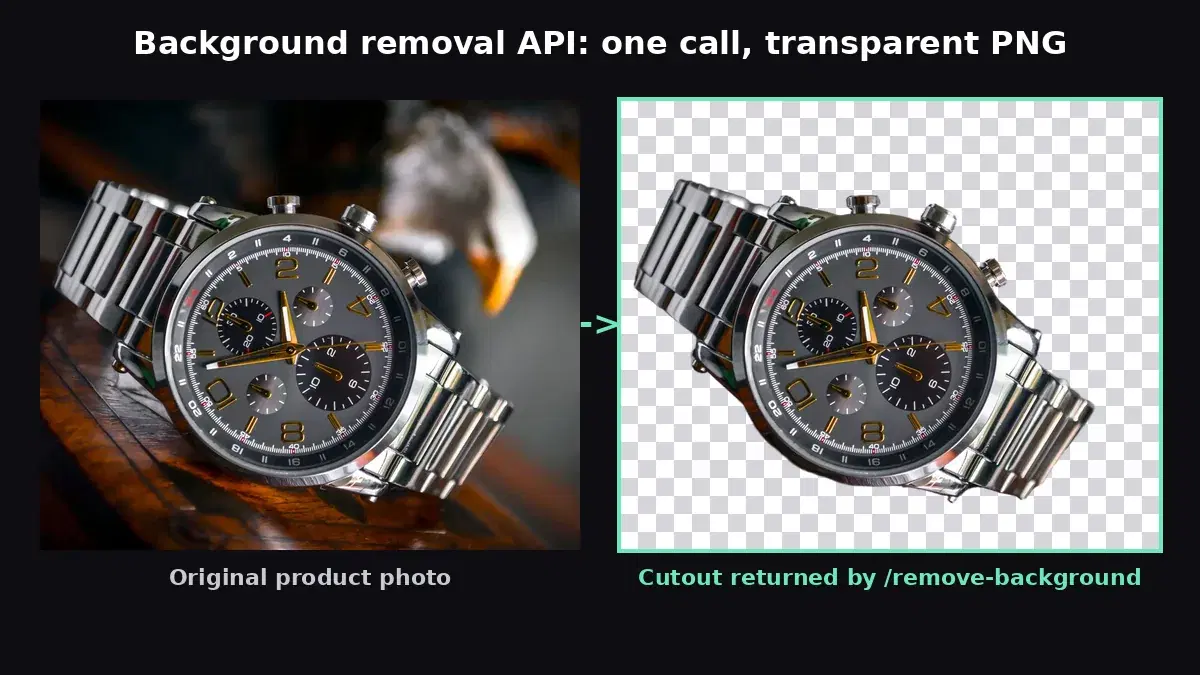
The AI Engine Background Removal API is built for developers who need high-volume processing on a small budget. Like remove.bg, it is one synchronous REST call: send an image file or URL, get back a JSON response with a CDN link to the transparent PNG.
Pricing
- Free: 100 requests/month
- Pro: $12.99/month for 10,000 requests (~$0.0013/image)
- Ultra: $49.99/month for 50,000 requests (~$0.001/image)
- Mega: $159.99/month for 200,000 requests (~$0.0008/image)
Key Features
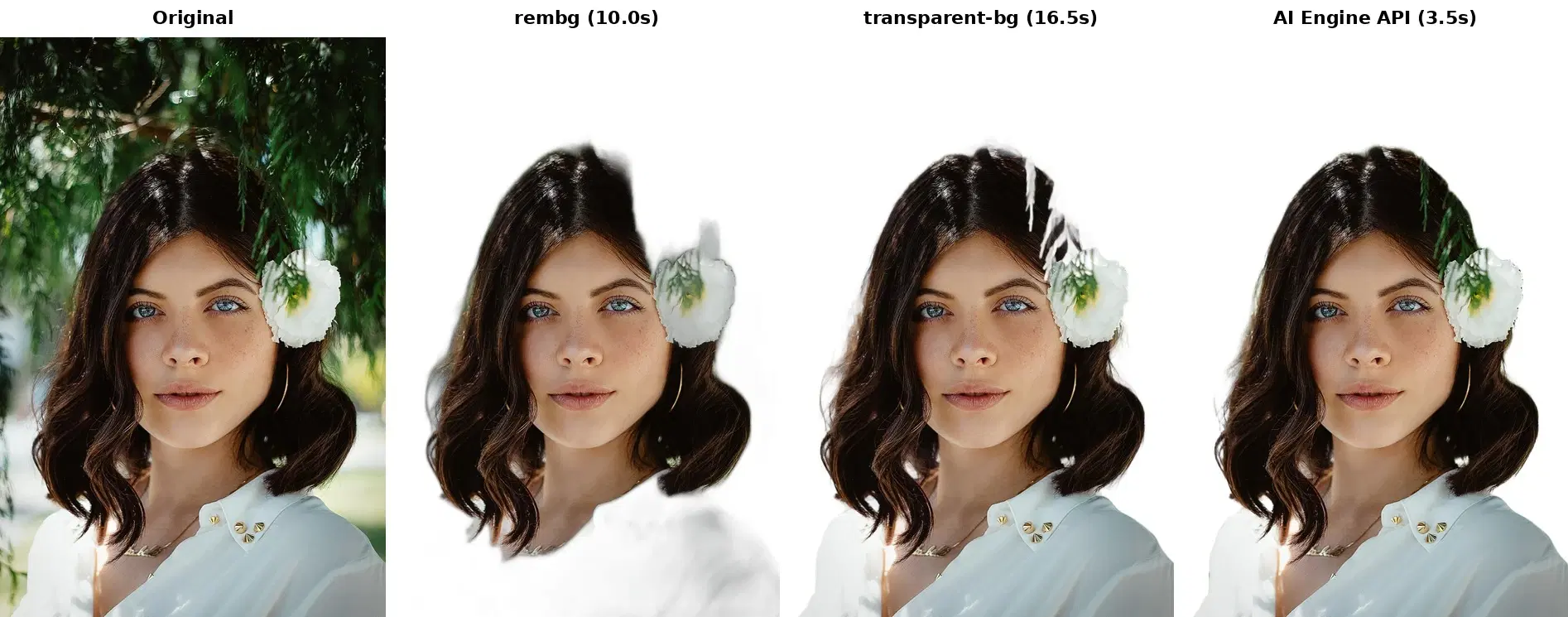
- Clean edges on hair, fur and product outlines
- Dedicated endpoints to replace the background with a custom image, a blur, a solid color or a gradient
- Returns a transparent PNG hosted on a CDN, with width, height and file size
- Accepts an image URL or a file upload
Code Example
import requests

HEADERS = {
    "x-rapidapi-host": "background-removal-ai.p.rapidapi.com",
    "x-rapidapi-key": "YOUR_API_KEY",
}

# Remove background (URL input)
response = requests.post(
    "https://background-removal-ai.p.rapidapi.com/remove-background",
    headers={**HEADERS, "Content-Type": "application/x-www-form-urlencoded"},
    data={"image_url": "https://example.com/product.jpg"},
)

# Response is JSON with a CDN link to the transparent PNG
data = response.json()
print(data["image_url"])   # https://images.ai-engine.net/...png
print(data["width"], "x", data["height"])

# Download the result
png = requests.get(data["image_url"])
with open("result.png", "wb") as f:
    f.write(png.content)
Best For
Startups and e-commerce teams that process thousands of images a month and want the lowest cost per image. Background replacement is included at no extra cost, which covers white product backgrounds, branded templates and lifestyle scenes without a second tool.
2. Pixian.AI
Pixian.AI sells credit packs and charges by image size: a small image costs a fraction of a credit, a 25 MP image costs a full credit. That makes it cheap for thumbnails and catalog images, and less attractive for large photos.
Pricing
- Free: the API is free to integrate and test; you pay when you go live
- Packs: from $5 for 250 credits; credits do not expire, but you need a purchase in the last 2 years to use them
- At 10K images/month: about $0.0024/image at 2 MP, $0.0064 at 8 MP, $0.0166 at 25 MP
Considerations
The size-based pricing is hard to forecast if your users upload photos straight from a phone camera. There is no background replacement, and Pixian does not issue invoices or accept purchase orders, which can be a blocker for some companies.
3. Poof
Poof is one of the newer low-cost APIs. Its pitch is simple: one call, a transparent PNG or WebP back in about two seconds, full resolution on every plan.
Pricing
- Free: 100 credits/month at full resolution, no card required
- Pro: $9/month for 2,000 credits
- Mega: $29/month for 10,000 credits (~$0.0029/image)
Considerations
A solid budget option with a generous free tier. It does removal only, so you composite custom backgrounds yourself, and the Mega plan is limited to 40 requests per minute, which matters for large batch jobs.
4. PhotoRoom
PhotoRoom positions itself as a full product photo editing platform. Background removal is its Basic API; the Plus plan adds AI backgrounds, shadows and relighting.
Pricing
- Free: 10 images/month, plus watermarked sandbox calls
- Basic: $0.02/image, from $20/month for 1,000 images
- Plus: $0.10/image with AI editing features
- Above 200K images/year: contact sales
Considerations
PhotoRoom is a strong choice if you need shadows, relighting and generated backgrounds in the same pipeline. For pure background removal, $0.02/image is about 15x the cost of AI Engine's Pro plan at 10,000 images a month.
5. Slazzer
Slazzer offers API access alongside desktop tools and plugins, with SDKs in many languages.
Pricing
- Free: 2 HD images at signup
- Plans: from $11/month for 100 credits to $518 for 10,000 credits
- Credits: top-up credits last 2 years; commercial use needs a top-up or a plan of at least 300 credits/month
Considerations
Slazzer supports custom backgrounds and has the widest SDK list here (Python, Node, Java, Kotlin, .NET, Swift, Perl). At about $0.052/image for 10,000 images, it costs roughly 40x more than AI Engine at the same volume.
6. Clipdrop
Clipdrop started as a Stability AI project and now belongs to Jasper. The remove-background API still works on a credit per call with 100 free development credits, but the public pricing page now redirects to a Jasper sales form.
Considerations
Without a published price, Clipdrop is hard to budget for a small team. It makes sense if you already buy Jasper products and want upscaling, inpainting and removal from one vendor.
Pricing Breakdown: 10,000 Images/Month
Here is what each API costs if your application processes 10,000 images a month, on the cheapest plan that covers that volume:
| API | Monthly Cost (10K images) | Cost per Image |
|---|---|---|
| AI Engine Best Value | $12.99 | $0.0013 |
| Pixian.AI (2 MP images) | ~$24 | $0.0024 |
| Poof | $29 | $0.0029 |
| PhotoRoom | $200 | $0.02 |
| Slazzer | $518 | $0.052 |
The gap between the budget tier and the premium tier is now more than 10x. At this volume, AI Engine costs about half of Poof or Pixian and a fifteenth of PhotoRoom. If your images are large (8 MP and up), Pixian's price per image rises with size, so check your real input sizes before you compare.
Quality Comparison
All of these APIs use deep learning segmentation and return clean results on standard product photos, portraits and well-lit scenes. The differences show up on edge cases, so test these on your own images:
- Hair and fur: the classic stress test. Look at fine strands against a busy background, not against a plain wall.
- Transparent and reflective objects: glass, veils and shiny packaging are where cutouts break most often.
- Low-contrast subjects: a white product on a white table, or a dark coat on a dark background.
Quality across the commercial APIs has converged. The days when remove.bg had a clear lead are over, and with its API closing, price, features and integration effort decide the choice for most teams.
Feature Comparison
- Custom background replacement: AI Engine has dedicated endpoints for a custom image, a blur, a solid color or a gradient. Slazzer supports custom backgrounds, and PhotoRoom offers AI backgrounds on its Plus plan. With the other APIs, you composite the transparent output yourself.
- Output: every API returns a transparent PNG. Poof can also return WebP.
- Integration model: AI Engine accepts the same multipart upload as the old remove.bg API. Leonardo.ai, the official remove.bg successor, has a synchronous endpoint but takes JSON only, so files are sent as base64 or uploaded first.
- Batch processing: with all of these APIs, you batch on your side with concurrent requests, within each provider's rate limit. Our guide to background removal at scale shows how to do that for a product catalog.
Which API Should You Choose?
Choose AI Engine if...
- You process hundreds to hundreds of thousands of images a month and cost per image matters
- You need background replacement (image, blur, color, gradient) built into the API
- You are migrating off remove.bg and want to keep a one-call synchronous integration
Choose Pixian.AI or Poof if...
- You only need removal, no replacement
- Your images are small and predictable (Pixian), or you want full resolution on the free tier (Poof)
Choose PhotoRoom if...
- You need a full product photo pipeline with shadows, relighting and AI backgrounds
- Your budget supports $0.02 or more per image
Choose Slazzer if...
- You want credits that last 2 years instead of a monthly allowance
- You need an official SDK for a less common language (Perl, Kotlin, Swift)
Getting Started
The best way to evaluate a background removal API is to run it on your own images. Here is a quick test of the AI Engine Background Removal API with cURL:
# Remove background from an image URL (returns JSON with the PNG URL)
curl -X POST \
  'https://background-removal-ai.p.rapidapi.com/remove-background' \
  -H 'x-rapidapi-host: background-removal-ai.p.rapidapi.com' \
  -H 'x-rapidapi-key: YOUR_API_KEY' \
  -H 'Content-Type: application/x-www-form-urlencoded' \
  -d 'image_url=https://example.com/product.jpg'

# {"image_url": "https://images.ai-engine.net/...png", "width": 800, "height": 1000, ...}
For Python and JavaScript examples and every background replacement option, see our background removal tutorial. If you are weighing a self-hosted model instead, our rembg vs cloud API comparison covers the trade-offs.
Sources
- remove.bg pricing - shutdown notice and API redirection to Leonardo.ai
- Leonardo.ai: migrate from the remove.bg API - request format, supported options and price per image
- PhotoRoom API pricing - Basic and Plus per-image prices
- Pixian.AI pricing - credit packs and size-based cost
- Poof pricing - monthly plans and free tier
- Slazzer pricing - subscription and top-up credits
- Clipdrop remove-background API docs - credits per call and limits
Background removal is now a commodity: the commercial APIs all deliver good quality, and the remove.bg shutdown forces many teams to choose again. If you want the lowest cost per image, built-in background replacement and a one-call integration, try the AI Engine Background Removal API with its 100 free requests a month on your own images.
Frequently Asked Questions
- What is the cheapest background removal API in 2026?
- Of the APIs compared here, AI Engine has the lowest cost at 10,000 images a month: $12.99, about $0.0013 per image, with 100 free requests a month to test. Pixian.AI and Poof come next at roughly $0.0024 to $0.0029 per image for small images. PhotoRoom Basic costs $0.02 per image.
- Is the remove.bg API shutting down?
- Yes. The standalone remove.bg website and API close on 1 December 2026 at 9:00 CET, and unused pay-as-you-go credits expire the same day. Self-serve API users are pointed to Leonardo.ai, whose API takes a different JSON request format, so existing integrations need code changes either way.
- Which background removal API has the best quality?
- Quality has converged across the top APIs. On standard product photos and portraits, AI Engine, PhotoRoom and the other commercial APIs all return clean cutouts. Test on your own hard cases (hair, glass, busy backgrounds) before you commit, since every API has a free tier or trial.
- Can a background removal API replace backgrounds with custom images?
- Yes. AI Engine has dedicated endpoints to replace the background with a custom image, a blur, a solid color or a gradient in one call. Slazzer also supports custom backgrounds, and PhotoRoom offers AI backgrounds on its Plus plan. Other APIs return a transparent PNG that you composite yourself.