This tutorial uses the Background Removal API. See the docs, live demo, and pricing.
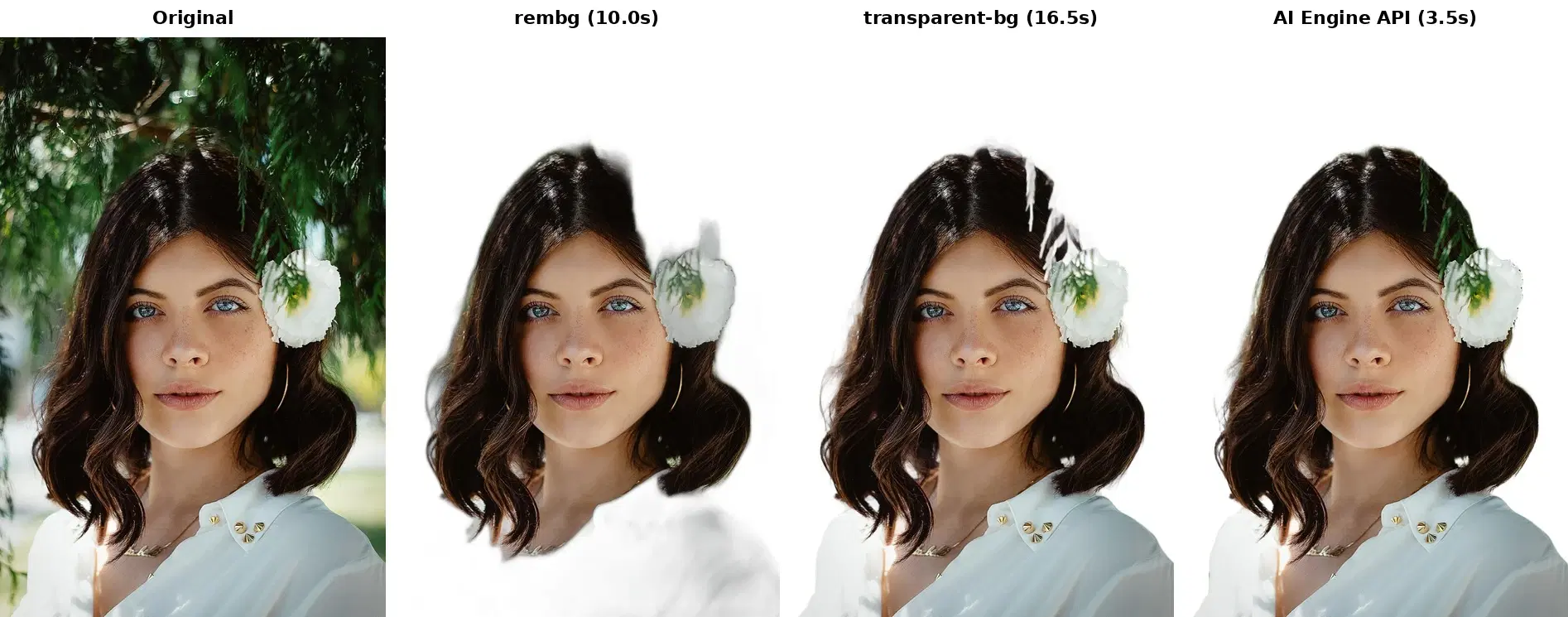
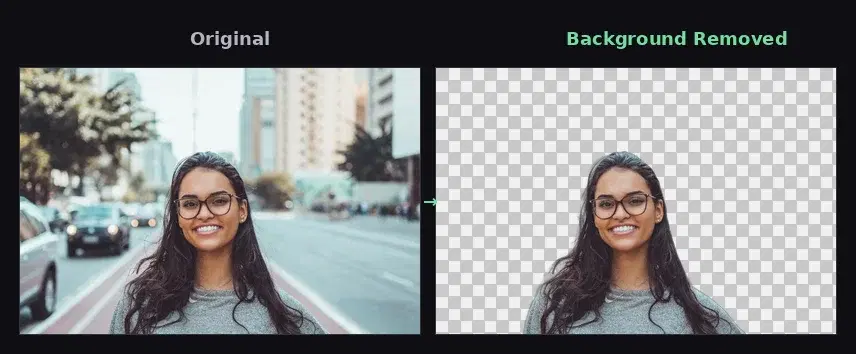
Removing the background from an image used to mean opening Photoshop and hand-masking edges, two to five minutes per photo. A background removal API turns that into a single HTTP call that returns a clean cutout in about a second. This tutorial shows the basic call in Python, cURL, and JavaScript, then the three other background modes the same API offers: solid color, blur, and gradient. All code is verified against the live endpoints.
The Basic Call: Transparent PNG
The Background Removal API accepts a file upload or a public image URL and returns a URL to the processed PNG. Start with the simplest test in your terminal:
curl -X POST \
  'https://background-removal-ai.p.rapidapi.com/remove-background' \
  -H 'x-rapidapi-host: background-removal-ai.p.rapidapi.com' \
  -H 'x-rapidapi-key: YOUR_API_KEY' \
  -H 'Content-Type: application/json' \
  -d '{"image_url": "https://example.com/photo.jpg"}'

# Response:
# {
#   "image_url": "https://images.ai-engine.net/.../result.png",
#   "width": 800,
#   "height": 600,
#   "size_bytes": 314000
# }
In Python, upload a local file with the requests library:
import requests

HEADERS = {
    "x-rapidapi-key": "YOUR_API_KEY",
    "x-rapidapi-host": "background-removal-ai.p.rapidapi.com",
}

def remove_background(image_path):
    with open(image_path, "rb") as f:
        r = requests.post(
            "https://background-removal-ai.p.rapidapi.com/remove-background",
            headers=HEADERS,
            files={"image": f},
        )
    return r.json()["image_url"]   # URL to the transparent PNG

print(remove_background("photo.jpg"))
Or in JavaScript, from a Node.js service or the browser, passing a public URL:
const res = await fetch(
  "https://background-removal-ai.p.rapidapi.com/remove-background",
  {
    method: "POST",
    headers: {
      "Content-Type": "application/json",
      "x-rapidapi-host": "background-removal-ai.p.rapidapi.com",
      "x-rapidapi-key": "YOUR_API_KEY",
    },
    body: JSON.stringify({ image_url: "https://example.com/photo.jpg" }),
  }
);
const data = await res.json();
console.log(data.image_url);  // URL to the transparent PNG
Every endpoint returns the same JSON shape: the output image_url plus width, height, and size_bytes, which you can store alongside your records.


Four Background Modes, One Parameter Apart
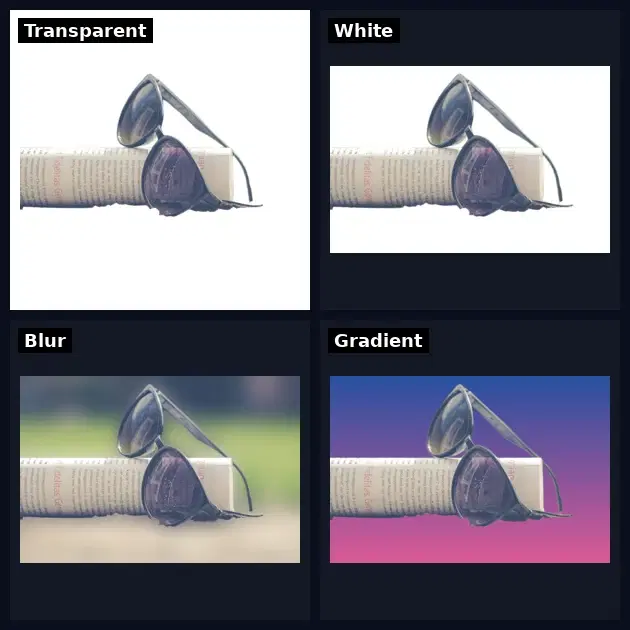
Transparent is only one option. The API exposes four endpoints that take the same image and differ by one parameter, so a single helper covers all of them:
BASE = "https://background-removal-ai.p.rapidapi.com"

def process(endpoint, image_path, **params):
    with open(image_path, "rb") as f:
        r = requests.post(
            f"{BASE}/{endpoint}",
            headers=HEADERS,
            files={"image": f},
            data=params,
        )
    return r.json()["image_url"]

# 1. Transparent PNG
transparent = process("remove-background", "photo.jpg")

# 2. Solid white, what Amazon and most marketplaces require
white = process("color-background", "photo.jpg", bg_color="255,255,255,255")

# 3. Blurred background, the subject stays sharp (portrait look)
blurred = process("blur-background", "photo.jpg", blur_radius=15)

# 4. Vertical gradient background
gradient = process("gradient-background", "photo.jpg",
                   top_color="30,60,120,255", bottom_color="200,80,140,255")
The color values are R,G,B,A strings (each 0 to 255), so 255,255,255,255 is opaque white. blur_radius is the strength of the blur in pixels. No second compositing step, no local image library: the chosen background comes back baked into the PNG.
File Upload or Image URL
Both inputs work on every endpoint. Use a file upload (files={"image": f} as above) when the image lives on your machine or in your app, and a public image_url when it already sits on a CDN or bucket, which skips the upload entirely:
# Pass a public URL instead of uploading bytes
r = requests.post(
    f"{BASE}/color-background",
    headers={**HEADERS, "Content-Type": "application/json"},
    json={"image_url": "https://example.com/photo.jpg",
          "bg_color": "255,255,255,255"},
)
print(r.json()["image_url"])
Production Tips
- Use high-resolution sources. The segmentation model needs clear edge detail; blurry or heavily compressed inputs give rougher cutouts, especially around hair and fur.
- Cache the output. Store the returned PNG in your own CDN or bucket so the same image is never reprocessed.
- Retry transient errors. Wrap the call in a retry with backoff so a network blip does not drop an image from your pipeline.
- Flag the hard cases. Reflective or transparent products (glassware, jewelry) are where cutouts struggle, so keep a quick quality check on those categories.
Where to Go Next
This guide is the single-image how-to. For the patterns that matter once you are processing a real catalog, see the related guides:
- At volume: background removal at scale covers concurrent batches, retries, and quality control over thousands of product photos.
- Choosing a provider: the best background removal APIs comparison weighs price and quality across the main options, and rembg vs a cloud API covers the self-hosted route.
- Transparent PNG workflow: the transparent background PNG guide goes deeper on cutouts for design and compositing.
Common Use Cases
- E-commerce product photos: generate the white backgrounds marketplaces require, straight from messy vendor shots.
- Profile and avatar editors: let users swap their background for a color, blur, or gradient in your app.
- Marketing assets: batch-cut subjects and composite them onto campaign backgrounds without manual retouching.
- Virtual try-on: isolate garments and accessories from catalog photos so they can be overlaid on user images.
One API call replaces hours of manual masking and gives you four background treatments from the same request. Grab a key from the Background Removal API page and run the helper above on your own images; a free tier is available to test before you commit.
Frequently Asked Questions
- How do I remove an image background with an API?
- Send the image to the background removal endpoint over HTTP, either as a file upload (multipart/form-data) or as a public image_url, and you get back a URL to a PNG with a transparent background. The whole call is one POST request and returns in about one to two seconds. The examples in this guide show it in Python, cURL, and JavaScript.
- Can the API give me a white or blurred background instead of transparent?
- Yes. There are four endpoints. /remove-background returns a transparent PNG, /color-background composites the subject onto a solid color (pass bg_color as R,G,B,A, so 255,255,255,255 is the opaque white that marketplaces require), /blur-background keeps the subject sharp and blurs the original scene, and /gradient-background drops in a vertical gradient. Same input, one parameter changes the output.
- What image formats and inputs does the API accept?
- It accepts common formats including JPEG, PNG, and WebP, either as a file upload or as a public image_url. The output is always a PNG (with an alpha channel for the transparent endpoint). The JSON response also returns the output width, height, and size_bytes so you can store them with your records.