This tutorial uses the Background Removal API. See the docs, live demo, and pricing.
If you are checking Photoroom API pricing, you probably want the cost per image and a clear idea of your options. Photoroom charges $0.02 per image for background removal and $0.10 per image for its Image Editing API. This guide covers how those plans work, how they compare to other APIs, and a drop-in Python function for moving to an API with a lower cost per image. We ran the alternative code below against the live API before publishing.
The Photoroom Remove Background API Today
The Photoroom documentation describes the endpoint like this:
- Endpoint:
POST https://sdk.photoroom.com/v1/segmentwith a multipart body. - Auth: an
x-api-keyheader. - Input:
image_filein PNG, JPEG, WebP or HEIC, up to 50 MB and 6,000 pixels on the widest side. - Options:
format,channels,bg_color,sizeandcrop. - Output: the image itself, PNG by default, or JPEG or WebP.
Photoroom API Pricing per Image
These are the prices in Photoroom's pricing page and docs, checked in October 2026:
| Photoroom option | Price per image | What it covers |
|---|---|---|
| Remove Background API (Basic) | $0.02 | Background removal, crop and resize, color backgrounds |
| Image Editing API (Plus) | $0.10 | Adds AI backgrounds, AI shadows, AI expand, virtual try-on |
| Enterprise | Contact sales | Annual commitment, all APIs, volume discounts |
| Free production calls | $0 | 10 Remove Background calls with an account |
| Sandbox | $0 | 1,000 Image Editing calls a month, watermarked |
Three billing details affect your real cost. Plans are prepaid monthly in fixed amounts, such as $20 for 1,000 images or $40 for 2,000. Unused images do not roll over. A Plus call made from a Basic plan is billed at the Plus price, so one Image Editing call counts as five background removals. Beyond its largest plan, Photoroom asks you to contact sales.
Photoroom vs Clipdrop: Cost per Image
| API | Cost per image | Note |
|---|---|---|
| Photoroom Basic | $0.02 | Prepaid monthly |
| Photoroom Plus | $0.10 | Includes generative editing |
| Clipdrop | $0.144 to $0.50 | Prepaid credit packs |
| remove.bg | Self-service API closes 1 December 2026 | See the migration guide below |
At 10,000 images a month, Photoroom Basic comes to $200. The AI Engine Background Removal API has a lower cost per image than both Photoroom plans, with flat monthly plans and a free tier for testing. For the full market, see our background removal API comparison. The rest of this guide moves a Photoroom integration to AI Engine.
When Each Option Fits
- Photoroom Plus: you need generative features such as AI shadows or virtual try-on.
- AI Engine: you need background removal and background replacement at a low cost per image, with a single API key.
Photoroom to AI Engine: Request Mapping
| Photoroom | AI Engine | Notes |
|---|---|---|
sdk.photoroom.com/v1/segment | background-removal-ai.p.rapidapi.com/remove-background | POST, multipart |
x-api-key header | x-rapidapi-key + x-rapidapi-host | Key from your RapidAPI dashboard |
image_file | image | Or send image_url |
bg_color | /color-background with bg_color | Uses R,G,B,A, for example 255,255,255,255 |
format | Convert with Pillow | PNG, WebP and JPEG in the function below |
size, crop | Apply with Pillow | On the returned image |
| Response: image bytes | Response: JSON with image_url | The function below downloads the PNG |
| - | /gradient-background, /blur-background, /image-background | More backgrounds in one call |
The AI Engine response from our test looks like this:
{
  "image_url": "https://images.ai-engine.net/background-removal-ai/4e8af86b-....png",
  "width": 1200,
  "height": 1500,
  "size_bytes": 692010
}
Before: A Photoroom Call
This is a Python version of the request in the Photoroom quickstart:
import requests

with open("shoes.jpg", "rb") as image_file:
    response = requests.post(
        "https://sdk.photoroom.com/v1/segment",
        headers={"x-api-key": "YOUR_PHOTOROOM_KEY"},
        files={"image_file": image_file},
    )
response.raise_for_status()
with open("shoes-cutout.png", "wb") as out:
    out.write(response.content)
After: A Drop-In segment() Function in Python
The function takes the same image and returns image bytes, so the code that saves or uploads the result stays the same.
import io
import os
import requests
from PIL import Image

API = "https://background-removal-ai.p.rapidapi.com"
HEADERS = {
    "x-rapidapi-host": "background-removal-ai.p.rapidapi.com",
    "x-rapidapi-key": os.environ["RAPIDAPI_KEY"],
}


def segment(image_file, output_format="png", bg_color=None):
    """Replaces a Photoroom /v1/segment call and returns image bytes."""
    endpoint, data = "/remove-background", {}
    if bg_color:
        endpoint, data = "/color-background", {"bg_color": bg_color}
    with open(image_file, "rb") as f:
        resp = requests.post(API + endpoint, headers=HEADERS, data=data,
                             files={"image": f}, timeout=60)
    resp.raise_for_status()
    png = requests.get(resp.json()["image_url"], timeout=60).content
    if output_format == "png":
        return png
    image = Image.open(io.BytesIO(png))
    out = io.BytesIO()
    if output_format == "webp":
        image.save(out, "WEBP")
    else:  # jpeg has no alpha channel, so flatten on white
        flat = Image.new("RGB", image.size, (255, 255, 255))
        flat.paste(image, mask=image.getchannel("A"))
        flat.save(out, "JPEG", quality=92)
    return out.getvalue()
The call site becomes:
png = segment("shoes.jpg")
with open("shoes-cutout.png", "wb") as out:
    out.write(png)

# Same photo on a white catalog background (R,G,B,A)
white = segment("shoes.jpg", bg_color="255,255,255,255")
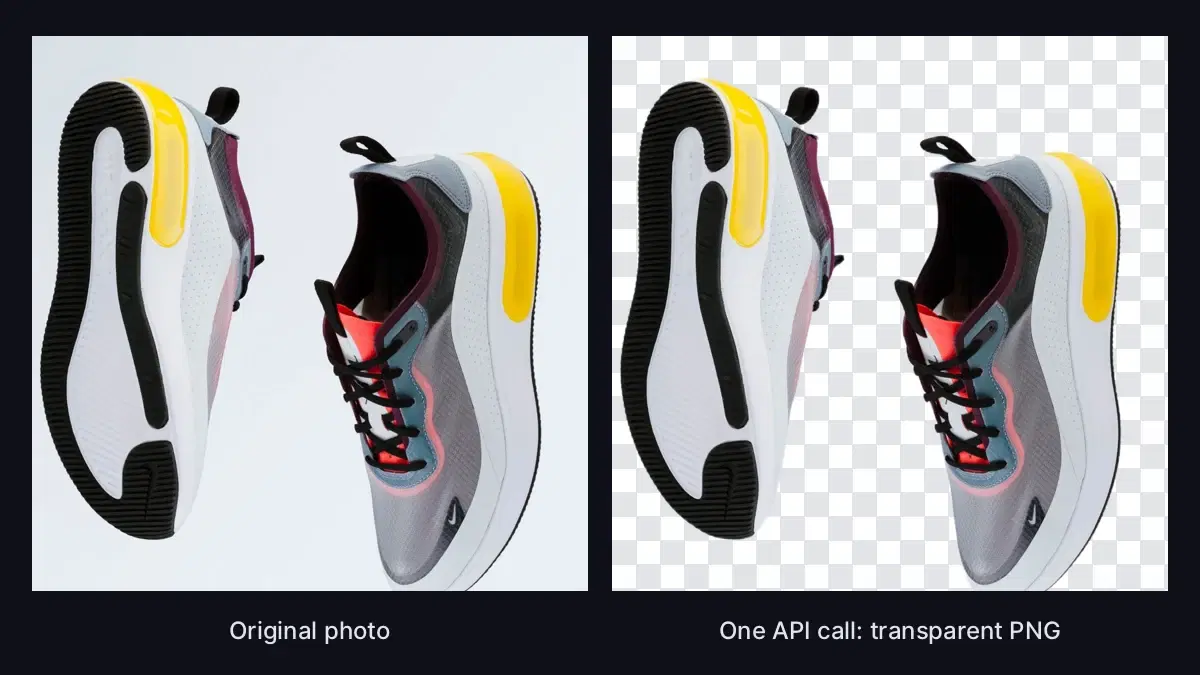
We ran it on the 1200x1500 sneaker photo from the cover. PNG and WebP came back with an alpha channel, JPEG came back flattened on white, and all three kept the input size.
Test Your Key With cURL
curl -X POST 'https://background-removal-ai.p.rapidapi.com/remove-background' \
  -H 'x-rapidapi-host: background-removal-ai.p.rapidapi.com' \
  -H 'x-rapidapi-key: YOUR_API_KEY' \
  -F 'image=@shoes.jpg'
New Backgrounds in One Call
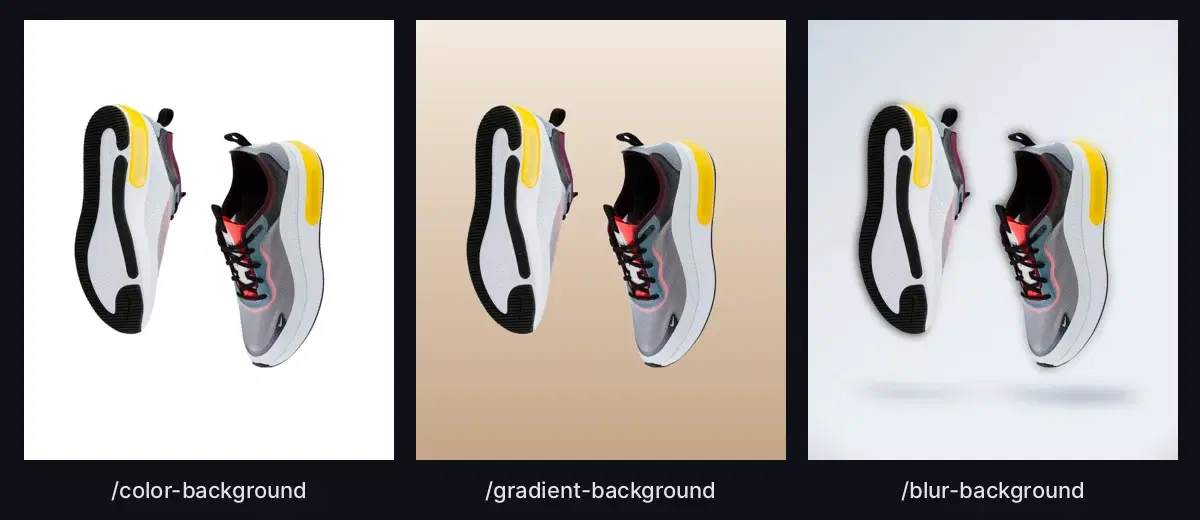
Each background has its own endpoint, so you can produce catalog and lifestyle versions from the same photo. These are real outputs from the API:
Migration Checklist
- Search your codebase for
sdk.photoroom.comandx-api-keyto find every call site. - List the options you send, especially
format,bg_color,sizeandcrop. - Swap the call for
segment()and run it on 20 to 50 of your real images. - Convert
bg_colorvalues to the R,G,B,A format. A hex value returns a 422. - Move your usage monitoring to the
x-ratelimit-requests-remainingresponse header.
Coming from remove.bg instead? Its self-service API closes on 1 December 2026, and the remove.bg migration guide maps its parameters the same way. Also comparing Clipdrop? See the Clipdrop API alternative. For large catalogs, read background removal at scale.
Sources
- Photoroom API pricing - plans, free calls and sandbox (checked October 2026)
- Photoroom Remove Background API documentation - endpoint, parameters, limits and per-image prices
Try the swap on your own product photos with the free tier of the AI Engine Background Removal API.
Frequently Asked Questions
- What is the per-image cost of the Photoroom API?
- The Remove Background API (Basic plan) costs $0.02 per image and the Image Editing API (Plus plan) costs $0.10 per image, checked in October 2026. Plans are prepaid monthly in fixed amounts, such as $20 for 1,000 images, and unused images do not roll over.
- Is the Photoroom API free to try?
- Yes. An account includes 10 free production calls on the Remove Background API, and the Image Editing API has 1,000 sandbox calls a month with watermarked results.
- How does Photoroom compare to Clipdrop on price?
- Photoroom's $0.02 per image is lower than Clipdrop's credit packs, which run from $0.144 to $0.50 per image.
- How do I migrate from Photoroom to another background removal API?
- Keep your call site and replace the function behind it. The segment() function in this guide takes the same image, calls the AI Engine Background Removal API, and returns image bytes in PNG, WebP or JPEG, so the code that saves or uploads the result stays the same.