This tutorial uses the Background Removal API. See the docs, live demo, and pricing.
A marketplace lives or dies on its catalog, and the catalog is built from images other people upload. Every seller photo needs three things before it belongs on your storefront: a safety check so prohibited products never go live, a consistent look so the catalog does not look like a flea market, and tags so the item is findable. Doing that by hand does not scale. Three APIs, chained into one Python pipeline, do it automatically for every upload.
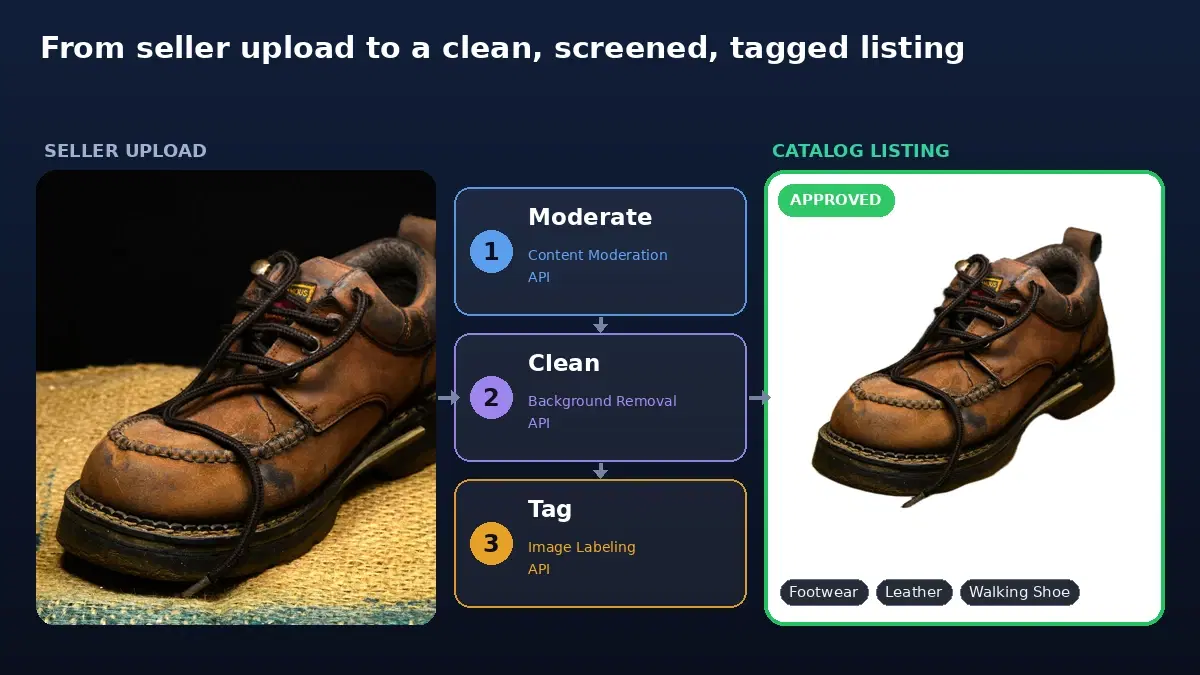
This guide builds that pipeline: screen the image for prohibited content, remove the background and place the product on white, and auto-tag it for search and categorization. Each step is one API call, and all code runs against live endpoints.
The Three Stages
Each stage is a focused job handled by its own API, so you can tune or swap any one without disturbing the others:
- Moderate — the content moderation API screens for nudity, violence, drugs, weapons, and hate symbols. It runs first, so a prohibited image never gets cleaned, tagged, or stored.
- Clean — the Background Removal API puts every approved product on a uniform white background.
- Tag — the Image Labeling API returns product labels for search, filtering, and auto-categorization.
A small shared helper keeps the credentials in one place:
import requests

API_KEY = "YOUR_API_KEY"

def api(host):
    return {"x-rapidapi-key": API_KEY, "x-rapidapi-host": host}
Stage 1: Moderate the Image
Screen the upload before spending any other work on it. The moderation endpoint returns labels across risk categories, each with a confidence score and a parent category; the top-level categories are the ones with an empty ParentName:
def moderate(image_path):
    """Return the moderation labels for an image (empty list means clean)."""
    with open(image_path, "rb") as f:
        r = requests.post(
            "https://nsfw-detect3.p.rapidapi.com/nsfw-detect",
            headers=api("nsfw-detect3.p.rapidapi.com"),
            files={"image": f},
        )
    return r.json()["body"]["ModerationLabels"]

# Categories that should keep a listing off the marketplace
PROHIBITED = {
    "Explicit",
    "Non-Explicit Nudity of Intimate parts and Kissing",
    "Violence",
    "Hate Symbols",
    "Drugs & Tobacco",
}
Tune PROHIBITED to your marketplace. An apparel store keeps Swimwear or Underwear off this list because it is a legitimate product. For the full policy engine with per-category thresholds and a review queue, see content moderation for marketplace listings.
Stage 2: Clean the Image
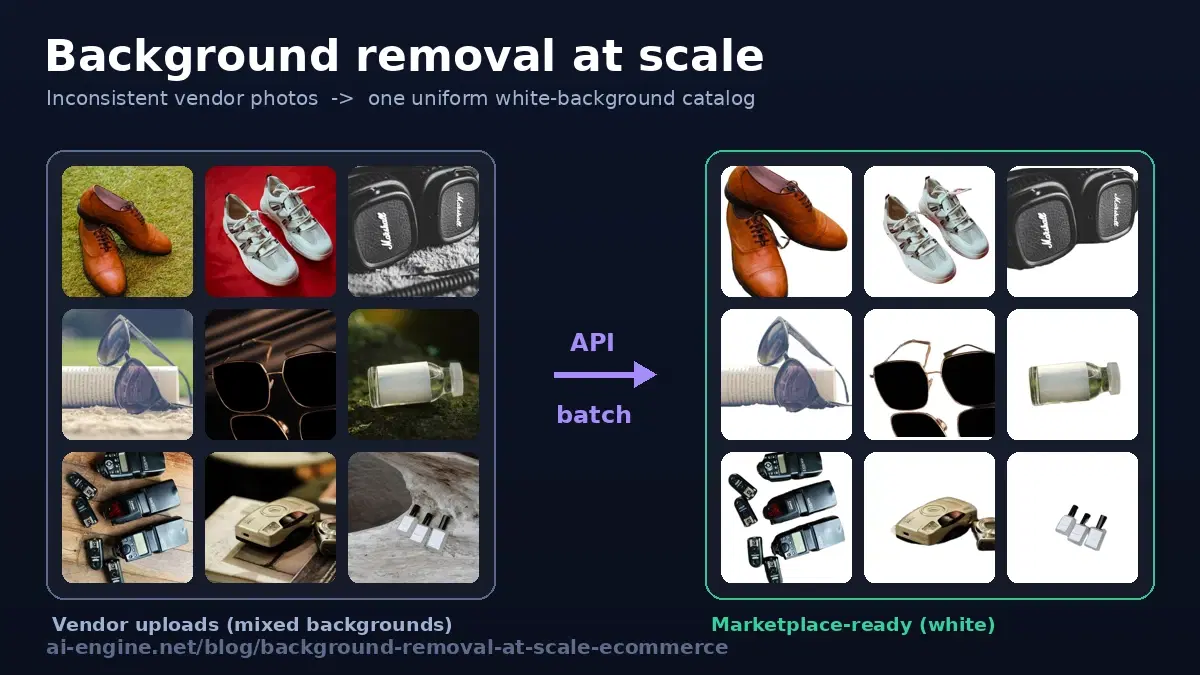
Once an image passes moderation, standardize it. Marketplaces like Amazon expect a pure white background on the main image, and a consistent backdrop makes any catalog look professional. The /color-background endpoint removes the original background and composites the product onto solid white in one call:
def clean_image(image_path):
    """Remove the background and place the product on solid white."""
    with open(image_path, "rb") as f:
        r = requests.post(
            "https://background-removal-ai.p.rapidapi.com/color-background",
            headers=api("background-removal-ai.p.rapidapi.com"),
            files={"image": f},
            data={"bg_color": "255,255,255,255"},
        )
    return r.json()["image_url"]   # URL to the white-background image
The bg_color is R,G,B,A, so 255,255,255,255 is opaque white. For the full batch and concurrency patterns of this step on its own, see background removal at scale.
Stage 3: Tag the Image
Tags power search, filters, and auto-categorization, so sellers do not have to label everything by hand and buyers can actually find the item. The /detect-label endpoint returns labels with a confidence score from 0 to 1:
def tag(image_path, min_score=0.7):
    """Return product tags above a confidence threshold."""
    with open(image_path, "rb") as f:
        r = requests.post(
            "https://label-image.p.rapidapi.com/detect-label",
            headers=api("label-image.p.rapidapi.com"),
            files={"image": f},
        )
    labels = r.json()["body"]["labels"]
    return [l["description"] for l in labels if l["score"] >= min_score]

print(tag("leather_shoe.jpg"))
# ['Dress shoe', 'Oxford shoe', 'Leather']
The min_score filter drops low-confidence guesses so you store tags you can trust. Map the returned labels to your own category taxonomy, or keep them as free-text search tags.
The Pipeline: One Function per Listing
Now chain the three stages. Moderate first, because there is no point cleaning and tagging an image you are going to reject, and a prohibited image should never land in your processed bucket:
def process_listing(image_path):
    """Screen, then clean and tag one seller image. Returns a result dict."""
    # 1. Screen the original upload first
    flagged = [
        label["Name"]
        for label in moderate(image_path)
        if label["ParentName"] == "" and label["Name"] in PROHIBITED
    ]
    if flagged:
        return {"status": "rejected", "reasons": flagged}

    # 2. Clean for the catalog, 3. tag for search
    return {
        "status": "approved",
        "image_url": clean_image(image_path),
        "tags": tag(image_path),
    }


print(process_listing("leather_shoe.jpg"))
# {'status': 'approved',
#  'image_url': 'https://images.ai-engine.net/background-removal-ai/....png',
#  'tags': ['Dress shoe', 'Oxford shoe', 'Leather']}

# A listing whose image trips a prohibited category comes back rejected,
# with no wasted background-removal or tagging calls:
# {'status': 'rejected', 'reasons': ['Drugs & Tobacco']}
One call into process_listing and a seller upload comes back either rejected with a reason or approved with a clean catalog image and a set of tags, ready to write to your database.
Run It Across the Whole Catalog
The same function runs event-driven on new listings and as a batch over an existing catalog. Process concurrently so a backfill of thousands of images finishes in minutes, not hours:
from concurrent.futures import ThreadPoolExecutor, as_completed

def process_catalog(listings, max_workers=8):
    """listings: list of dicts with id and image path."""
    approved, rejected = [], []
    with ThreadPoolExecutor(max_workers=max_workers) as pool:
        futures = {pool.submit(process_listing, l["image"]): l for l in listings}
        for fut in as_completed(futures):
            listing = futures[fut]
            try:
                result = fut.result()
            except Exception as e:
                result = {"status": "rejected", "reasons": [f"pipeline error: {e}"]}
            (approved if result["status"] == "approved" else rejected).append(
                {"id": listing["id"], **result}
            )
    return approved, rejected

approved, rejected = process_catalog(all_listings)
print(f"{len(approved)} approved, {len(rejected)} held")
Write the approved images and tags back to your catalog and route the rejected list to your seller-support flow. New uploads call process_listing from your listing-creation webhook, so every product gets the same treatment automatically.
Honest Limits
- Tags need a taxonomy. The labeling API returns generic descriptions; mapping them to your category tree (and your filters) is your work. Treat low-confidence tags as suggestions, not truth.
- Moderation is visual, not legal. It catches offensive imagery, not counterfeits, brand misuse, or whether a product is restricted in a given country. Those need seller verification and category rules.
- Cleaning has a tail of hard cases. Reflective or transparent products cut out imperfectly, so keep a quality check on the background-removal output for the few percent that need it.
Getting Started
Grab keys from the Background Removal, content moderation, and Image Labeling APIs, drop them into the helper, and run process_listing on a sample of your real listings. Tune PROHIBITED and the tag threshold to your catalog, wire the function into listing creation, backfill once, and your marketplace images clean, screen, and tag themselves. A free tier is available on each API to test the full pipeline first.
Frequently Asked Questions
- Why use three separate APIs instead of one for marketplace images?
- Because the three jobs are genuinely different and you want to swap or tune each independently. Content moderation keeps prohibited products out, background removal standardizes the look of the catalog, and image labeling powers search and categorization. Each is a focused model; chaining them as a pipeline lets you reorder, threshold, or replace any stage without touching the others. The glue is a few lines of Python.
- What order should the pipeline run the steps in?
- Moderate first. There is no point spending a background-removal call and a tagging call on an image you are going to reject, and you do not want a prohibited image sitting in your processed-image bucket. Screen the original upload, and only if it passes do you clean it for the catalog and tag it for search. That ordering also fails safe: a rejected image never reaches the storefront.
- Can this run on a marketplace's existing catalog, not just new listings?
- Yes. The same pipeline function runs event-driven at listing creation and as a batch job over an existing catalog. For a backfill, run it with a thread pool so thousands of images process in parallel, collect the rejected and the newly tagged ones, and update your records. New uploads call the same function from your listing-creation webhook.