This tutorial uses the Face Analyzer API. See the docs, live demo, and pricing.
How do you know the person signing up for your service is who they claim to be? Traditional methods like email verification or phone OTPs confirm that someone controls an email address or phone number, but they say nothing about the person's real identity. A face comparison API closes this gap by comparing a live selfie against a reference photo — whether that reference is a government-issued ID, an existing profile picture, or a previously enrolled face. In this guide you will learn how to implement identity verification for KYC onboarding, social media profile checks, and fraud prevention using the Face Analyzer API's /compare-faces endpoint.
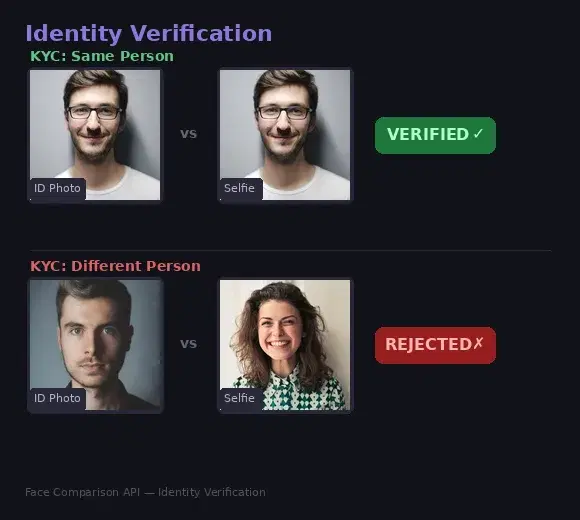
How Face Comparison Works for Verification
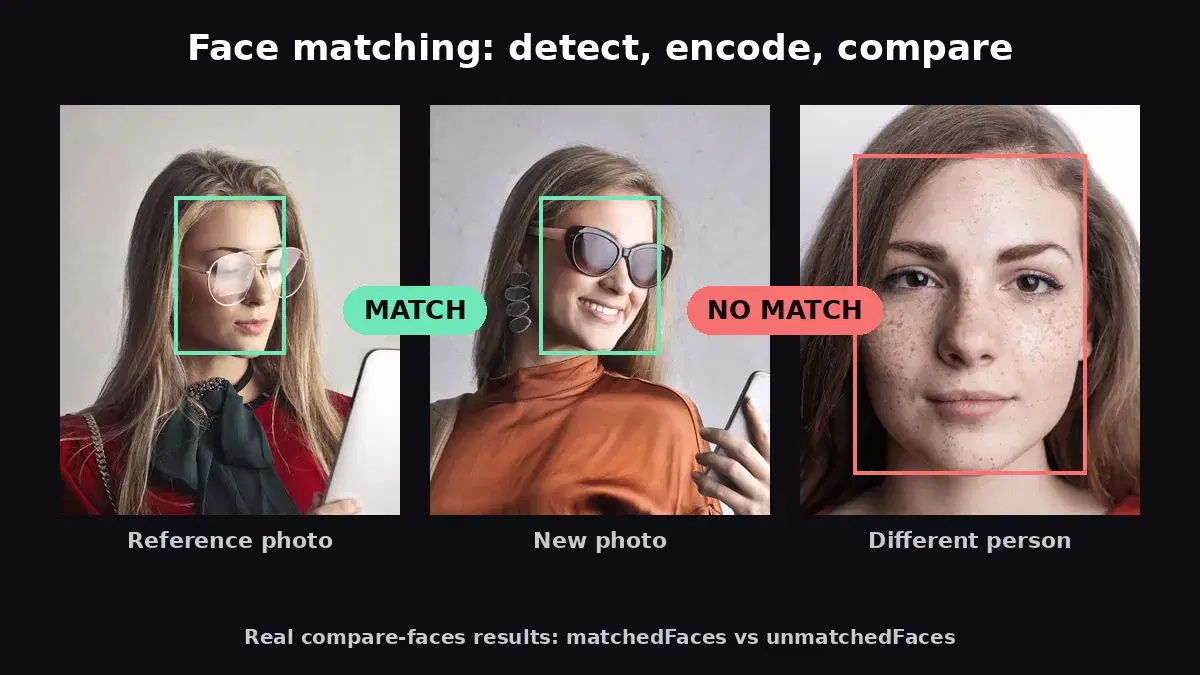
The /compare-faces endpoint takes two images — a source (the reference photo) and a target (the photo to verify) — and determines whether they contain the same person. The response tells you which faces matched and which did not, letting your application make a verification decision instantly.
// Successful match
{
  "statusCode": 200,
  "body": {
    "matchedFaces": [
      {
        "boundingBox": { "topLeft": { "x": 0.28, "y": 0.28 }, "bottomRight": { "x": 0.62, "y": 0.57 } },
        "landmarks": { "eyeLeft": { ... }, "eyeRight": { ... }, "nose": { ... }, "mouth": { ... } }
      }
    ],
    "unmatchedFaces": []
  }
}

// No match
{
  "statusCode": 200,
  "body": {
    "matchedFaces": [],
    "unmatchedFaces": [
      { "boundingBox": { ... }, "landmarks": { ... } }
    ]
  }
}
When matchedFaces contains results, the two images depict the same person. When only unmatchedFaces are returned, the faces do not match. Your application checks which array is populated and grants or denies verification accordingly.
Use Case 1: KYC Identity Verification
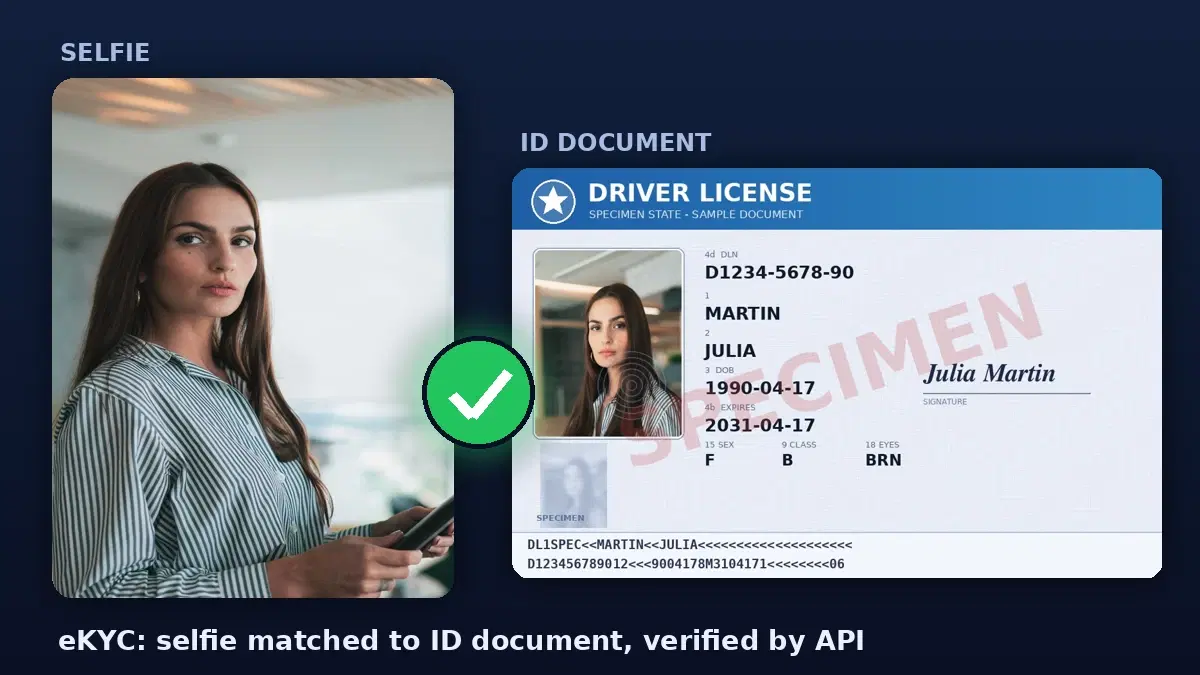
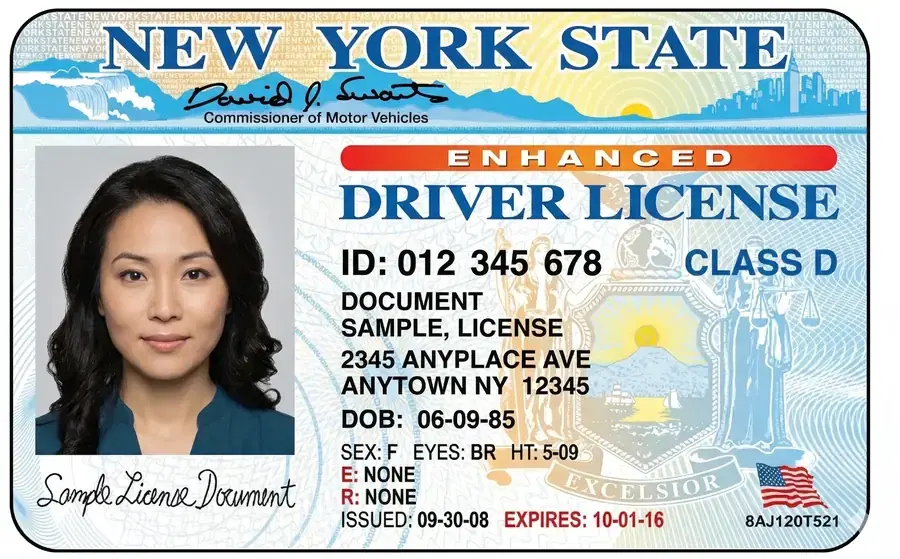
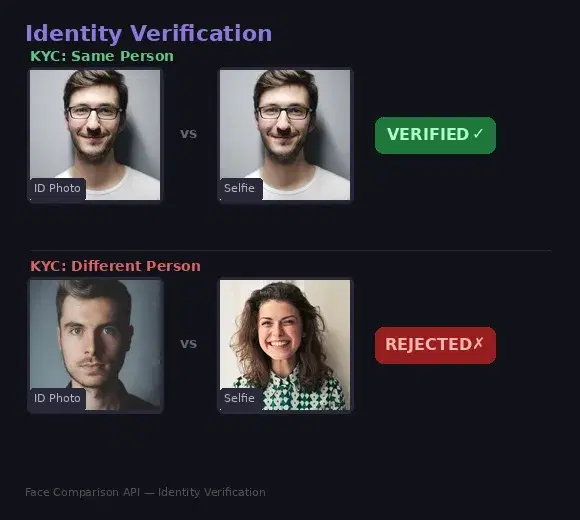
Know Your Customer (KYC) regulations require financial institutions, fintech apps, and regulated platforms to verify the identity of their users. The standard flow is straightforward: the user uploads a photo of their government-issued ID (passport, driver's license, national ID card), then takes a live selfie. The system compares the face on the ID against the selfie to confirm they are the same person.
cURL
# Compare ID photo against a live selfie
curl -X POST \
  'https://faceanalyzer-ai.p.rapidapi.com/compare-faces' \
  -H 'x-rapidapi-host: faceanalyzer-ai.p.rapidapi.com' \
  -H 'x-rapidapi-key: YOUR_API_KEY' \
  -F 'source_image=@id_card_photo.jpg' \
  -F 'target_image=@live_selfie.jpg'
Python
import requests

BASE = "https://faceanalyzer-ai.p.rapidapi.com"
HEADERS = {
    "x-rapidapi-host": "faceanalyzer-ai.p.rapidapi.com",
    "x-rapidapi-key": "YOUR_API_KEY",
}

def verify_identity(id_photo_path: str, selfie_path: str) -> dict:
    """Compare an ID photo against a live selfie."""
    with open(id_photo_path, "rb") as id_file, open(selfie_path, "rb") as selfie_file:
        response = requests.post(
            f"{BASE}/compare-faces",
            headers=HEADERS,
            files={
                "source_image": ("id.jpg", id_file, "image/jpeg"),
                "target_image": ("selfie.jpg", selfie_file, "image/jpeg"),
            },
        )
    result = response.json()
    matched = result["body"]["matchedFaces"]
    return {
        "verified": len(matched) > 0,
        "matched_count": len(matched),
        "unmatched_count": len(result["body"]["unmatchedFaces"]),
    }

# Usage
result = verify_identity("passport_photo.jpg", "user_selfie.jpg")
if result["verified"]:
    print("Identity verified — faces match")
else:
    print("Verification failed — faces do not match")
JavaScript
const BASE = "https://faceanalyzer-ai.p.rapidapi.com";
const HEADERS = {
  "x-rapidapi-host": "faceanalyzer-ai.p.rapidapi.com",
  "x-rapidapi-key": "YOUR_API_KEY",
};

async function verifyIdentity(idPhoto, selfieBlob) {
  const formData = new FormData();
  formData.append("source_image", idPhoto);   // File from ID upload
  formData.append("target_image", selfieBlob); // Blob from webcam capture

  const response = await fetch(`${BASE}/compare-faces`, {
    method: "POST",
    headers: HEADERS,
    body: formData,
  });

  const result = await response.json();
  const matched = result.body.matchedFaces;

  return {
    verified: matched.length > 0,
    matchedCount: matched.length,
  };
}

// Usage with a webcam capture and file input
const idFile = document.getElementById("id-upload").files[0];
const selfieBlob = await captureWebcam(); // your webcam capture function

const { verified } = await verifyIdentity(idFile, selfieBlob);
document.getElementById("status").textContent = verified
  ? "Identity verified"
  : "Verification failed";
Use Case 2: Social Media Profile Verification
Social platforms need to ensure that the person behind a profile is real and matches their profile photo. This combats catfishing, impersonation, and fake accounts. The verification flow asks the user to take a live selfie which is then compared against their current profile picture.
def verify_profile(profile_image_url: str, selfie_path: str) -> dict:
    """Verify that a selfie matches the profile photo."""
    with open(selfie_path, "rb") as selfie_file:
        response = requests.post(
            f"{BASE}/compare-faces",
            headers=HEADERS,
            files={"target_image": ("selfie.jpg", selfie_file, "image/jpeg")},
            data={"source_image_url": profile_image_url},
        )

    result = response.json()
    matched = result["body"]["matchedFaces"]

    if matched:
        return {"verified": True, "badge": "verified_profile"}
    else:
        return {"verified": False, "reason": "selfie_does_not_match_profile"}

# Verify a user's profile
result = verify_profile(
    "https://cdn.example.com/profiles/user123.jpg",
    "live_selfie.jpg",
)
if result["verified"]:
    print("Profile verified — awarding verification badge")
else:
    print(f"Verification failed: {result['reason']}")
This same approach works for dating apps verifying profile authenticity, freelance platforms confirming contractor identity, and any marketplace where trust between users is essential.
Use Case 3: Fraud Prevention at Checkout
E-commerce platforms and payment providers can add a face verification step for high-value transactions or flagged orders. When a transaction triggers a fraud alert, the system prompts the account holder to take a selfie. This selfie is compared against the photo on file (stored during account creation or a previous verification). If the faces match, the transaction proceeds. If not, the order is held for manual review.
def verify_transaction(user_id: str, selfie_path: str) -> bool:
    """Verify the person making a transaction matches the account holder."""
    # Fetch the stored reference photo URL from your database
    reference_url = get_user_reference_photo(user_id)

    with open(selfie_path, "rb") as f:
        response = requests.post(
            f"{BASE}/compare-faces",
            headers=HEADERS,
            files={"target_image": ("selfie.jpg", f, "image/jpeg")},
            data={"source_image_url": reference_url},
        )

    result = response.json()
    return len(result["body"]["matchedFaces"]) > 0

# During checkout
if is_high_risk_transaction(order):
    selfie = capture_user_selfie()
    if verify_transaction(order.user_id, selfie):
        process_payment(order)
    else:
        flag_for_review(order)
Use Case 4: Online Exam Proctoring
Online education platforms need to ensure the registered student is the one actually taking the exam. At the start of the exam session, the system captures a photo and compares it against the student's enrollment photo. Periodic rechecks during the exam provide additional assurance that the same person remains at the screen throughout.
def proctor_check(student_id: str, capture_path: str) -> dict:
    """Check that the person at the screen matches the enrolled student."""
    enrollment_url = get_student_enrollment_photo(student_id)

    with open(capture_path, "rb") as f:
        response = requests.post(
            f"{BASE}/compare-faces",
            headers=HEADERS,
            files={"target_image": ("capture.jpg", f, "image/jpeg")},
            data={"source_image_url": enrollment_url},
        )

    result = response.json()
    matched = result["body"]["matchedFaces"]
    return {
        "same_person": len(matched) > 0,
        "timestamp": datetime.now().isoformat(),
        "student_id": student_id,
    }

# Run checks at intervals during the exam
for check_time in exam_check_schedule:
    photo = capture_webcam_photo()
    result = proctor_check(student.id, photo)
    if not result["same_person"]:
        flag_exam_session(student.id, result["timestamp"])
Using Image URLs Instead of File Uploads
If both images are already hosted online (such as a profile picture and a previously stored reference), you can send URLs directly without uploading files:
# Compare two URLs directly
response = requests.post(
    f"{BASE}/compare-faces",
    headers={**HEADERS, "Content-Type": "application/x-www-form-urlencoded"},
    data={
        "source_image_url": "https://cdn.example.com/ids/user123.jpg",
        "target_image_url": "https://cdn.example.com/selfies/user123_verify.jpg",
    },
)

result = response.json()
verified = len(result["body"]["matchedFaces"]) > 0
Best Practices
Ensure Photo Quality
Verification accuracy depends directly on image quality. For ID photos, ensure the document is well-lit and the face is not obscured by glare or shadows. For selfies, guide the user with on-screen instructions: face the camera directly, ensure good lighting, remove sunglasses, and keep the face centered in the frame. Reject blurry or too-dark captures before sending them to the API.
Add Liveness Detection
Face comparison alone confirms that two images contain the same face, but it does not guarantee the selfie was taken live. A printed photo or screen display could pass a basic comparison. For high-security flows, add a liveness check before the comparison step: ask the user to blink, turn their head, or smile. You can use the face detection endpoint to verify facial features like smile or eye state change between consecutive captures as a lightweight liveness signal.
Provide Clear Feedback
When verification fails, give the user actionable guidance rather than a generic error. If the API returns unmatchedFaces, prompt the user to retake their selfie with better lighting or a more direct angle. Set a reasonable retry limit (3 attempts is standard) and offer an alternative verification method (document upload for manual review) as a fallback.
Respect Privacy Regulations
Facial data is classified as biometric data under GDPR, CCPA, and many local regulations. Always obtain explicit user consent before collecting and processing facial images. Store images only as long as needed for verification, then delete them. If you use the repository-based approach for ongoing verification, provide users with a clear way to request deletion of their facial data.
Handle Edge Cases Gracefully
Some legitimate verifications will fail due to significant appearance changes (aging, weight change, new hairstyle, facial hair). Design your system with escalation paths: automatic verification for clear matches, manual review for borderline cases, and alternative verification for repeated failures. Log all verification attempts for compliance auditing.
Face-based identity verification replaces slow, manual checks with instant, automated decisions. Whether you are building KYC onboarding for a fintech app, profile verification for a social platform, or fraud prevention for e-commerce, the Face Analyzer API's /compare-faces endpoint gives you a single, reliable building block. Upload two images, check the result, and make your verification decision — it is that simple.
Frequently Asked Questions
- How does face-based identity verification work?
- The user submits a live selfie and a reference photo (ID document or profile picture). The face comparison API extracts facial features from both images and computes a similarity score. If the score exceeds a configurable threshold, the identity is verified. The entire process takes under one second.
- Is face comparison accurate enough for KYC?
- Yes. Modern face comparison APIs achieve over 99% accuracy on standard benchmarks like LFW. They handle variations in lighting, angle, and aging. For KYC compliance, combine face comparison with liveness detection to prevent spoofing with printed photos or screens.
- What is the difference between face verification and face recognition?
- Face verification is a 1-to-1 comparison: does this selfie match this ID photo? Face recognition is a 1-to-many search: who is this person in my database? Verification is simpler, faster, and more privacy-friendly since you only compare two specific images.