This tutorial uses the NSFW Detect API. See the docs, live demo, and pricing.
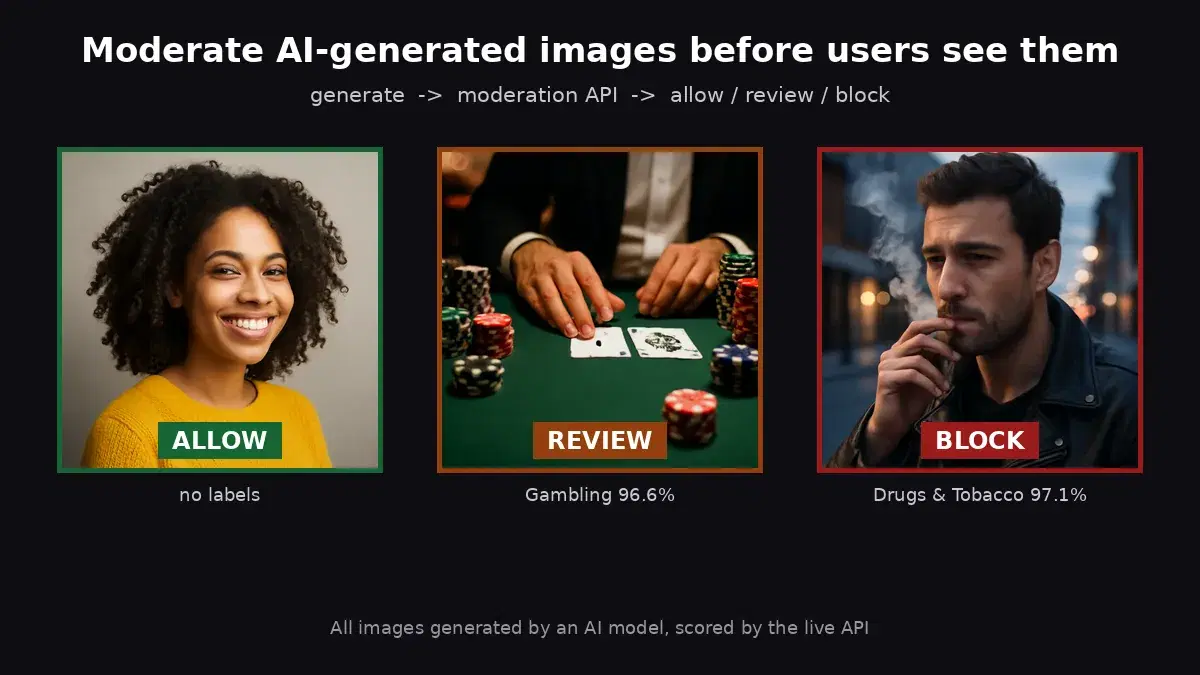
Discord servers that allow image uploads face a constant challenge: keeping pornographic, violent, or otherwise explicit content out of channels where it does not belong. Manual moderation does not scale — moderators cannot watch every channel around the clock, and a single NSFW image slipping through can violate Discord's Terms of Service and drive members away. The solution is a Discord NSFW moderation bot that automatically scans every image posted and removes anything flagged as explicit before other members see it.
In this tutorial, you will build a fully functional NSFW moderation bot in Python using discord.py and the NSFW Detection API. The bot listens for messages with image attachments, sends each image to the API for classification, and deletes the message if explicit content is detected — all in under a second.
What the Bot Does
Before diving into code, here is the full behavior of the bot you are about to build:
- Monitors every text channel in your server for messages with image attachments (JPG, PNG, GIF, WebP).
- Sends each image to the NSFW Detection API for classification.
- If the image is classified as explicit above a configurable confidence threshold, the bot deletes the message immediately.
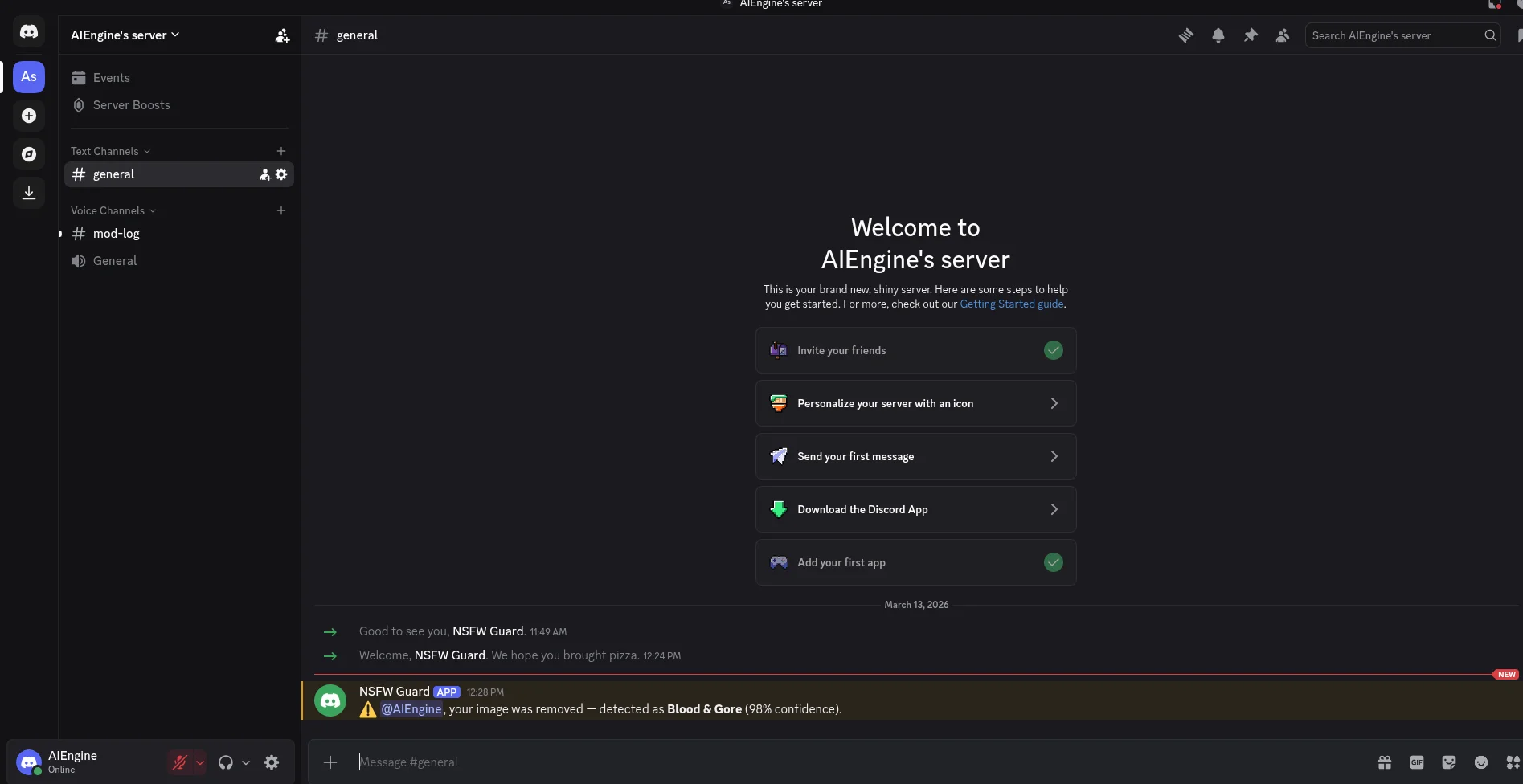
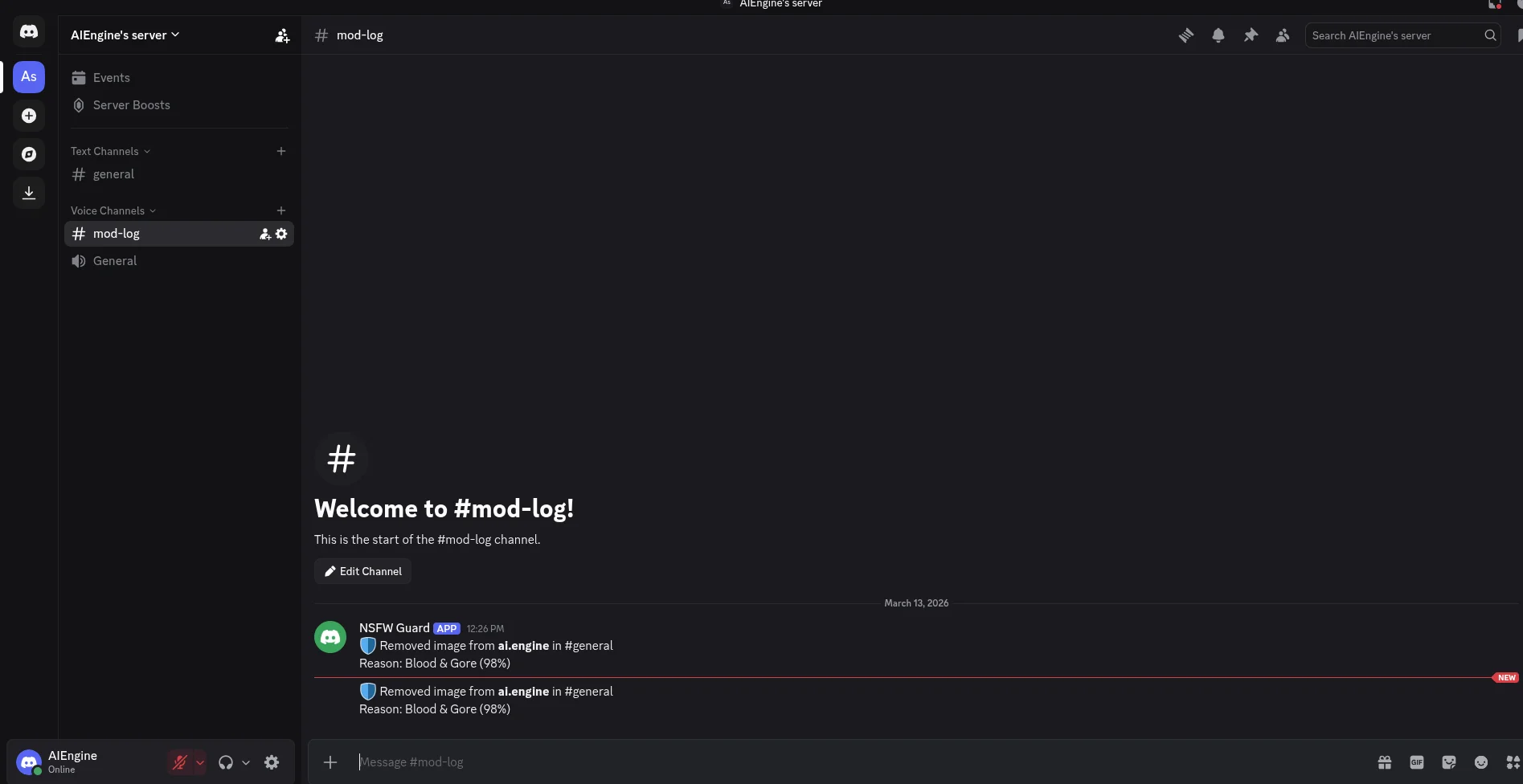
- Sends a brief warning to the channel (auto-deletes after 10 seconds) and logs the action to a dedicated
#mod-logchannel. - Skips channels marked as NSFW in Discord's channel settings — those channels are already age-gated by Discord.
- Ignores messages from other bots to prevent loops.
Prerequisites
You need the following before you start:
- Python 3.9+ installed on your machine.
- A Discord account with permission to add bots to a server (you need the "Manage Server" role).
- A RapidAPI key for the NSFW Detection API. The free tier gives you 100 requests/month — enough to test and run on a small server.
Step 1 — Create a Discord Bot Application
Go to the Discord Developer Portal and follow these steps:
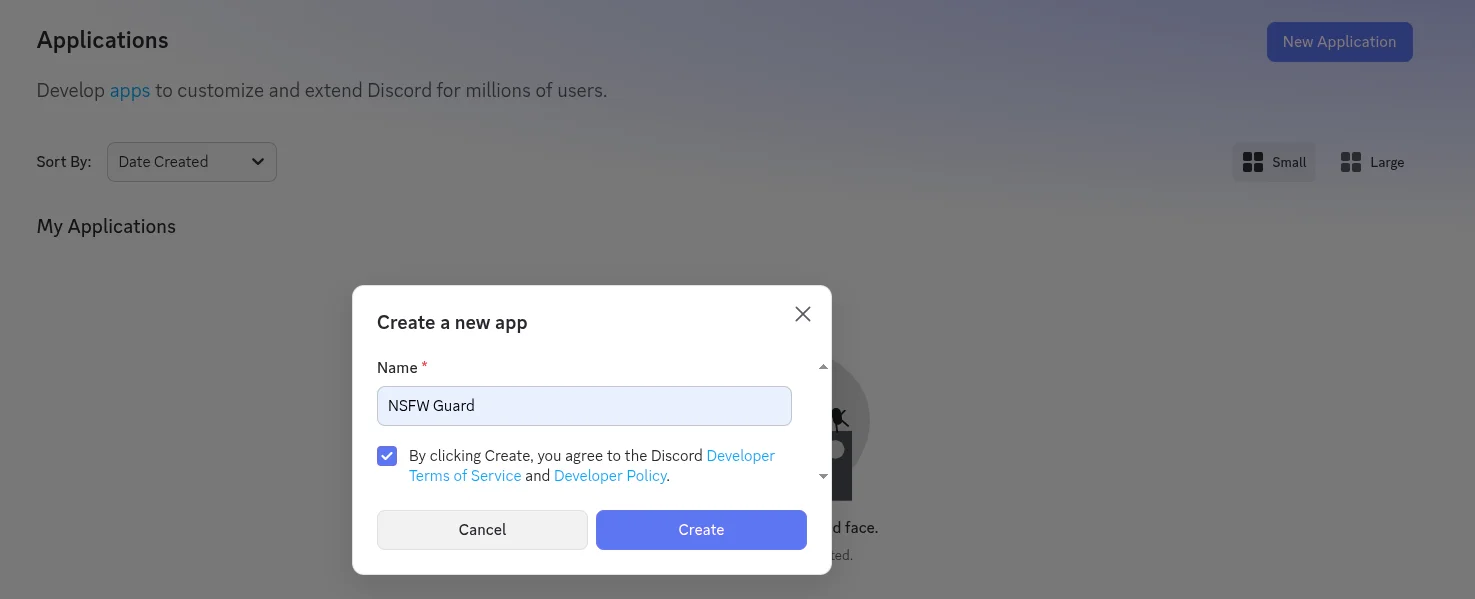
1. Create a new application. Click New Application, enter a name like "NSFW Guard", and click Create. Discord automatically creates a bot user for your application.
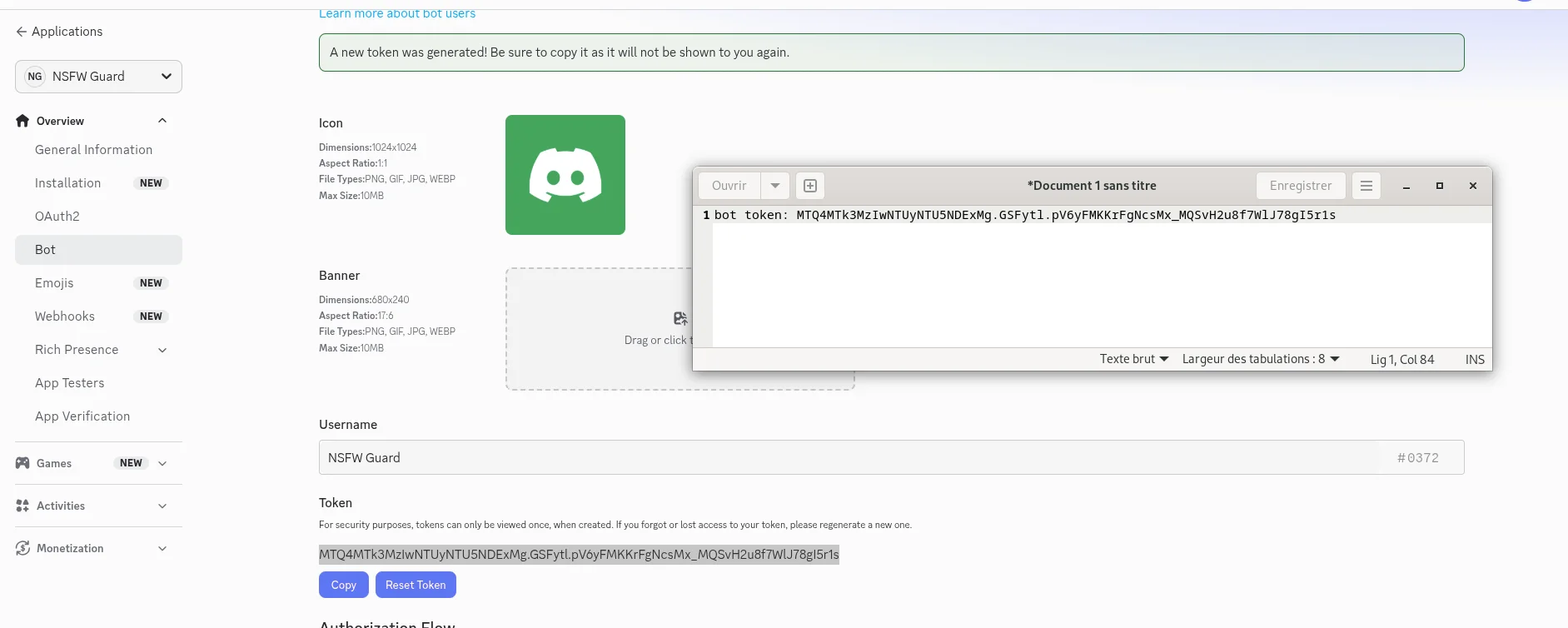
2. Copy your bot token. In the left sidebar, click Bot. Click Reset Token and copy the token immediately — you will not be able to see it again. This token is your bot's password. Never share it publicly.
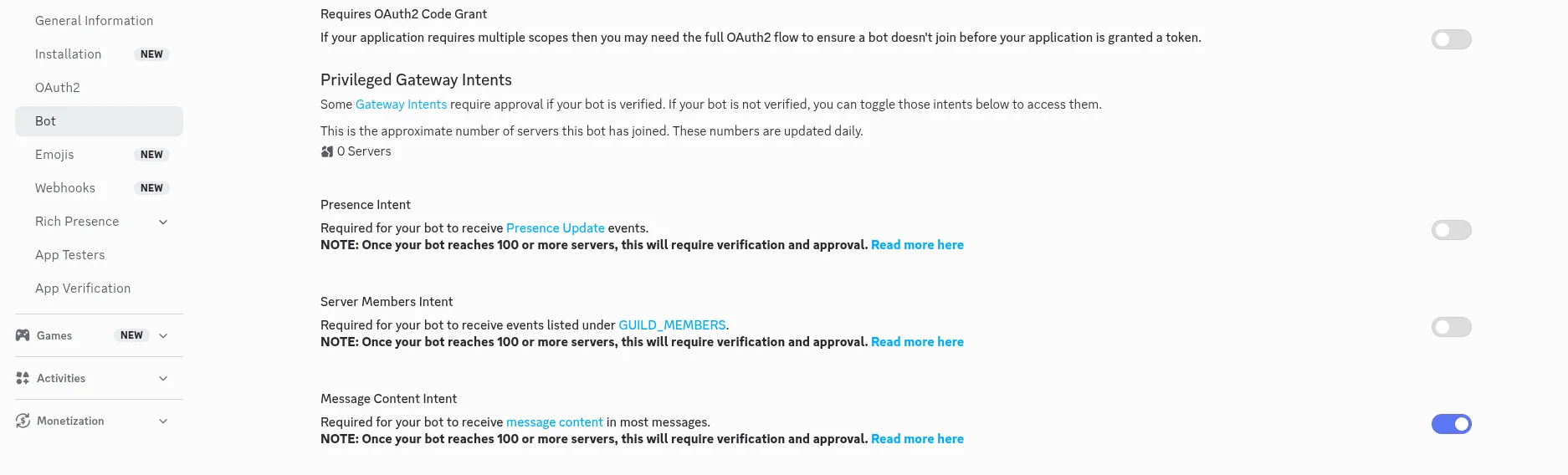
3. Enable Message Content Intent. On the same Bot page, scroll down to Privileged Gateway Intents and toggle on Message Content Intent. This is required for the bot to read message content and attachments.
4. Set bot permissions. In the left sidebar, click OAuth2. Under Scopes, check bot.
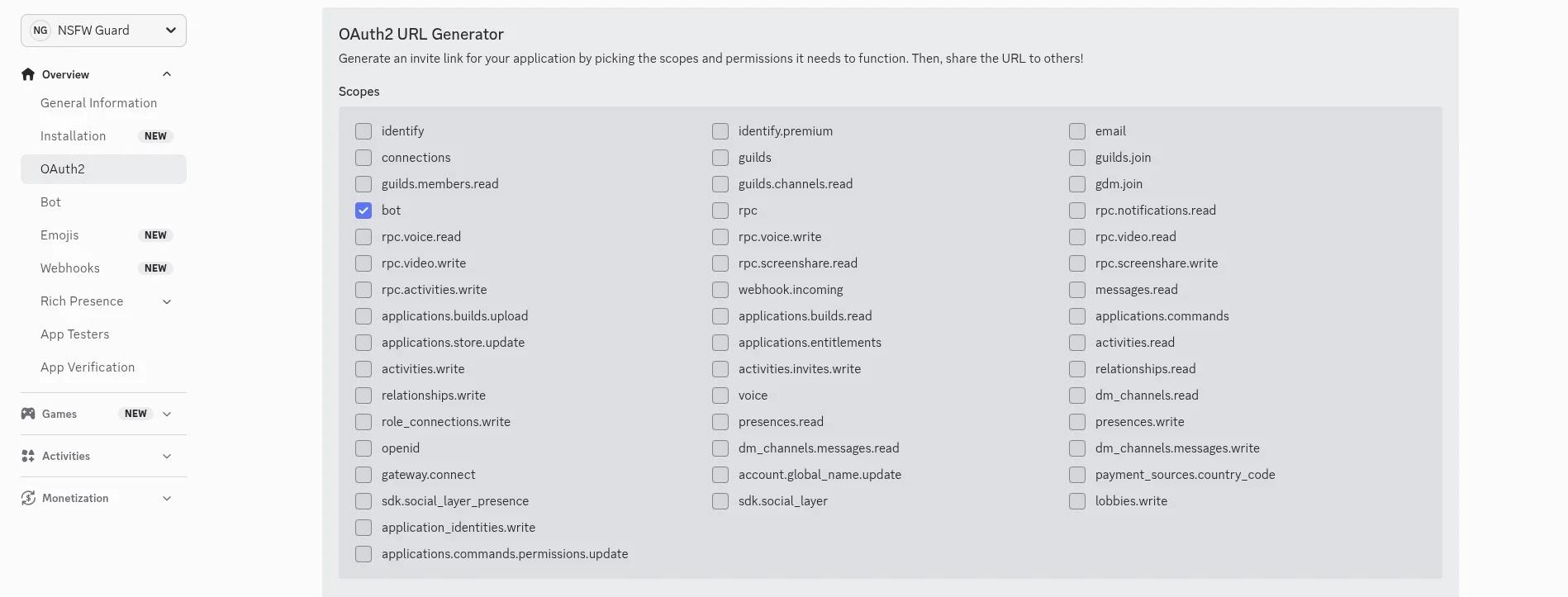
Scroll down to Bot Permissions and check Send Messages and Manage Messages.
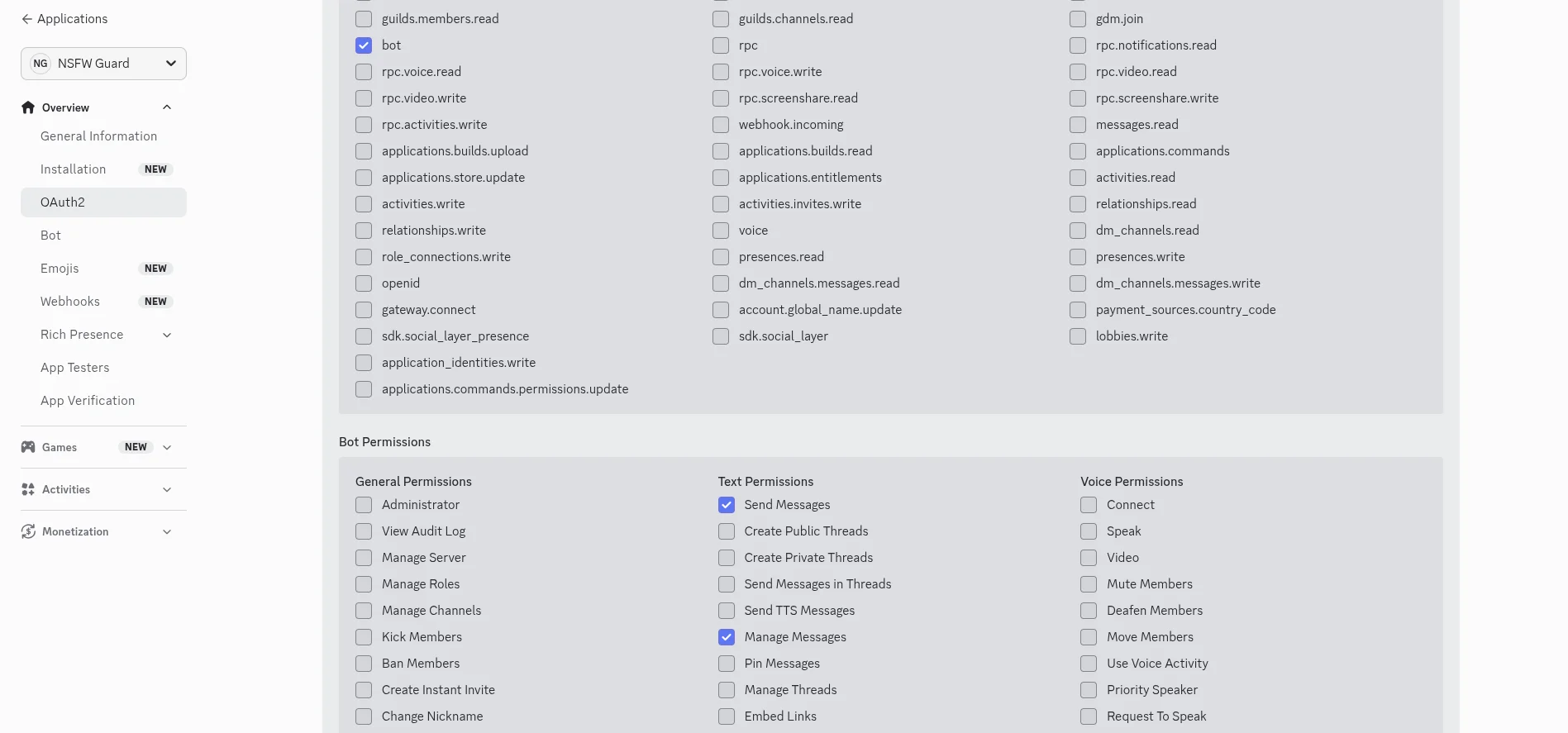
5. Invite the bot to your server. Scroll to the bottom and copy the Generated URL. This is your Discord NSFW bot invite link.
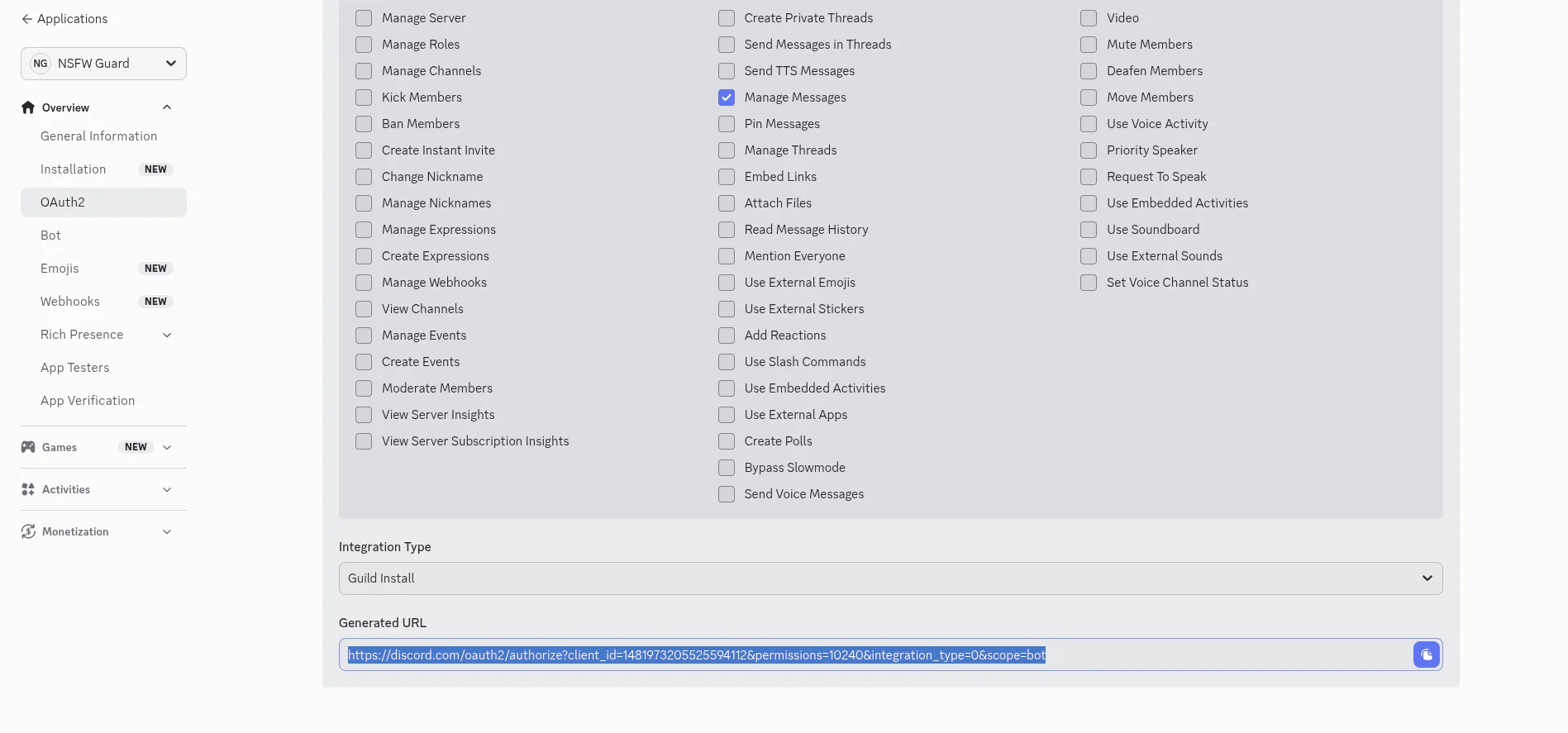
Open the URL in your browser, select your server, and click Authorize.
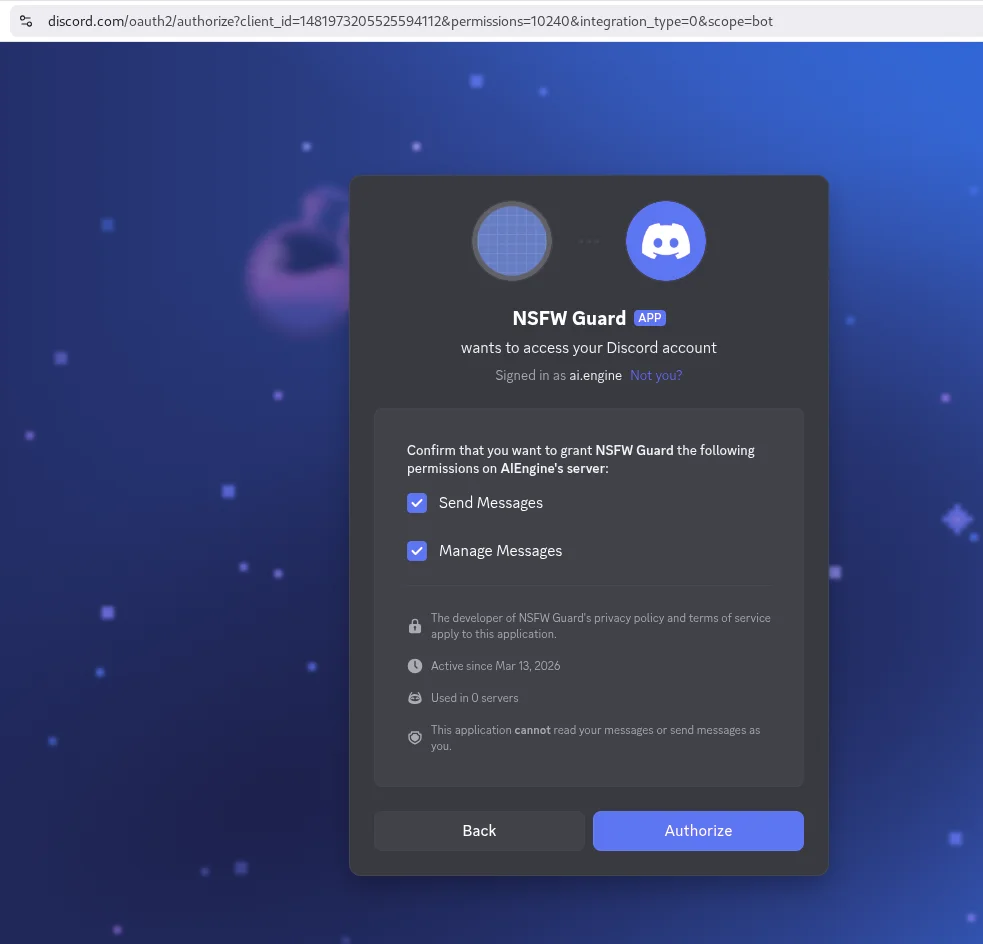
Your bot is now in your server, but it is offline. Optionally, create a text channel called #mod-log in your server — the bot will automatically post moderation logs there. If the channel does not exist, the bot still works normally but without logging.
Step 2 — Get Your NSFW Detection API Key
The bot uses the NSFW Detection API to classify images. To get your API key:
- Go to the NSFW Detection API page and click Subscribe.
- Select the Basic plan (free — 100 requests/month). No credit card required.
- Once subscribed, your RapidAPI key is visible in the X-RapidAPI-Key header on the API playground. Copy it.
You now have both tokens: the Discord bot token from Step 1 and the RapidAPI key from this step.
Step 3 — Install Dependencies and Run the Bot
Install discord.py and aiohttp (for async HTTP requests to the NSFW API):
pip install discord.py aiohttpCreate a file called nsfw_bot.py with the complete bot code below. This is the full, ready-to-run script — copy it, set your tokens, and launch:
"""
Discord NSFW Moderation Bot
Automatically detects and removes NSFW images from your server.

Usage:
  pip install discord.py aiohttp
  python nsfw_bot.py --discord-token YOUR_TOKEN --api-key YOUR_KEY
"""
import argparse
import logging

import aiohttp
import discord

# --- Configuration ---
NSFW_API_URL = "https://nsfw-detect3.p.rapidapi.com/nsfw-detect"
NSFW_API_HOST = "nsfw-detect3.p.rapidapi.com"
CONFIDENCE_THRESHOLD = 85   # Block images scoring above this %
LOG_CHANNEL_NAME = "mod-log" # Channel to log moderation actions
IMAGE_TYPES = {"image/jpeg", "image/png", "image/gif", "image/webp"}

logging.basicConfig(level=logging.INFO)
logger = logging.getLogger("nsfw-bot")


async def check_nsfw(session: aiohttp.ClientSession, image_url: str, api_key: str):
    """Send an image URL to the NSFW API and return the top label if flagged."""
    headers = {
        "x-rapidapi-host": NSFW_API_HOST,
        "x-rapidapi-key": api_key,
        "Content-Type": "application/x-www-form-urlencoded",
    }
    async with session.post(
        NSFW_API_URL, headers=headers, data={"url": image_url}
    ) as resp:
        if resp.status != 200:
            logger.warning(f"API returned {resp.status} for {image_url}")
            return None

        data = await resp.json()
        labels = data.get("body", {}).get("ModerationLabels", [])

        if not labels:
            return None

        top = max(labels, key=lambda l: l["Confidence"])
        if top["Confidence"] >= CONFIDENCE_THRESHOLD:
            return top

    return None


def is_image(attachment: discord.Attachment) -> bool:
    """Check if a Discord attachment is an image."""
    if attachment.content_type and attachment.content_type in IMAGE_TYPES:
        return True
    return attachment.filename.lower().endswith(
        (".jpg", ".jpeg", ".png", ".gif", ".webp")
    )


class ModerationBot(discord.Client):
    def __init__(self, *args, api_key: str, **kwargs):
        super().__init__(*args, **kwargs)
        self.api_key = api_key

    async def on_ready(self):
        logger.info(
            f"Bot is online as {self.user} "
            f"— monitoring {len(self.guilds)} server(s)"
        )

    async def on_message(self, message: discord.Message):
        # Ignore bots and DMs
        if message.author.bot or not message.guild:
            return

        # Skip channels marked as NSFW in Discord settings
        if hasattr(message.channel, "nsfw") and message.channel.nsfw:
            return

        # Filter image attachments
        images = [a for a in message.attachments if is_image(a)]
        if not images:
            return

        async with aiohttp.ClientSession() as session:
            for attachment in images:
                result = await check_nsfw(session, attachment.url, self.api_key)
                if result:
                    await message.delete()

                    await message.channel.send(
                        f"⚠️ {message.author.mention}, your image was removed — "
                        f"detected as **{result['Name']}** "
                        f"({result['Confidence']:.0f}% confidence).",
                        delete_after=10,
                    )

                    log_ch = discord.utils.get(
                        message.guild.text_channels, name=LOG_CHANNEL_NAME
                    )
                    if log_ch:
                        await log_ch.send(
                            f"🛡️ Removed image from **{message.author}** "
                            f"in #{message.channel.name}\n"
                            f"Reason: {result['Name']} "
                            f"({result['Confidence']:.0f}%)"
                        )

                    logger.info(
                        f"Removed {result['Name']} image from {message.author} "
                        f"in #{message.channel.name} ({result['Confidence']:.0f}%)"
                    )
                    break


def main():
    parser = argparse.ArgumentParser(description="Discord NSFW Moderation Bot")
    parser.add_argument("--discord-token", required=True, help="Your Discord bot token")
    parser.add_argument("--api-key", required=True, help="Your RapidAPI key for the NSFW API")
    args = parser.parse_args()

    intents = discord.Intents.default()
    intents.message_content = True

    bot = ModerationBot(intents=intents, api_key=args.api_key)
    bot.run(args.discord_token)


if __name__ == "__main__":
    main()
Run the bot by passing your two tokens as arguments:
python nsfw_bot.py --discord-token YOUR_DISCORD_TOKEN --api-key YOUR_RAPIDAPI_KEYYou should see INFO:nsfw-bot:Bot is online as NSFW Guard#1234 — monitoring 1 server(s) in your console. To test, post an image in any non-NSFW channel. A safe image passes through untouched. An explicit image triggers the bot:
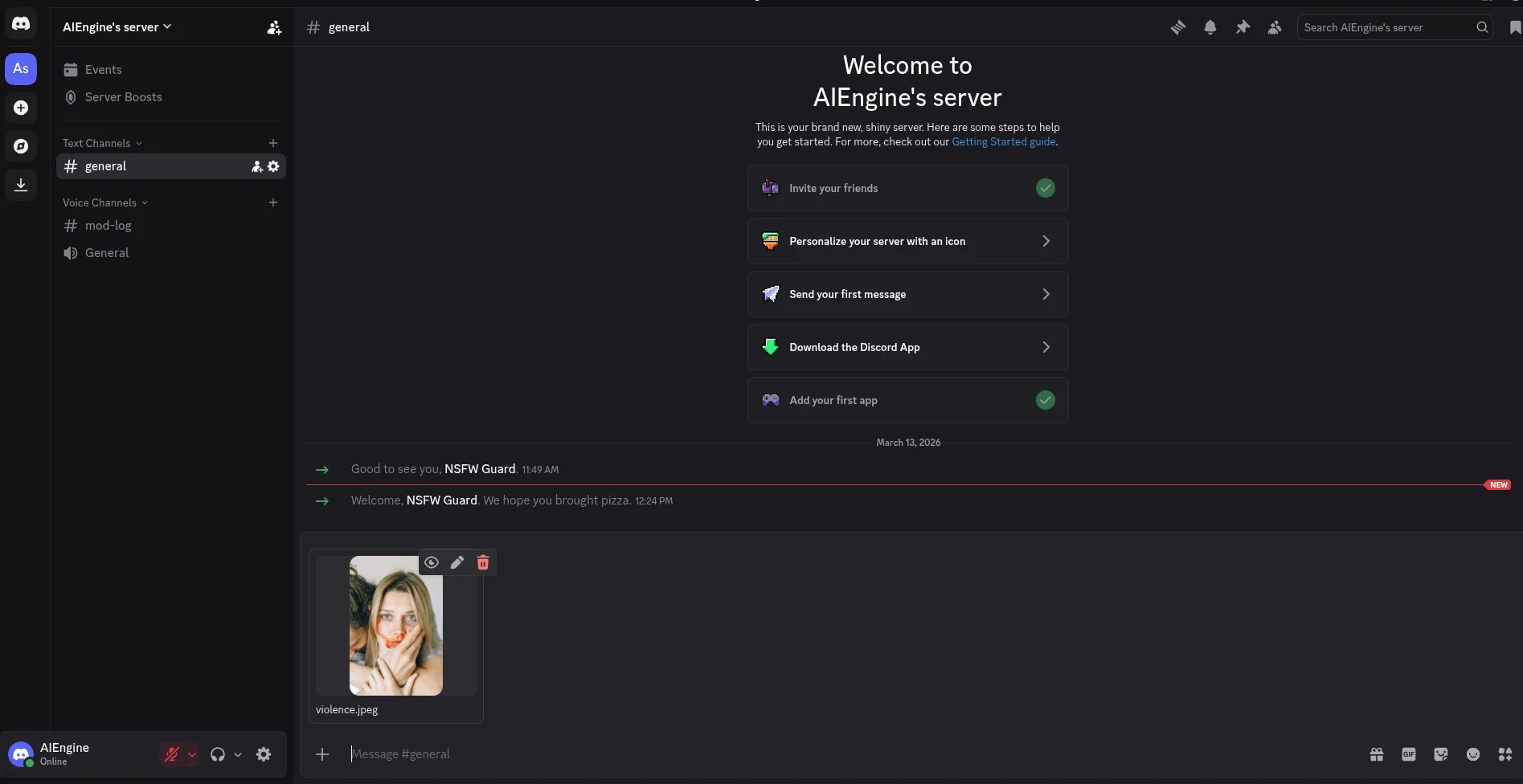
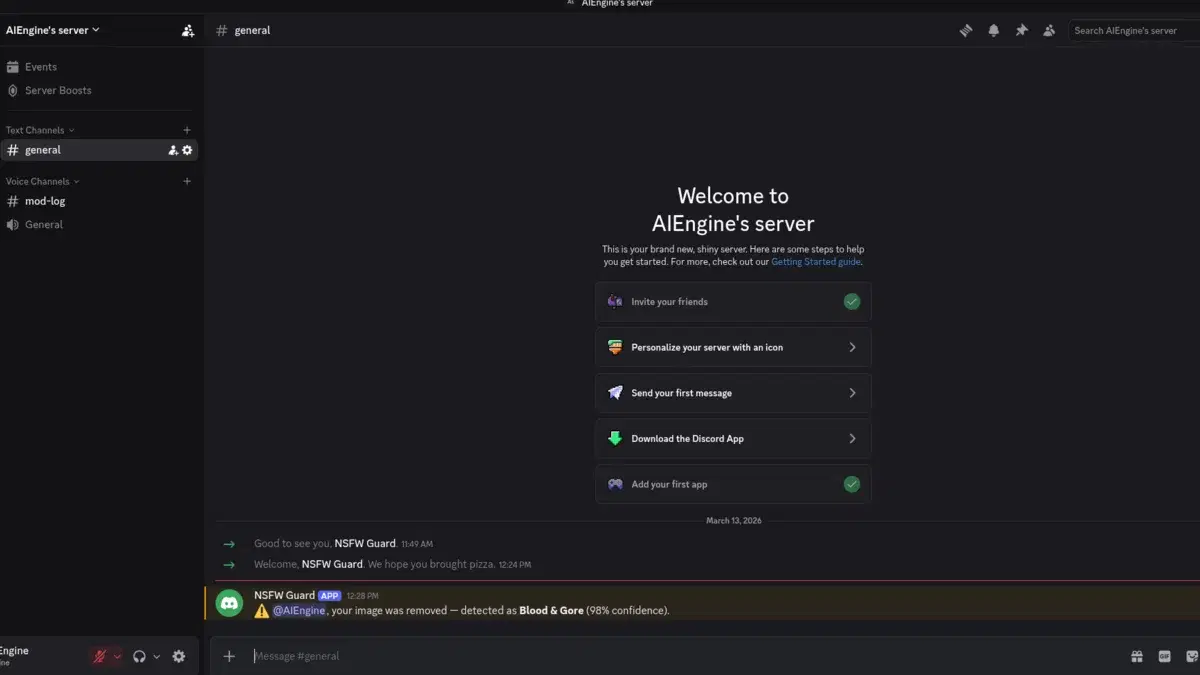
Within a second, the bot deletes the message and posts a warning:
If you created a #mod-log channel, the bot also logs every action there:
How the Code Works
Here is what each part of the script does:
- check_nsfw — Sends the image URL to the NSFW Detection API. The API returns a
ModerationLabelsarray where each entry has aName(e.g., "Explicit Nudity", "Violence", "Suggestive") and aConfidencescore from 0 to 100. If the highest-confidence label exceeds the threshold, the image is flagged. An empty array means safe. - on_message — Fires on every message. Skips bots, DMs, and channels marked as NSFW in Discord settings. Filters image attachments (JPG, PNG, GIF, WebP), checks each one, and deletes the message if any image is flagged.
- Warning message —
delete_after=10auto-removes the warning after 10 seconds to keep the channel clean. - Mod log — If a channel named
#mod-logexists, the bot logs every action with the user name, channel, and detection reason.
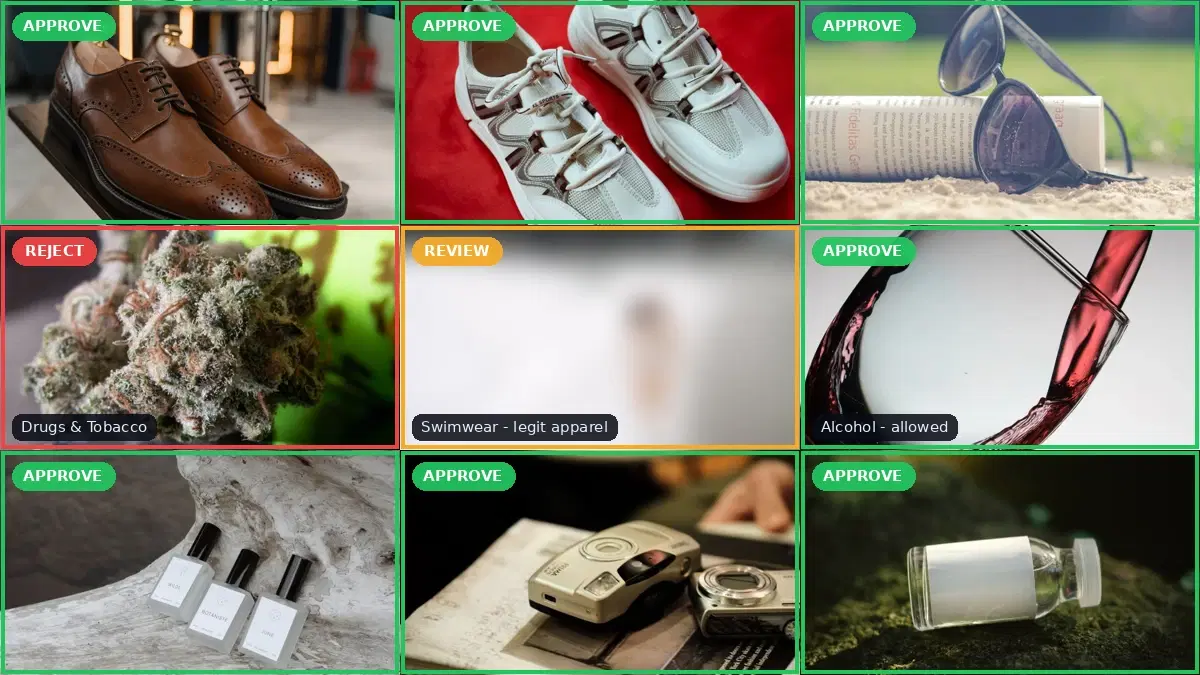
For a deeper look at multi-tier moderation logic (block / flag for review / approve), see the NSFW detection content moderation guide.
Customizing the Bot
The basic bot works well out of the box, but most servers need some fine-tuning. Here are the most common customizations.
Adjust the Confidence Threshold
The default threshold of 85% is a good starting point. Lower it (e.g., 70) if you want stricter moderation but expect more false positives. Raise it (e.g., 95) if you want to block only the most obvious cases. Monitor the #mod-log channel for a week and adjust based on what you see.
# Strict — catches more but may flag borderline images
CONFIDENCE_THRESHOLD = 70

# Lenient — only blocks the most obvious content
CONFIDENCE_THRESHOLD = 95
Block Specific Categories Only
Instead of blocking all NSFW categories, you might want to block only explicit nudity while allowing suggestive content. Modify the check_nsfw function to filter by label name:
BLOCKED_CATEGORIES = {"Explicit Nudity", "Violence", "Visually Disturbing"}

async def check_nsfw(session, image_url, api_key):
    headers = {
        "x-rapidapi-host": NSFW_API_HOST,
        "x-rapidapi-key": api_key,
        "Content-Type": "application/x-www-form-urlencoded",
    }
    async with session.post(NSFW_API_URL, headers=headers, data={"url": image_url}) as resp:
        if resp.status != 200:
            return None
        data = await resp.json()
        labels = data.get("body", {}).get("ModerationLabels", [])

        for label in labels:
            if (
                label["Name"] in BLOCKED_CATEGORIES
                and label["Confidence"] >= CONFIDENCE_THRESHOLD
            ):
                return label

    return None
Whitelist Specific Channels
Some channels (art, memes) may have a higher tolerance for borderline content. Add a whitelist so the bot skips those channels:
# Channel IDs where the bot should not scan images
WHITELIST_CHANNELS = {
    123456789012345678,  # #art
    987654321098765432,  # #memes
}

# Add this check at the top of on_message:
async def on_message(self, message):
    # ...existing checks...
    if message.channel.id in WHITELIST_CHANNELS:
        return
    # ... rest of the handler
Add a Strike System
Instead of just deleting images, track how many violations each user has. After a certain number of strikes, escalate to a mute or a kick:
from collections import defaultdict

strikes: dict[int, int] = defaultdict(int)
MAX_STRIKES = 3

@client.event
async def on_message(message):
    # ... image detection logic ...

    if result:
        await message.delete()
        strikes[message.author.id] += 1
        count = strikes[message.author.id]

        if count >= MAX_STRIKES:
            # Timeout the user for 10 minutes
            await message.author.timeout(
                discord.utils.utcnow() + __import__("datetime").timedelta(minutes=10),
                reason=f"NSFW content: {count} strikes",
            )
            await message.channel.send(
                f"🔇 {message.author.mention} has been timed out — "
                f"{count} NSFW violations.",
                delete_after=15,
            )
        else:
            await message.channel.send(
                f"⚠️ {message.author.mention}, image removed — "
                f"strike {count}/{MAX_STRIKES}.",
                delete_after=10,
            )
Keeping the Bot Running
During development, running python nsfw_bot.py in your terminal is fine. For a production server, you want the bot to restart automatically if it crashes and to survive server reboots. The simplest approach is a systemd service on a Linux VPS:
# /etc/systemd/system/nsfw-bot.service
[Unit]
Description=Discord NSFW Moderation Bot
After=network.target

[Service]
User=botuser
WorkingDirectory=/home/botuser/nsfw-bot
Environment="DISCORD_TOKEN=your-token"
Environment="RAPIDAPI_KEY=your-key"
ExecStart=/usr/bin/python3 nsfw_bot.py
Restart=always
RestartSec=5

[Install]
WantedBy=multi-user.targetsudo systemctl enable nsfw-bot
sudo systemctl start nsfw-botAlternatively, use Docker, PM2, or any process manager you are comfortable with. The bot has no state to persist (unless you add the strike system, in which case consider a small SQLite database), so it can be restarted freely.
Rate Limits and Scaling
Two rate limits apply to this bot:
- Discord API — Discord rate-limits bots per endpoint. Deleting messages and sending messages are limited to about 5 requests per second per channel. For typical server traffic, you will not hit these limits. The discord.py library handles rate limiting automatically by queuing requests.
- NSFW Detection API — The free tier allows 100 requests/month. The Basic plan provides 1,000 requests/month, and the Pro plan offers 10,000 requests/month. Each image attachment counts as one request. For a server with 50 images posted per day, the Pro plan covers the full month.
If you are running the bot on a high-traffic server, consider batching images or caching results for duplicate images (same hash). In practice, most Discord servers generate well under 10,000 images per month, making the Pro plan sufficient for all but the largest communities.
Security Notes
- Never hardcode tokens in your source code. The bot accepts them as command-line arguments so they stay out of the code. For production, consider using environment variables or a
.envfile (add it to.gitignore). - Restrict bot permissions to the minimum required: Send Messages and Manage Messages. Do not grant Administrator.
- Discord CDN URLs are temporary. The bot sends the attachment URL directly to the API within seconds of the message being posted, so expiration is not an issue. Do not store these URLs for later use.
- Log responsibly. The
#mod-logchannel records who posted flagged content and why. Make sure only moderators have access to this channel.
Next Steps
You now have a working NSFW moderation bot for Discord. From here you can:
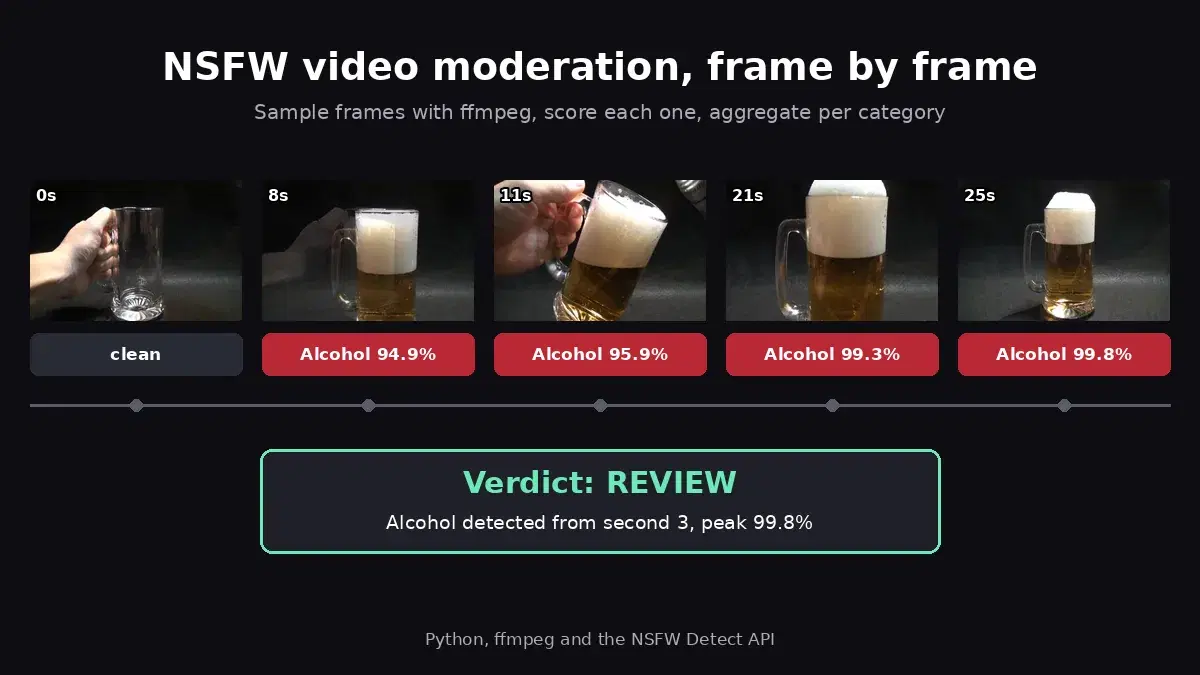
- Extend the bot to video and GIF attachments with the NSFW video moderation guide, which samples frames with ffmpeg and scores each one.
- Read the NSFW detection content moderation guide for a deeper look at multi-tier moderation logic, review queues, and best practices for tuning thresholds at scale.
- Add face detection to your bot to catch profile picture violations or verify that uploaded selfies actually contain a face.
- Extend the bot with slash commands (
/set-threshold 90,/whitelist #channel) so server admins can configure moderation settings without editing the code.
Head over to the NSFW Detection API page to grab your API key and start building.
Frequently Asked Questions
- How do I add an NSFW moderation bot to my Discord server?
- Create a bot application on the Discord Developer Portal, copy its token, and run the Python script from this tutorial. Then generate an invite link with the Send Messages and Manage Messages permissions and open it in your browser to add the bot to your server.
- Can a Discord bot automatically detect and remove NSFW images?
- Yes. A Discord bot can listen for image attachments in messages, send them to an NSFW detection API for classification, and automatically delete messages that contain explicit content. The bot in this tutorial does exactly that, responding in under a second per image.
- Is it free to build an NSFW Discord moderation bot?
- The Discord bot itself is free to host and run. The NSFW Detection API offers 100 free requests per month, which is enough for small servers. For larger communities, paid plans start at a few dollars per month for thousands of scans.