This tutorial uses the Face Swap API. See the docs, live demo, and pricing.
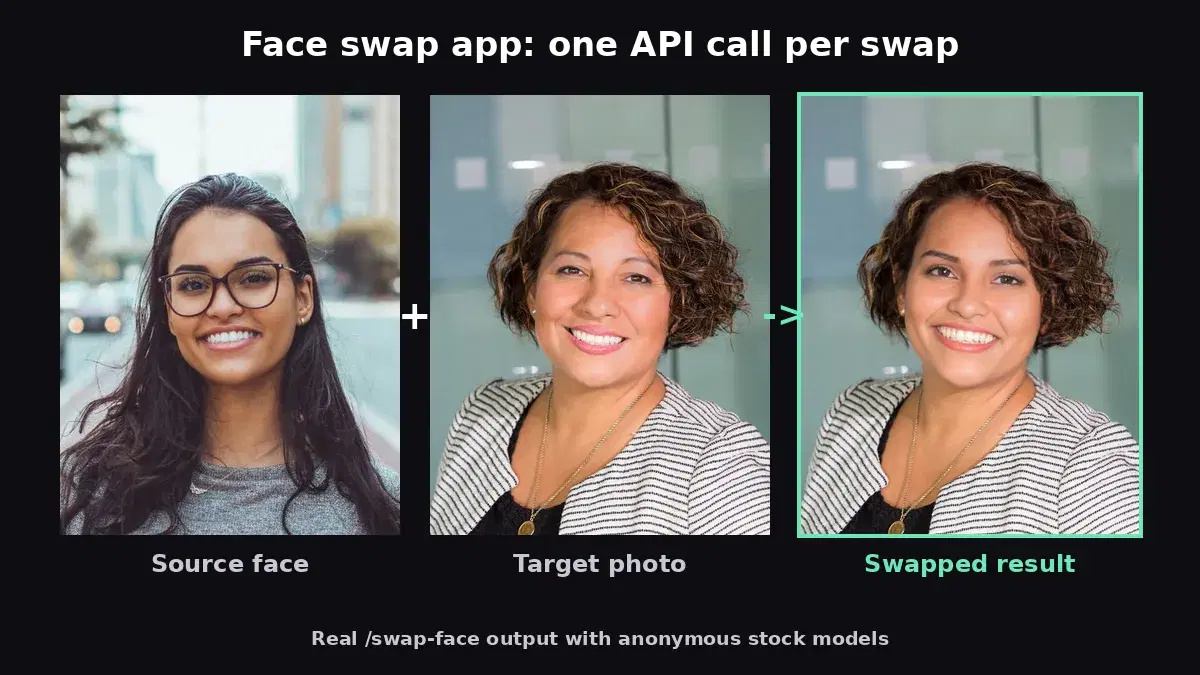
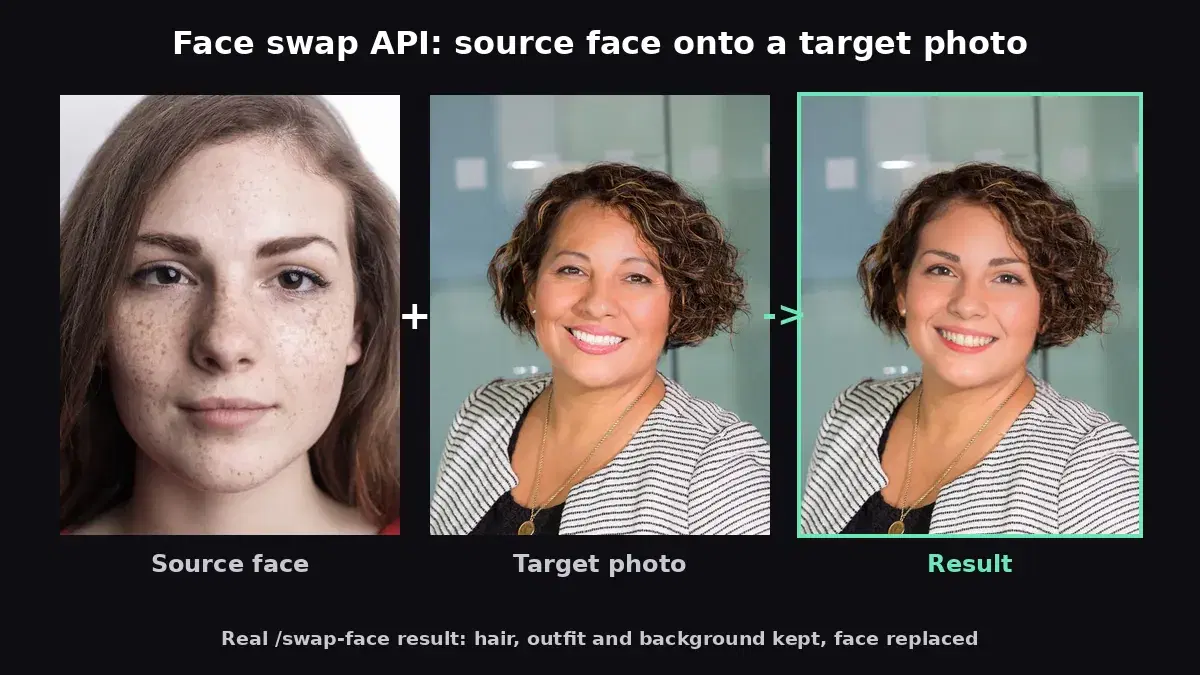
Face swapping has moved from novelty Snapchat filters to serious production use cases — entertainment apps, e-commerce virtual try-on, and video post-production all rely on it. Building a face swap pipeline from scratch means dealing with face detection, landmark alignment, blending, and artifact removal. The Face Swap API handles all of that in a single request: you send two images and get back a JSON response with a link to the swapped result in seconds.
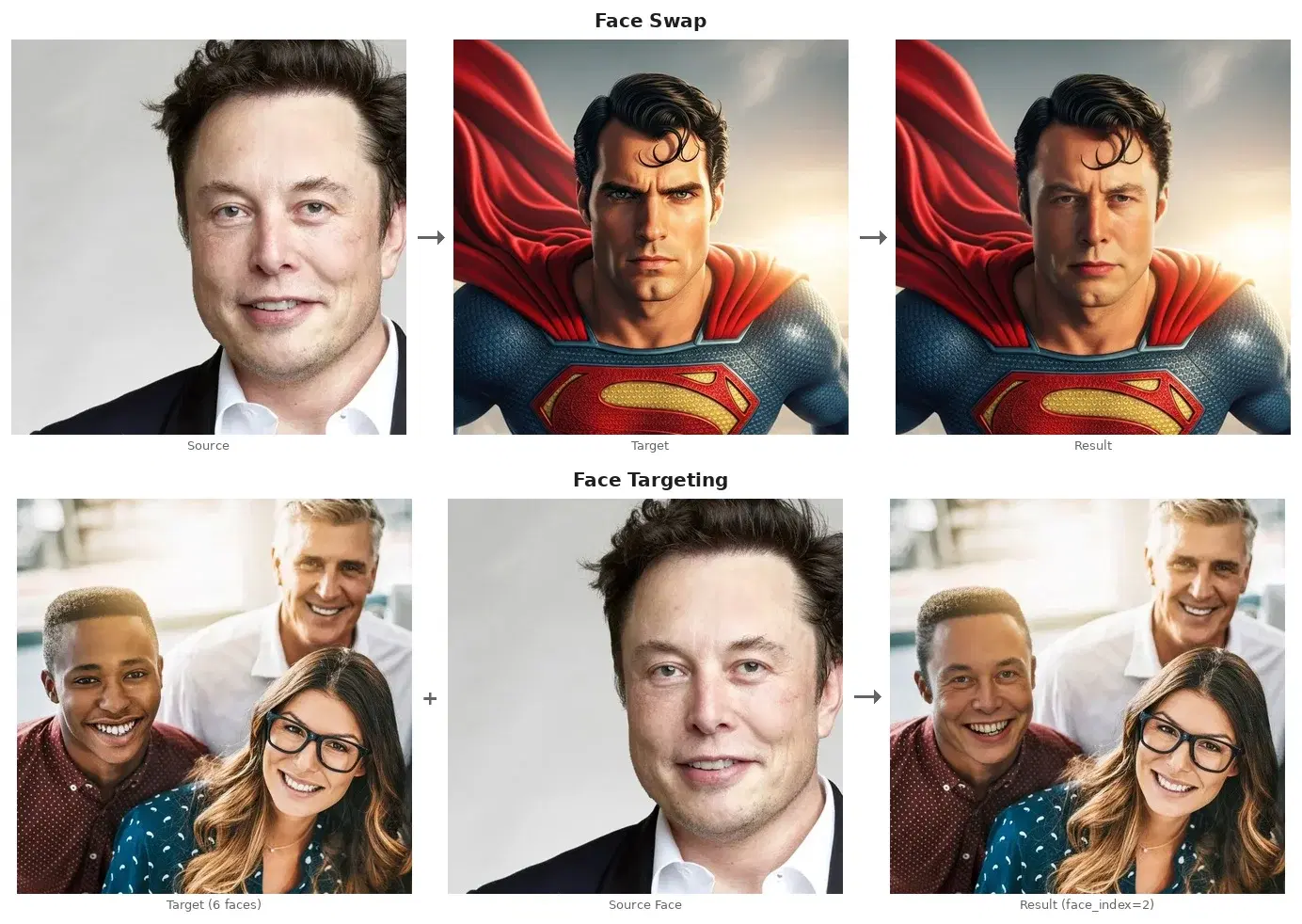
What the API Can Do
The API offers five endpoints that cover the full face manipulation workflow:
- Swap Face — Replace the face in a target image with a face from a source image
- Swap Face by Index — Target a specific face in a group photo by its index
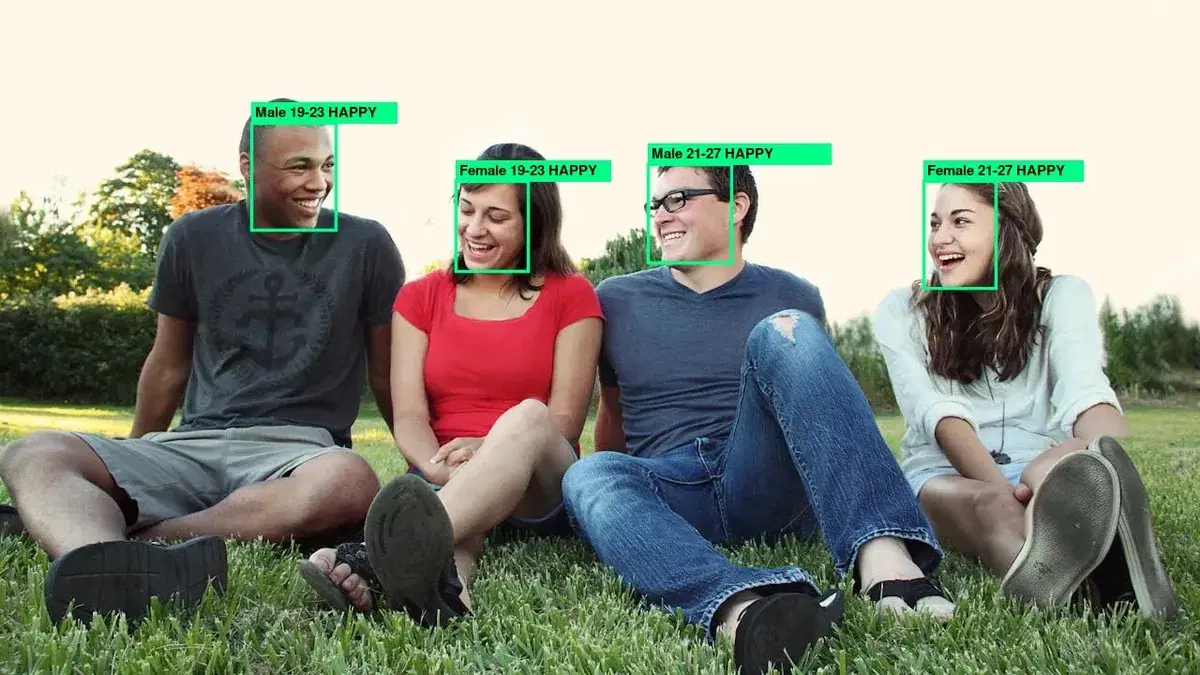
- Detect Faces — Find all faces in an image and get their bounding box positions
- Enhance Face — AI-powered face restoration and 2x upscaling without swapping
- Enhance Face by Index — Enhance a specific face in a group photo
Quick Start: Swap Two Faces
The simplest use case: take the face from one photo and place it onto another. The API accepts file uploads or public URLs and returns a JSON response with a CDN URL to the result image.
cURL
# File upload
curl -X POST "https://deepfake-face-swap-ai.p.rapidapi.com/swap-face" \
  -H "x-rapidapi-key: YOUR_API_KEY" \
  -H "x-rapidapi-host: deepfake-face-swap-ai.p.rapidapi.com" \
  -F "source_image=@source.jpg" \
  -F "target_image=@target.jpg"
# Returns: {"image_url": "https://...", "width": 1024, "height": 768, "size_bytes": 245000}

# JSON with URLs
curl -X POST "https://deepfake-face-swap-ai.p.rapidapi.com/swap-face" \
  -H "x-rapidapi-key: YOUR_API_KEY" \
  -H "x-rapidapi-host: deepfake-face-swap-ai.p.rapidapi.com" \
  -H "Content-Type: application/json" \
  -d '{"source_url": "https://example.com/source.jpg", "target_url": "https://example.com/target.jpg"}'
Python
import requests

HOST = "deepfake-face-swap-ai.p.rapidapi.com"
HEADERS = {
    "x-rapidapi-host": HOST,
    "x-rapidapi-key": "YOUR_API_KEY",
}

# Option 1: File upload
with open("source.jpg", "rb") as s, open("target.jpg", "rb") as t:
    resp = requests.post(
        f"https://{HOST}/swap-face",
        headers=HEADERS,
        files={"source_image": s, "target_image": t},
    )

result = resp.json()
print(result["image_url"])  # CDN URL of result image
# Download the result
img = requests.get(result["image_url"])
with open("result.jpg", "wb") as f:
    f.write(img.content)

# Option 2: JSON with URLs
resp = requests.post(
    f"https://{HOST}/swap-face",
    headers={**HEADERS, "Content-Type": "application/json"},
    json={
        "source_url": "https://example.com/source.jpg",
        "target_url": "https://example.com/target.jpg",
    },
)
print(resp.json()["image_url"])
JavaScript (Node.js)
const HOST = "deepfake-face-swap-ai.p.rapidapi.com";
const HEADERS = {
  "x-rapidapi-host": HOST,
  "x-rapidapi-key": "YOUR_API_KEY",
};

// File upload
const form = new FormData();
form.append("source_image", sourceFile);
form.append("target_image", targetFile);

const resp = await fetch(`https://${HOST}/swap-face`, {
  method: "POST",
  headers: HEADERS,
  body: form,
});
const result = await resp.json();
console.log(result.image_url); // CDN URL of result image
Targeting a Specific Face in a Group Photo
When the target image contains multiple people, you probably don't want to swap every face. The workflow is: first detect all faces to get their indices, then swap only the one you want.
Step 1: Detect Faces
# Detect all faces in a group photo
resp = requests.post(
    f"https://{HOST}/detect-faces",
    headers=HEADERS,
    files={"image": open("group_photo.jpg", "rb")},
)
faces = resp.json()
print(faces)
# {"total_faces": 3, "faces": [
#   {"index": 0, "bbox": {"x": 120, "y": 50, "width": 160, "height": 160}},
#   {"index": 1, "bbox": {"x": 400, "y": 80, "width": 120, "height": 120}},
#   {"index": 2, "bbox": {"x": 650, "y": 90, "width": 100, "height": 100}}
# ]}
Step 2: Swap by Index
# Swap only face at index 1
resp = requests.post(
    f"https://{HOST}/target-face",
    headers=HEADERS,
    files={"source_image": open("source.jpg", "rb"), "target_image": open("group_photo.jpg", "rb")},
    data={"face_index": 1},
)

result = resp.json()
img = requests.get(result["image_url"])
with open("result.jpg", "wb") as f:
    f.write(img.content)
Face Enhancement Without Swapping
The /enhance-face endpoint is a standalone face restoration tool — no swapping involved. It uses AI upscaling to fix artifacts, sharpen details, and output a 2x resolution image. This is useful for restoring old or low-quality photos. Pair this with Face Restoration for even more enhancement options.
# Enhance all faces in a photo
resp = requests.post(
    f"https://{HOST}/enhance-face",
    headers=HEADERS,
    files={"image": open("old_photo.jpg", "rb")},
)

result = resp.json()
img = requests.get(result["image_url"])
with open("enhanced.jpg", "wb") as f:
    f.write(img.content)  # 2x upscaled with enhanced faces
Real-World Use Cases
1. Entertainment and Social Apps
Let users swap faces with celebrities, friends, or fictional characters. Face swap features are among the most shared features in social apps — each share drives viral growth. Combine with anime style transfer for even more creative options.
2. E-Commerce Virtual Try-On
Fashion and beauty brands can let customers see how they would look wearing different hairstyles, glasses, or makeup by swapping their face onto model photos. This reduces return rates and increases purchase confidence.
3. Video and Film Post-Production
Replace stunt doubles, de-age actors, or fix continuity issues in post-production. Process individual frames through the API to achieve consistent face replacement across video sequences.
4. Photo Restoration
Restore damaged or low-quality faces in old family photos using the enhancement endpoint. The 2x upscaling and artifact removal can bring new life to faded prints and scanned photos.
Tips and Best Practices
Use Similar Angles
Face swaps look most realistic when the source and target faces are at similar angles. A front-facing source photo works best with a front-facing target. Extreme angle differences (profile vs. front) will produce less natural results.
Multi-Face Swapping
Set many_faces: true to swap all faces in a group photo with the source face. For selective swapping, use the detect → target workflow to pick specific faces by index.
Handle JSON Responses
All endpoints return JSON. The swap and enhance endpoints return a JSON object with an image_url field containing a CDN URL to the result image. Use resp.json() in Python or resp.json() in JavaScript to parse the response, then download the image from the URL.
Respect Privacy and Consent
Face swap technology is powerful and comes with responsibility. Always ensure you have consent from individuals whose faces are being used. Clearly communicate your usage policies to users and comply with local regulations around synthetic media.
Optimize Input Quality
Higher resolution source images produce better swaps. The face should be clearly visible, well-lit, and unobstructed. Maximum input size is 10 MB per image, and the output preserves the original resolution of the target image.
With five endpoints covering swap, detect, and enhance workflows, the Face Swap API lets you build a complete face manipulation feature in an afternoon. Grab your free API key and start swapping.
Frequently Asked Questions
- What is a face swap API?
- A face swap API replaces one person's face with another in an image using AI. You provide a source image (the face to insert) and a target image (where to place it). The API handles face detection, alignment, blending, and lighting adjustment automatically, producing a realistic result.
- How realistic is AI face swapping?
- Modern face swap APIs produce highly realistic results when both faces are clearly visible, well-lit, and at similar angles. The AI handles skin tone matching, lighting adaptation, and edge blending. Extreme angle differences or heavy occlusion (sunglasses, masks) can reduce quality.
- Can I face swap multiple faces in one image?
- Yes. The face swap API detects all faces in the target image. You can swap a specific face by providing its index, or swap all faces at once. Each swap is processed independently, so you can use different source faces for different targets in the same image.