This tutorial uses the id-document-ocr API. See the docs, live demo, and pricing.
Reading a passport or an ID card is the easy part. The hard part is knowing whether you can trust what came out: a misread O and 0 in a document number, an expiry date edited in the MRZ, a licence with no machine-readable zone at all. This guide compares six ID document OCR APIs and one open-source library on what matters after the OCR: which checks they run, what decision they give you, and how fast you can start.
We also ran a live test on genuine and edited specimen documents, comparing the ID Document OCR API with PassportEye, the most used open-source MRZ reader. Provider details come from each vendor's public documentation, read in November 2026.
Quick Comparison
| API | MRZ check digits | MRZ vs printed zone | Decision returned | How to start |
|---|---|---|---|---|
| AI Engine ID Document OCR | Yes, per field and composite | Yes, mismatches listed | ok / review / rejected, plus a trust level per field | Free plan on RapidAPI, self-serve |
| Mindee | MRZ lines returned as text | Left to you | Optional confidence level per field | 14-day trial, self-serve |
| Klippa (now Doxis) | Yes, when enabled in a configuration | Yes, cross validations | Pass or fail per validation, fraud risk score | Starting credit, self-serve; quote for volume |
| ID Analyzer | Yes | Yes | accept / review / reject from weighted warnings | Free test credits, self-serve plans |
| Microblink BlinkID | Yes | Yes | Accept / Reject / Review / Retry / Unverifiable (cloud API) | 30-day trial; cloud API credentials via sales |
| Regula Document Reader | Yes | Yes, plus barcode and chip | OK / error / not done, per check and overall | 30-day trial; production via sales |
| PassportEye (open source) | Yes | No, MRZ only | A validity score | pip install, runs locally |
What to Look for in an ID OCR API
- Check digits. Passports and most ID cards end with an MRZ, two or three lines whose check digits let software prove that a number or a date was read and printed correctly. An API that validates them catches OCR errors and clumsy edits. Our passport MRZ tutorial shows the algorithm.
- MRZ vs printed zone. A fraudster who edits the MRZ and recalculates its digits still has to match the printed text above it. Comparing the two is the next line of defence.
- A decision, not just fields. Raw fields plus confidence scores leave the decision logic to you. A verdict tells you which documents can go through automatically and which need a person.
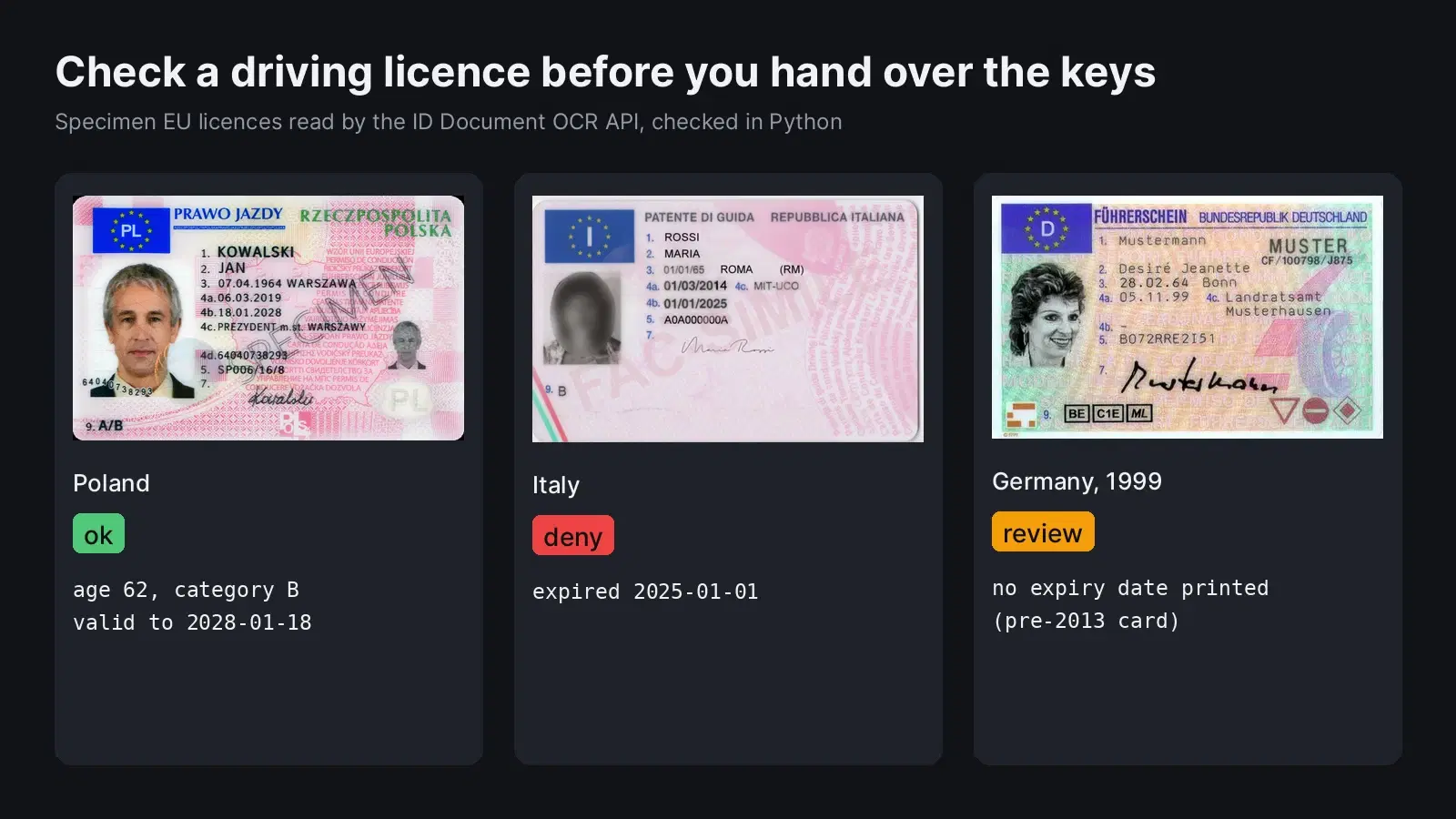
- Documents without an MRZ. Driving licences have none, so the API has to read the printed card well. See our driving licence OCR tutorial for the checks that replace check digits.
- Deployment and data. A hosted REST API is the fastest start. Self-hosted servers and on-device SDKs keep images on your side, at the cost of installation and licensing.
Live Test: Genuine and Edited Documents
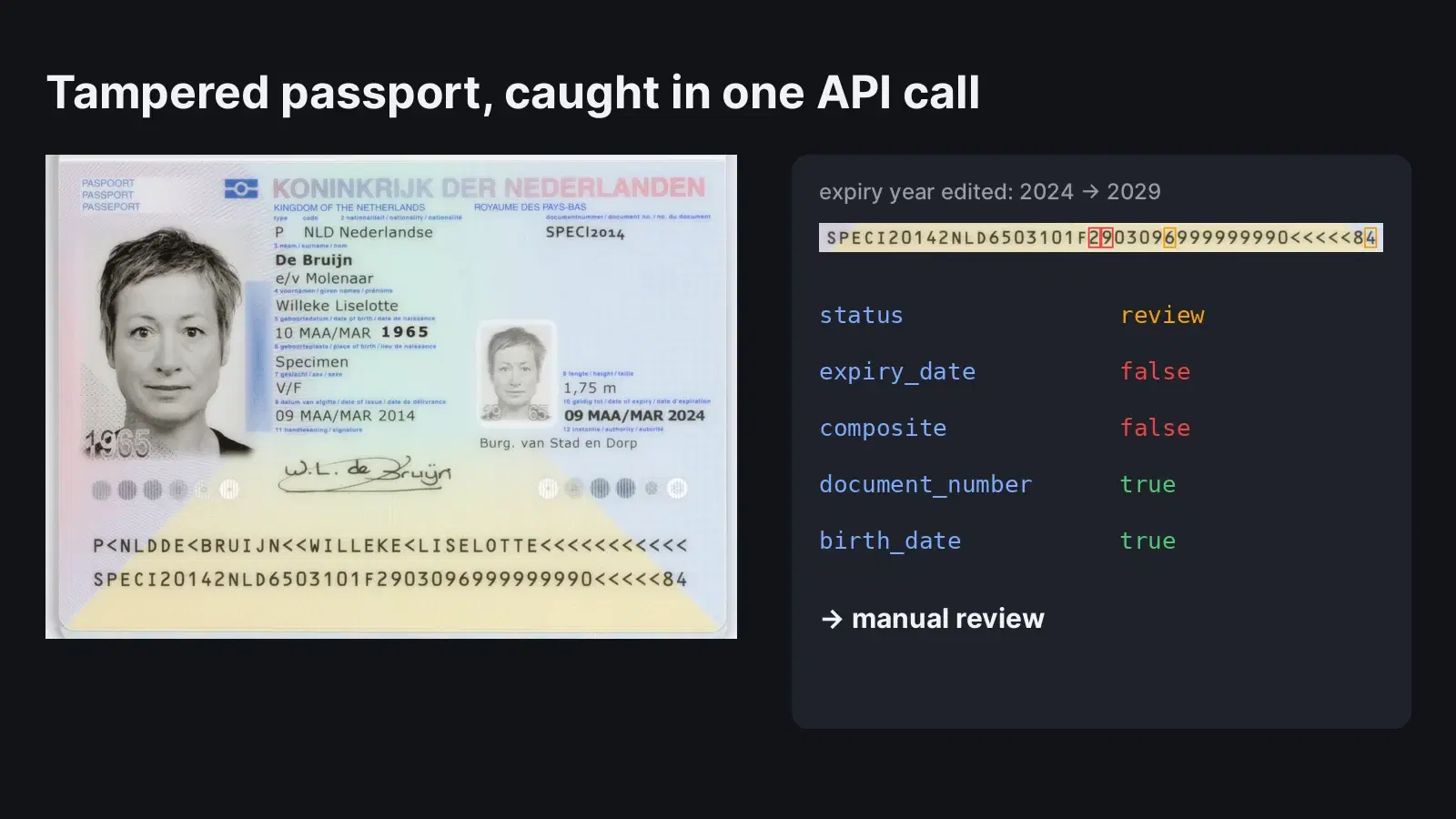
We sent the same images to the ID Document OCR API and to PassportEye 2.3.1: four genuine specimens (Norwegian and Dutch passports, Croatian and Luxembourg ID cards), three edited copies, six EU driving licences and three US driver's licenses (California, Massachusetts and Washington, D.C.). The edited copies are the ones from our fake ID detection tutorial: an expiry year changed in a passport MRZ, a birth year changed with its check digit recalculated, and an ID card whose MRZ expiry date was changed while the printed date stayed the same.
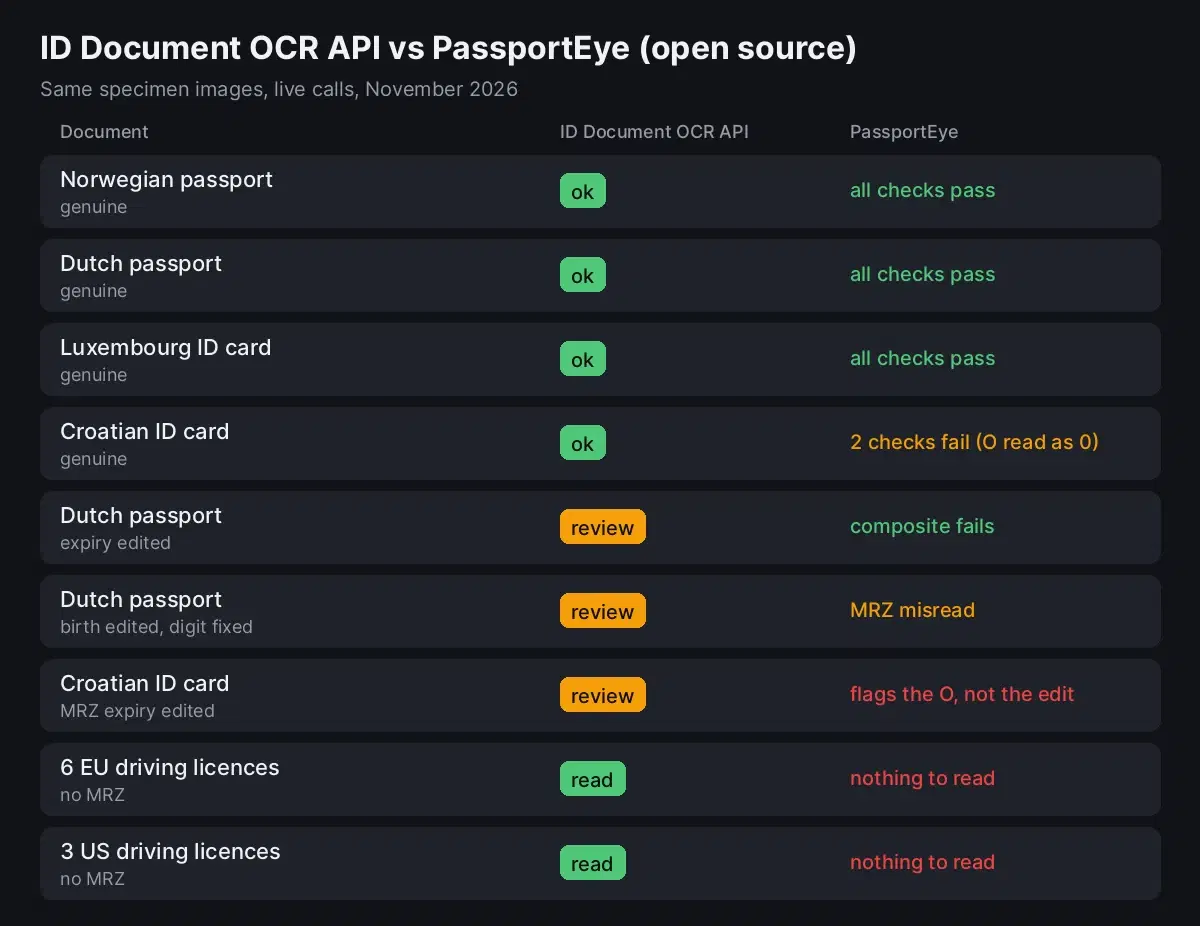
- Genuine documents: both read the Norwegian, Dutch and Luxembourg MRZ correctly. On the Croatian card, PassportEye read the document number
000000000asOOO000000and reported two failed checks on a genuine card. The API settled the O and 0 ambiguity with the printed zone and returnedok. - Expiry edited in the MRZ: both caught it through the composite digit.
- Birth year edited, check digit recalculated: the API returned
reviewwith the composite check false. PassportEye misread the edited line and returned a low score without pointing at the edit. - ID card with MRZ expiry 2028 and printed expiry 2002: the MRZ is internally consistent, so check digits alone cannot see it. The API compared it with the printed zone and returned
reviewwithexpiry_dateinmismatched_fields. PassportEye only reads the MRZ. - Driving licences: no MRZ, so PassportEye has nothing to read. The API read the six EU licences and the three US licenses: names, birth, issue and expiry dates, licence class, and the country (USA) for the American cards.
Response times were 0.7 to 1.9 seconds per document for the API and 0.9 to 2.5 seconds for PassportEye running locally. We did not run the commercial competitors, since most require a sales contact or a configured account for their verification features: the sections below are based on their documentation.
1. AI Engine ID Document OCR API
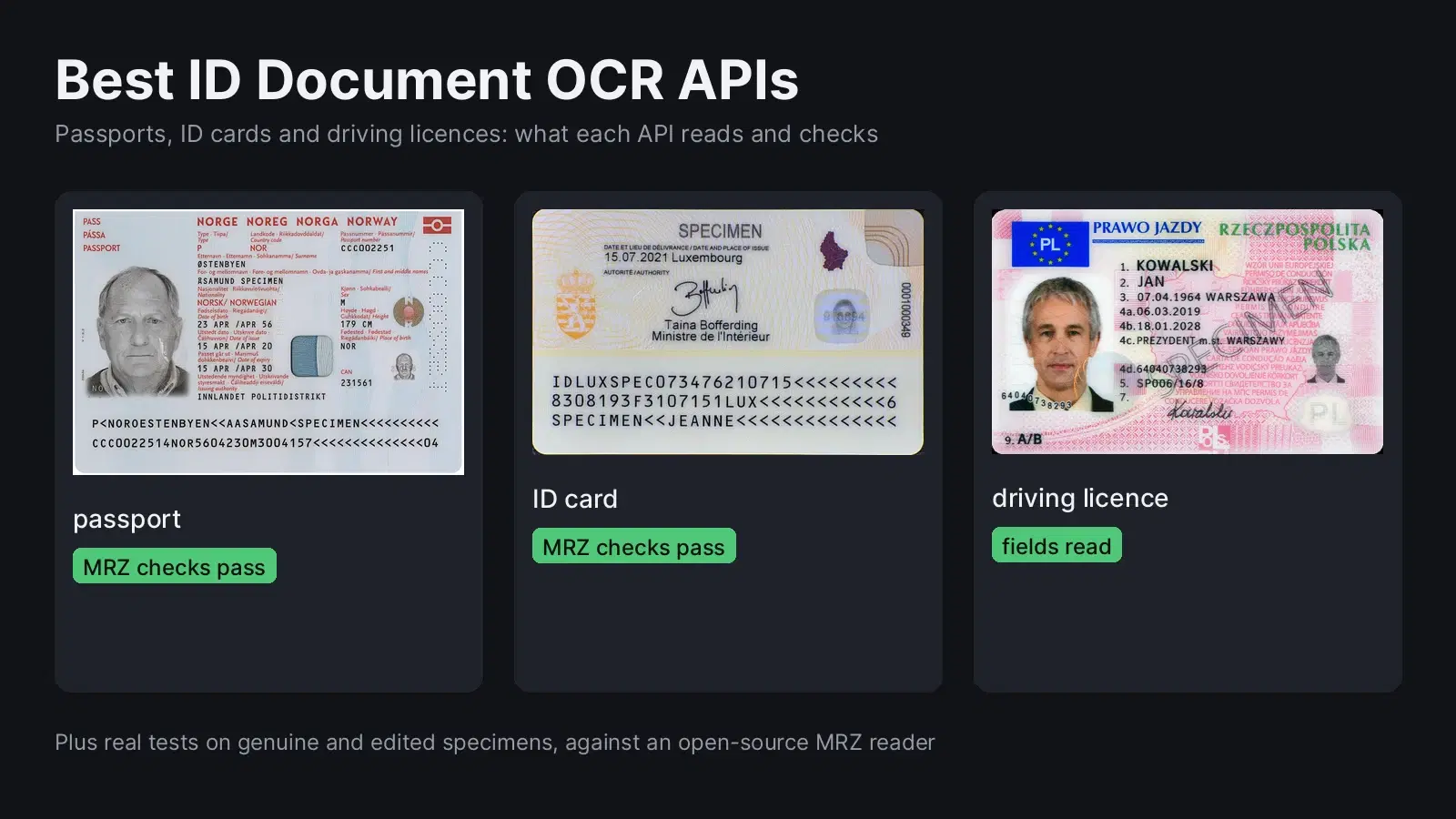
The ID Document OCR API reads passports, ID cards, driving licences and residence permits into JSON with one REST call. Every field carries a status that says where the value came from and how far you can trust it, from mrz_confirmed (check digit valid and printed zone agrees) down to visual_only. National numbers with their own checksum, such as the Romanian CNP, are verified too. The verdict sums it up: ok to automate, review for a person.
- Input: photos (iPhone HEIC included), scans or PDFs, by upload, base64 or URL, up to 6 images per call: front, back, or several phone shots of the same side.
- Engine: deterministic, so the same image gives the same result, and the API does not store the images it receives.
- Start: free plan on RapidAPI, no sales call.
- Best for: developers who want structured data and a ready-made trust decision without installing anything.
import os
import requests

HOST = "id-document-ocr-verification.p.rapidapi.com"
headers = {"x-rapidapi-key": os.environ["RAPIDAPI_KEY"], "x-rapidapi-host": HOST}

for path in ["nl_passport.jpg", "nl_forged_expiry.jpg"]:
    with open(path, "rb") as f:
        r = requests.post(f"https://{HOST}/parse-id", headers=headers,
                          files=[("images", f)], timeout=60)
    result = r.json()["result"]
    verdict = result["verdict"]
    failed = [k for k, ok in verdict["mrz_checks"].items() if ok is False]
    print(f"{path:22} {result['document_type']:9} {verdict['status']:7} "
f"failed={failed} mismatched={verdict['mismatched_fields']}")nl_passport.jpg passport ok failed=[] mismatched=[]
nl_forged_expiry.jpg passport review failed=['composite'] mismatched=[]2. Mindee
Mindee is a document extraction platform with ready-made models for passports, international ID cards and driving licences, among many other document types. It accepts PDFs and images by file, URL or base64, processes them asynchronously (queue, then poll or webhook), and offers SDKs in six languages plus no-code connectors.
Mindee states that it focuses on data extraction and works alongside an identity verification provider. The MRZ lines come back as text for your own checks, and an optional confidence level per field (Certain, High, Medium) helps you set thresholds. There is no overall verdict.
- Best for: teams already using Mindee for invoices or receipts that want ID fields in the same pipeline, and do the trust logic themselves.
3. Klippa (now Doxis)
Klippa, renamed Doxis, offers an Identity model inside its DocHorizon document platform. It reads passports, ID cards, driving licences, residence permits and more from base64, a file ID or a URL, with both sides in one call. Check digit validation, MRZ vs visual zone cross validation, specimen detection and a fraud risk score are available as components you enable in a configuration created in the platform.
Results are a list of validations that each pass or fail, rather than a single verdict, and a human-in-the-loop review option is available. Synchronous calls are not stored after the response.
- Best for: companies that want one vendor for identity documents and other business documents, with configurable rules.
4. ID Analyzer
ID Analyzer is a full identity verification API: one call to /scan runs OCR, document authenticity checks, optional selfie matching and liveness, and AML screening, then returns accept, review or reject. Each check raises a coded warning (for example CHECK_DIGIT_FAILED or MRZ_VISUAL_VALID on a mismatch) with a weight you can tune in a KYC profile.
Images go in as base64 JPEG or PNG, front and back in separate fields. Server SDKs exist for six languages, and image storage is opt-in.
- Best for: KYC flows that want document, selfie and sanctions checks from one provider.
5. Microblink BlinkID
BlinkID started as an on-device SDK for web, Android and iOS: the document is read on the phone and never leaves it. Server-side verification goes through BlinkID Verify, a cloud API that takes both sides in one multipart call and returns a verdict with a detailed tree of checks, including MRZ check digits, MRZ vs visual zone matching, screen and photocopy detection.
Each call carries the end user's consent. The SDK has self-serve plans and a 30-day trial; credentials for the cloud API are issued through sales.
- Best for: mobile apps that want capture and extraction on the device, with a cloud verdict for higher-risk flows.
6. Regula Document Reader
Regula comes from the border control world. Its Document Reader runs as a self-hosted web service (Linux, Windows, Docker), as mobile SDKs, and with Regula's own hardware readers. It compares values across the MRZ, the visual zone, barcodes and the RFID chip, validates check digits under ICAO 9303, and returns a status per check and overall. Ultraviolet and infrared checks need a Regula reader.
Personal data stays on your servers. A 30-day trial covers 2,000 transactions, and production licences, per transaction or per instance, go through sales.
- Best for: banks, airports and regulated businesses that need on-premise processing and chip or physical security checks.
7. PassportEye (Open Source)
PassportEye is a Python library that finds the MRZ in an image, reads it with Tesseract and computes the check digits. It is free and runs offline, which makes it a good choice for prototypes and for clean scans of passports. As the test showed, it reads only the MRZ: no printed zone, no licences, and no way to settle an O vs 0 ambiguity, which on some documents means failed checks on a genuine card.
- Best for: offline prototypes and clean passport scans where you control the image quality.
Which ID Document OCR API Should You Choose?
When to Choose the ID Document OCR API
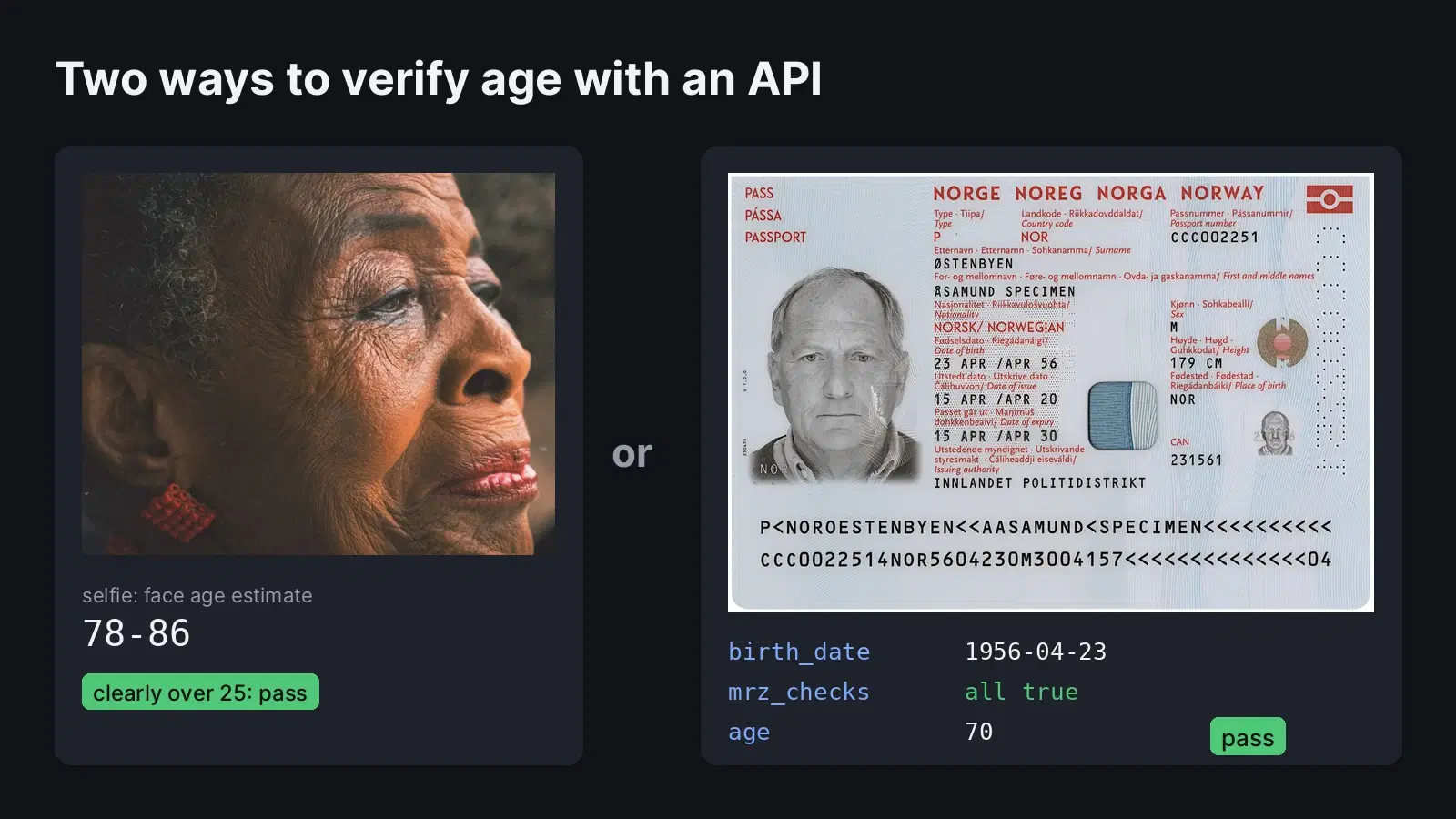
You want JSON fields plus a verdict you can automate on, through one REST call, starting today on a free plan. It covers passports, ID cards, driving licences and residence permits, and it tells you why a document needs review.
When to Choose Mindee or Klippa
Identity documents are one document type among many in your pipeline, and you are fine writing your own trust rules on top of the fields.
When to Choose ID Analyzer
You need document, selfie, liveness and AML screening from a single provider.
When to Choose Microblink or Regula
You need on-device capture, on-premise processing, chip reading or physical security checks, and you have the budget and time for a sales process.
Next Step
Get a key on the ID Document OCR API page and run the snippet above on a specimen passport. Then follow the tutorials for your use case: age verification, guest check-in or car rental.
Sources
Frequently Asked Questions
- What is the best API to read passports and ID cards?
- It depends on what you need after the OCR. For structured data plus a built-in trust decision through a simple REST call, the ID Document OCR API returns every field with a trust level and an ok, review or rejected verdict based on MRZ check digits and an MRZ vs printed zone comparison. Mindee fits teams that only need the fields. ID Analyzer adds selfie matching and AML screening in the same call. Regula and Microblink target large deployments with SDKs, on-premise options and physical security checks.
- Does an ID OCR API verify the MRZ check digits?
- Not all of them. The ID Document OCR API, ID Analyzer, Klippa, Microblink and Regula document check digit validation. Mindee returns the MRZ lines as text so you can check them yourself. In our tests the open-source PassportEye library also computes the check digits, but it misread an O as a zero on a Croatian ID card and reported two failed checks on a genuine document.
- Can OCR detect an edited passport or ID card?
- It catches edits that break the document's own logic. Changing a date in the MRZ breaks a check digit or the composite digit, and changing it only in the MRZ creates a mismatch with the printed zone. In our tests the ID Document OCR API returned review for all three edited specimens: two failed the composite digit and one had an MRZ expiry date that did not match the printed one. Physical security features such as holograms need an authenticity product or a hardware reader.
- Is there a free ID document OCR API?
- Most providers offer a way to test for free. The ID Document OCR API has a free plan on RapidAPI, ID Analyzer gives free test credits, Mindee has a 14-day trial, Klippa gives a starting credit, and Regula and Microblink offer 30-day trials. For production volumes, Regula, Microblink's cloud API and Klippa's larger plans go through sales.