This tutorial uses the Face Analyzer API. See the docs, live demo, and pricing.
Construction crews, cleaning teams, home care workers and security guards rarely start their day in front of a shared time clock. They start at a job site, and they clock in from a phone. A selfie clock-in solves the two problems a plain mobile time clock cannot: was the employee really on site, and was it really them? This tutorial builds one in Python with the Face Analyzer API: each punch is accepted only if the selfie matches the employee's profile photo and the GPS position is inside the job site.
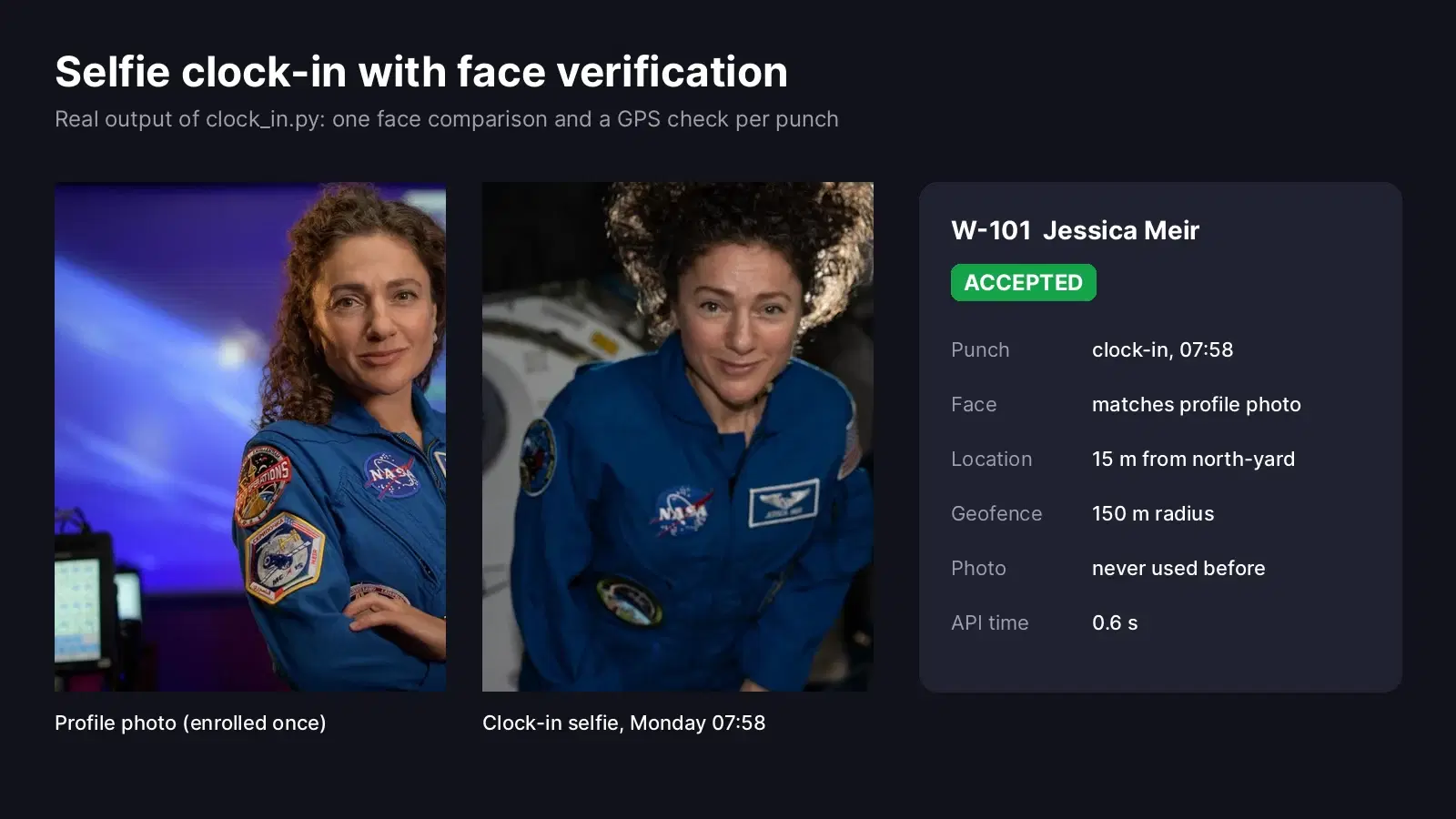
We tested the code on seven punches over two days for two employees. To keep everything public, the "employees" are NASA astronauts Jessica Meir and Christina Koch: their official portraits are the profile photos, and photos taken aboard the International Space Station play the selfies. ESA astronaut Sophie Adenot plays a coworker who tries to clock in for someone else. All photos are public domain.
How the Selfie Clock-In Works
Every punch goes through three checks, from the cheapest to the most expensive:
- Geofence: the GPS position sent by the phone must be within the radius of the employee's job site. This is pure math, no API call.
- Replay check: the photo must never have been used for an accepted punch before. A hash of the file catches an old selfie sent again.
- Face check: one call to
/compare-faceswith the profile photo as the source and the selfie as the target. The punch is accepted only if the selfie has exactly one face and it matches.
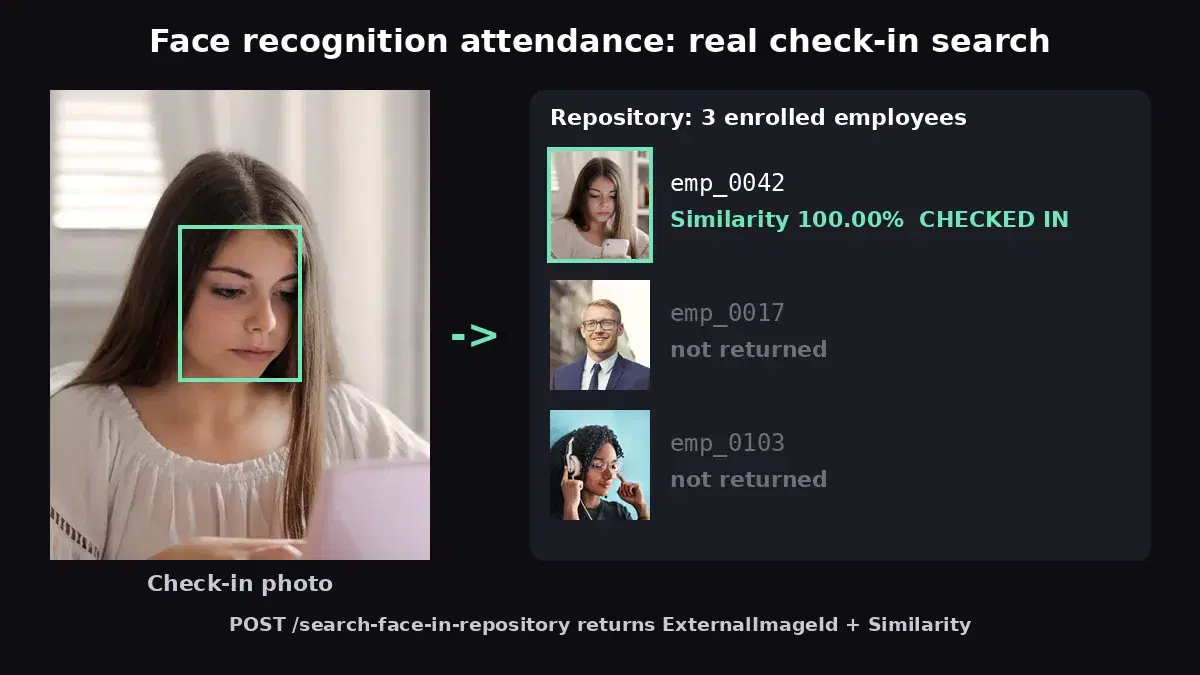
Because the employee is logged into the app, you already know who should be in the selfie. A one to one comparison is enough, so there is no face database to maintain and only one API call per punch. Shared kiosks that must recognize anyone walking in are a different setup, covered in our face recognition attendance system tutorial.
Results on Seven Punches
Here is every attempt from the test run, as written to the punch log. Three were accepted and four rejected, each for a different reason:
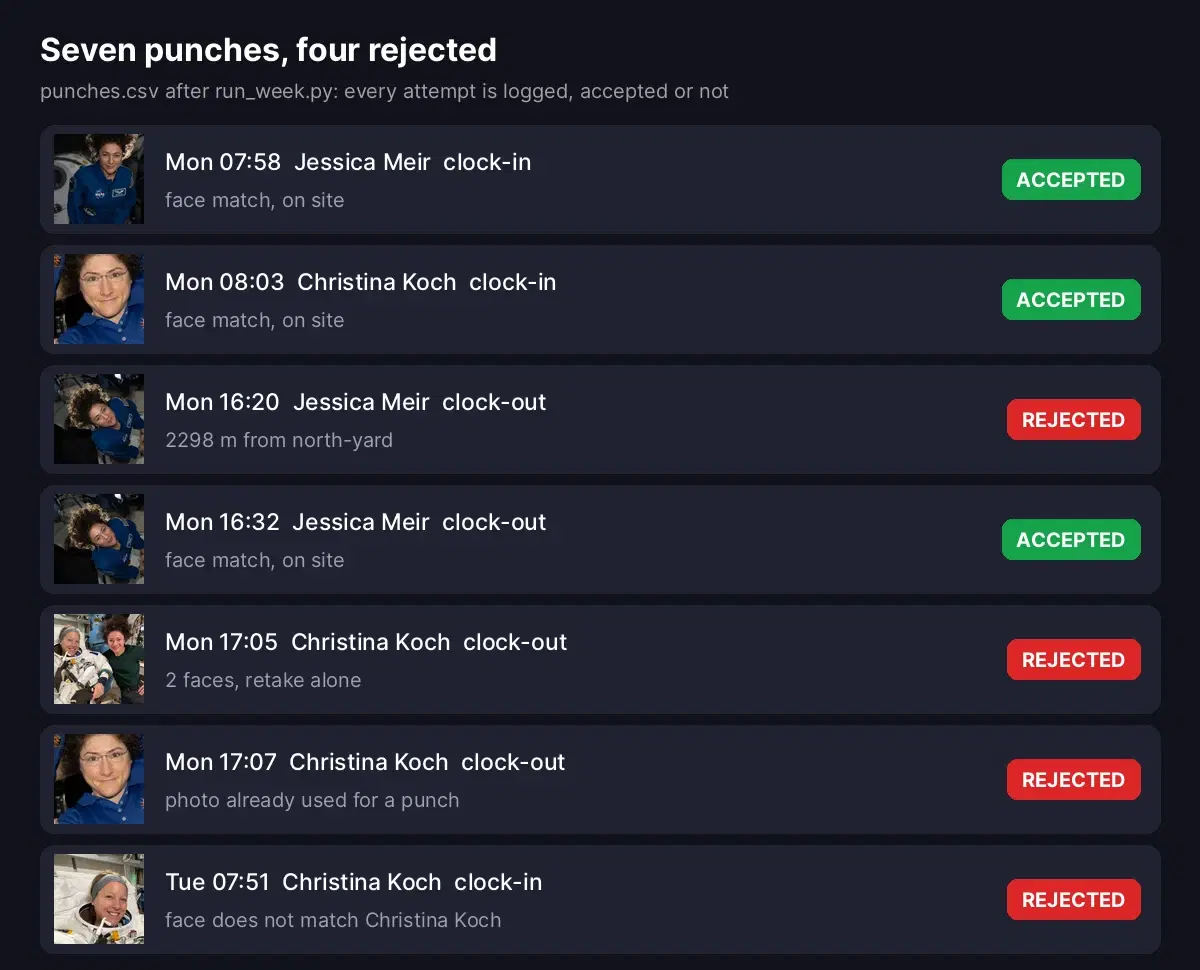
- Clocked out from the parking lot: Jessica's 16:20 punch came from 2.3 km away and was rejected without calling the API. Twelve minutes later, on site, it went through.
- Two people in the selfie: rejected, the employee has to retake the photo alone.
- Same photo sent twice: Christina's clock-out reused her morning selfie. The hash matched an accepted punch, so it was rejected.
- Buddy punching: on Tuesday, a coworker tried to clock Christina in with her own selfie. The face did not match the profile photo, so the punch was rejected.
Build the Clock-In Check in Python
You need Python 3 with requests and a RapidAPI key in the RAPIDAPI_KEY environment variable. Put each employee's profile photo in a profiles folder and save this as clock_in.py:
import csv
import hashlib
import math
import os
from datetime import datetime

import requests

HOST = "faceanalyzer-ai.p.rapidapi.com"
HEADERS = {"x-rapidapi-host": HOST, "x-rapidapi-key": os.environ["RAPIDAPI_KEY"]}

WORKERS = {
    "W-101": {"name": "Jessica Meir", "photo": "profiles/meir.jpg", "site": "north-yard"},
    "W-102": {"name": "Christina Koch", "photo": "profiles/koch.jpg", "site": "north-yard"},
}
SITES = {  # latitude, longitude, radius in meters
    "north-yard": (29.5593, -95.0900, 150),
}
LOG = "punches.csv"
FIELDS = ["time", "worker", "kind", "status", "reason", "distance_m", "photo_sha256"]


def distance_m(lat1, lon1, lat2, lon2):
    """Haversine distance between two GPS points, in meters."""
    p1, p2 = math.radians(lat1), math.radians(lat2)
    dp, dl = p2 - p1, math.radians(lon2 - lon1)
    a = math.sin(dp / 2) ** 2 + math.cos(p1) * math.cos(p2) * math.sin(dl / 2) ** 2
    return 6371000 * 2 * math.asin(math.sqrt(a))


def compare(profile_path, selfie_path):
    with open(profile_path, "rb") as a, open(selfie_path, "rb") as b:
        r = requests.post(f"https://{HOST}/compare-faces", headers=HEADERS,
                          files={"source_image": a, "target_image": b}, timeout=30)
    r.raise_for_status()
    return r.json()["body"]


def used_photos():
    if not os.path.exists(LOG):
        return set()
    with open(LOG) as f:
        return {row["photo_sha256"] for row in csv.DictReader(f) if row["status"] == "accepted"}


def decide(worker_id, selfie_path, lat, lon):
    worker = WORKERS[worker_id]
    site_lat, site_lon, radius = SITES[worker["site"]]
    dist = round(distance_m(lat, lon, site_lat, site_lon))
    if dist > radius:
        return "rejected", f"{dist} m from {worker['site']}", dist, ""

    with open(selfie_path, "rb") as f:
        sha = hashlib.sha256(f.read()).hexdigest()
    if sha in used_photos():
        return "rejected", "photo already used for a punch", dist, sha

    body = compare(worker["photo"], selfie_path)
    faces = len(body["matchedFaces"]) + len(body["unmatchedFaces"])
    if faces == 0:
        return "rejected", "no face in the selfie", dist, sha
    if faces > 1:
        return "rejected", f"{faces} faces, retake alone", dist, sha
    if not body["matchedFaces"]:
        return "rejected", f"face does not match {worker['name']}", dist, sha
    return "accepted", "face match, on site", dist, sha


def clock(worker_id, kind, selfie_path, lat, lon, when=None):
    when = when or datetime.now().isoformat(timespec="minutes")
    status, reason, dist, sha = decide(worker_id, selfie_path, lat, lon)
    new_file = not os.path.exists(LOG)
    with open(LOG, "a", newline="") as f:
        writer = csv.DictWriter(f, fieldnames=FIELDS)
        if new_file:
            writer.writeheader()
        writer.writerow({"time": when, "worker": worker_id, "kind": kind, "status": status,
                         "reason": reason, "distance_m": dist, "photo_sha256": sha})
    return status, reason
A few details matter in production:
- Every attempt is logged, accepted or not. Rejected punches are the evidence a supervisor needs when an employee disputes their hours.
- The geofence runs first. A punch from the wrong place is rejected for free, before any API call.
- One call gives two answers.
/compare-facesreturns the faces of the selfie split intomatchedFacesandunmatchedFaces, so the same response tells you how many people are in the photo and whether the employee is one of them. - Only accepted photos are hashed into the log, so an employee rejected for being off site can send the same selfie again once they arrive.
Run a Test Week
This script replays the seven punches from the test. In a real app the time comes from the server clock, not from the phone, so employees cannot change it:
import time

from clock_in import clock

SITE = (29.5594, -95.0899)       # inside the north yard
PARKING = (29.5401, -95.0812)    # about 2.3 km away

punches = [
    ("2026-11-16T07:58", "W-101", "in", "selfies/meir_mon_in.jpg", SITE),
    ("2026-11-16T08:03", "W-102", "in", "selfies/koch_mon_in.jpg", SITE),
    ("2026-11-16T16:20", "W-101", "out", "selfies/meir_mon_out.jpg", PARKING),
    ("2026-11-16T16:32", "W-101", "out", "selfies/meir_mon_out.jpg", SITE),
    ("2026-11-16T17:05", "W-102", "out", "selfies/two_people.jpg", SITE),
    ("2026-11-16T17:07", "W-102", "out", "selfies/koch_mon_in.jpg", SITE),
    ("2026-11-17T07:51", "W-102", "in", "selfies/adenot_as_koch.jpg", SITE),
]

for when, worker, kind, selfie, (lat, lon) in punches:
    start = time.time()
    status, reason = clock(worker, kind, selfie, lat, lon, when)
print(f"{when} {worker} {kind:<3} {status:<8} {reason} ({time.time() - start:.1f} s)")2026-11-16T07:58 W-101 in accepted face match, on site (0.6 s)
2026-11-16T08:03 W-102 in accepted face match, on site (0.4 s)
2026-11-16T16:20 W-101 out rejected 2298 m from north-yard (0.0 s)
2026-11-16T16:32 W-101 out accepted face match, on site (0.6 s)
2026-11-16T17:05 W-102 out rejected 2 faces, retake alone (0.6 s)
2026-11-16T17:07 W-102 out rejected photo already used for a punch (0.0 s)
2026-11-17T07:51 W-102 in rejected face does not match Christina Koch (0.7 s)Each face check took 0.4 to 0.7 seconds. The two rejections at 0.0 seconds never reached the API: one was off site, the other reused a photo.
Receive Punches from the Mobile App
The phone app only needs to send four form fields and the selfie. This Flask endpoint wraps clock() and returns 200 for an accepted punch and 422 for a rejected one, so the app can show the reason and ask for a retake:
import os
import tempfile

from flask import Flask, jsonify, request

from clock_in import WORKERS, clock

app = Flask(__name__)


@app.post("/punch")
def punch():
    worker_id = request.form["worker_id"]
    if worker_id not in WORKERS:
        return jsonify(error="unknown worker"), 404
    with tempfile.NamedTemporaryFile(suffix=".jpg", delete=False) as tmp:
        request.files["selfie"].save(tmp)
    try:
        status, reason = clock(worker_id, request.form["kind"], tmp.name,
                               float(request.form["lat"]), float(request.form["lon"]))
    finally:
        os.remove(tmp.name)
    return jsonify(status=status, reason=reason), 200 if status == "accepted" else 422


if __name__ == "__main__":
app.run(port=5000)curl -X POST http://127.0.0.1:5000/punch \
-F worker_id=W-101 -F kind=in \
-F lat=29.5594 -F lon=-95.0899 \
-F selfie=@selfies/meir_mon_in.jpg{"reason":"face match, on site","status":"accepted"}Turn Punches into a Timesheet
Payroll only wants hours. This script pairs the accepted clock-in and clock-out of each employee per day, computes the hours, and flags the days a supervisor must look at. Save it as timesheet.py next to clock_in.py:
import csv
from collections import defaultdict
from datetime import datetime

from clock_in import LOG, WORKERS

days = defaultdict(lambda: {"in": None, "out": None, "rejected": []})
with open(LOG) as f:
    for row in csv.DictReader(f):
        when = datetime.fromisoformat(row["time"])
        day = days[(row["worker"], when.date())]
        if row["status"] == "accepted":
            day[row["kind"]] = when
        else:
            day["rejected"].append(f"{when:%H:%M} {row['reason']}")

rows = []
for (worker, date), day in sorted(days.items()):
    hours, flag = "", ""
    if day["in"] and day["out"]:
        hours = f"{(day['out'] - day['in']).total_seconds() / 3600:.2f}"
    elif day["in"]:
        flag = "missing clock-out"
    else:
        flag = "no accepted clock-in"
    if day["rejected"]:
        flag = "; ".join(filter(None, [flag, f"{len(day['rejected'])} rejected"]))
    rows.append({
        "date": date, "worker": worker, "name": WORKERS[worker]["name"],
        "in": f"{day['in']:%H:%M}" if day["in"] else "",
        "out": f"{day['out']:%H:%M}" if day["out"] else "",
        "hours": hours, "review": flag, "rejected_punches": " | ".join(day["rejected"]),
    })

with open("timesheet.csv", "w", newline="") as f:
    writer = csv.DictWriter(f, fieldnames=rows[0].keys())
    writer.writeheader()
    writer.writerows(rows)

for r in rows:
print(f"{r['date']} {r['name']:<15} {r['in']:>5} {r['out']:>5} {r['hours']:>5} {r['review']}")2026-11-16 Jessica Meir 07:58 16:32 8.57 1 rejected
2026-11-16 Christina Koch 08:03 missing clock-out; 2 rejected
2026-11-17 Christina Koch no accepted clock-in; 1 rejected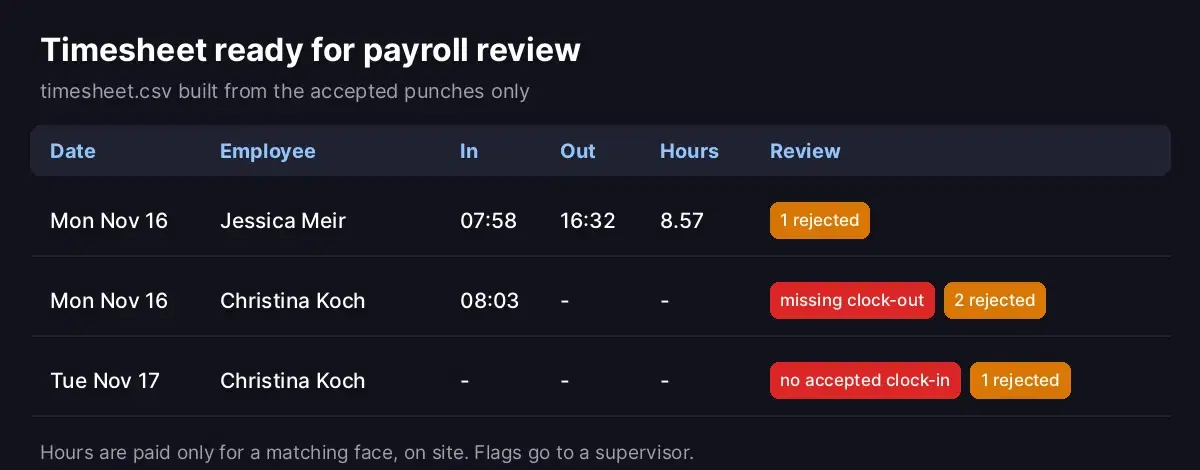
Jessica's Monday is complete: 07:58 to 16:32, 8.57 hours. Christina's Monday has a clock-in but no accepted clock-out, and Tuesday has no accepted clock-in at all, because the only attempt was the buddy punch. The file timesheet.csv keeps the reason of every rejected punch, so the supervisor sees what happened without opening the logs.
Production Tips
- Enroll a clear profile photo. Take it at hiring, facing the camera, in good light. It is the reference for every punch.
- Add a liveness step in the app. Ask for a blink or a head turn before the photo is taken, so a printed picture cannot be used.
- Use the server clock and keep the log append only. Store the selfies of rejected punches for a limited time, for disputes, then delete them.
- Set the radius per site. 150 meters suits a yard or a warehouse. Large construction sites or hospitals need more, and GPS is less precise indoors.
- Tell employees what is checked. Explain that the selfie is compared with their profile photo for attendance only, get consent where the law requires it, and define how long photos are kept.
- Route flags to people. A rejected punch is a question for a supervisor, not a sanction. Most are a bad photo or a weak GPS signal.
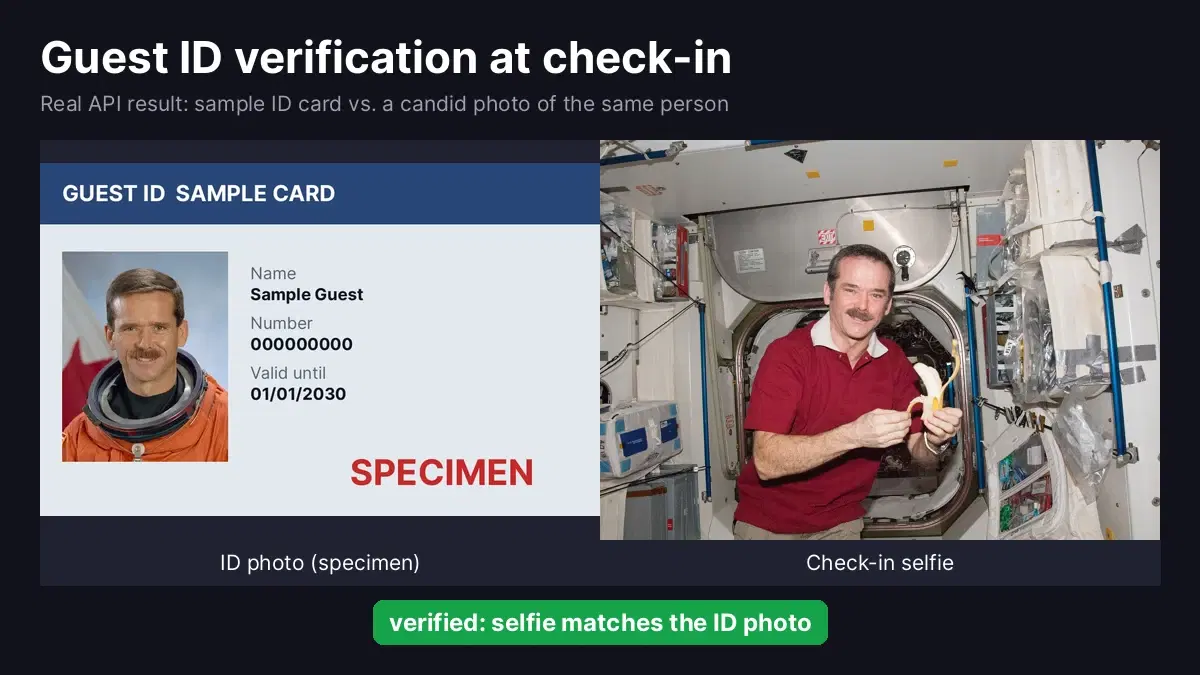
The same comparison works for other one to one checks, such as verifying a rental guest against their ID or face comparison for access control.
Next Step
Get a key on the Face Analyzer API page, save clock_in.py, and test it with your own profile photo and a selfie. For workforce apps with many employees, custom plans are available.
Sources
- Portrait of NASA astronaut Jessica Meir, 2020 (profile photo), NASA (public domain)
- Portrait of NASA astronaut Christina Koch, 2020 (profile photo), NASA (public domain)
- Jessica Meir aboard the International Space Station, Expedition 74 (clock-in selfie), NASA (public domain)
- Jessica Meir in the Kibo laboratory module, Expedition 74 (clock-out selfie), NASA (public domain)
- Expedition 61 crew portrait, cropped to Christina Koch (clock-in selfie), NASA (public domain)
- Sophie Adenot and Jessica Meir, Expedition 74 (two-face photo, and Sophie Adenot cropped as the coworker), NASA (public domain)
Frequently Asked Questions
- How does a selfie clock-in work?
- The employee opens the app, takes a selfie and sends it with the GPS position. The server checks that the position is inside the job site radius, then compares the selfie with the profile photo saved when the employee was hired. The punch is accepted only if the face matches. In our tests each face check took 0.4 to 0.7 seconds.
- How do I stop buddy punching with face verification?
- Compare every clock-in selfie with the photo of the employee the punch is for. A coworker who clocks in for a friend sends their own face, so the comparison fails and the punch is rejected. Also reject selfies with more than one face, and photos that were already used for an earlier punch.
- Do I need a face database to verify employees?
- No. For a selfie clock-in you already know who is punching, because the employee is logged into the app. A one to one comparison between the selfie and that employee's profile photo is enough, with one API call per punch. A face repository is only needed for shared kiosks where the system must find who is in front of the camera.
- Is GPS enough to prove an employee is on site?
- GPS proves where the phone is, not who is holding it. That is why the face check matters: GPS confirms the location, the face comparison confirms the person. Together they cover the two common time theft cases, clocking in from home and clocking in for someone else.