This tutorial uses the Photo to Anime API. See the docs, live demo, and pricing.
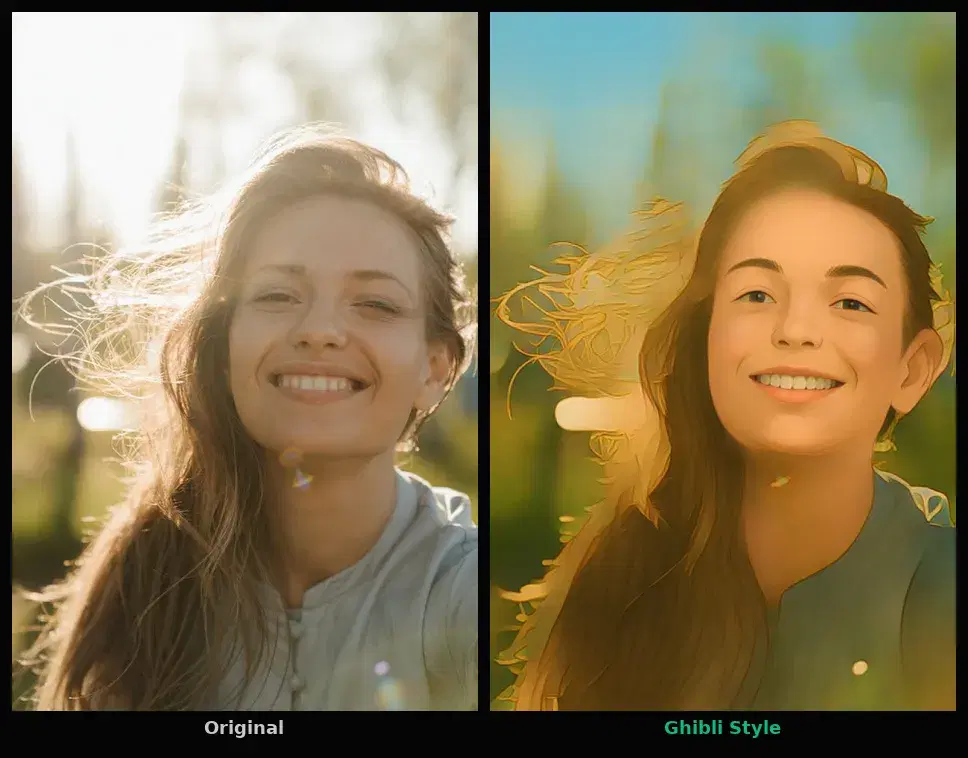
Anime and cartoon filters have taken over social media. The Ghibli-style filter alone generated millions of posts on Instagram and TikTok in early 2026. If you want to add this kind of feature to your own app, you have two options: run a local model like AnimeGAN (which needs a GPU and model management) or call a Photo to Anime API that handles everything server-side. This tutorial takes the API route; for a side-by-side of the two, see Photo to Anime API vs AnimeGAN.
You will build a Python script that sends a photo to the API and gets back a stylized version in one of seven cartoon styles. No GPU, no TensorFlow, no model downloads. Just a REST call and a result.
What You Will Build
A Python command-line tool that takes any portrait photo and converts it into cartoon or anime style. The tool supports all seven styles the API offers:
- Anime: classic Japanese animation style with large eyes and smooth shading
- 3D: Pixar/Disney-like 3D rendered look
- Hand-drawn: watercolor and pencil texture
- Sketch: black and white pencil drawing
- Art Style: painterly, oil-on-canvas effect
- Design: clean vector-like illustration
- Illustration: detailed book illustration look
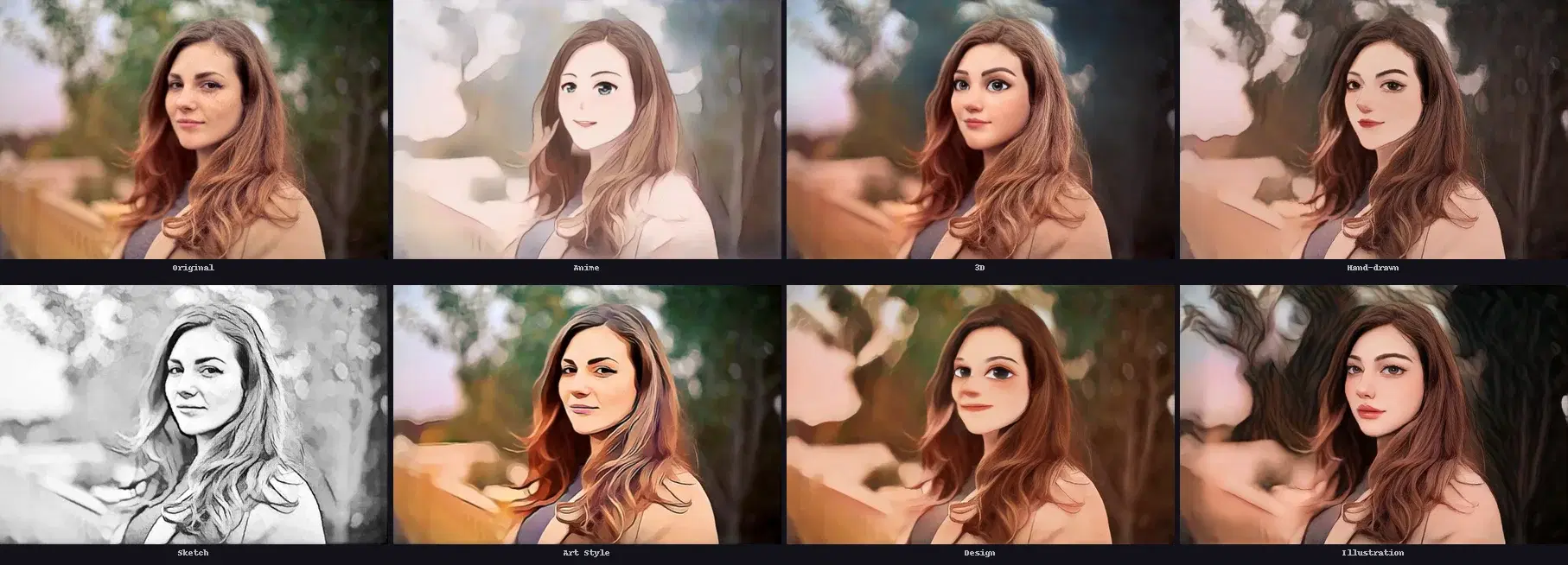
Prerequisites
You need Python 3.7+ and the requests library. Get a free API key from the Photo to Anime API page on RapidAPI (100 free requests per month).
pip install requestsGetting Started: Your First Anime Filter
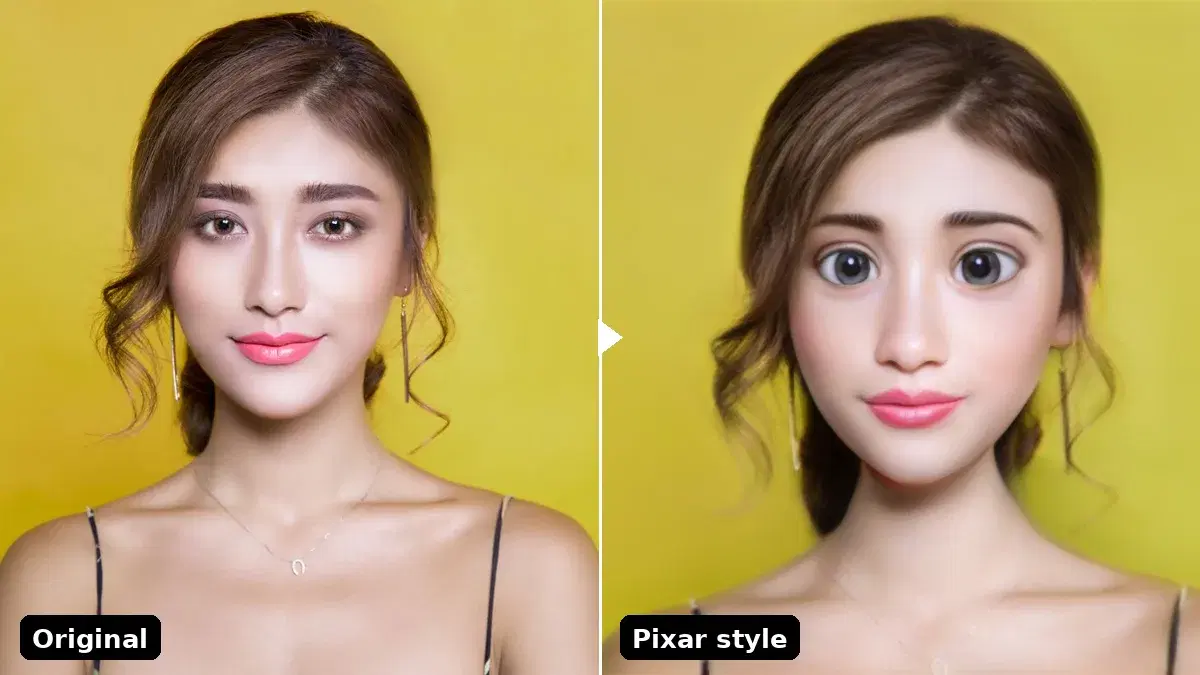
This tutorial uses /cartoonize, the classic endpoint with the seven styles above. You send an image (file upload or URL), pick a style, and get back a JSON response with the URL of the stylized image in 2 to 3 seconds. The same API also exposes a premium endpoint, /cartoonize-pro, with six higher-quality portrait styles (cartoon, caricature, arcane, comic, pixar, illustration), sub-style variations through style_id, and an adjustable style_degree intensity from 0.0 to 1.0. The before-and-after cover above is the premium pixar style.
cURL
curl -X POST "https://phototoanime1.p.rapidapi.com/cartoonize" \
  -H "x-rapidapi-key: YOUR_API_KEY" \
  -H "x-rapidapi-host: phototoanime1.p.rapidapi.com" \
  -F "image=@photo.jpg" \
  -F "style=anime"
Python
import requests

API_URL = "https://phototoanime1.p.rapidapi.com/cartoonize"
HEADERS = {
    "x-rapidapi-host": "phototoanime1.p.rapidapi.com",
    "x-rapidapi-key": "YOUR_API_KEY",
}

with open("photo.jpg", "rb") as f:
    response = requests.post(
        API_URL,
        headers=HEADERS,
        files={"image": f},
        data={"style": "anime"},
    )

result = response.json()
print(result["image_url"])   # CDN link to the anime version
print(result["width"])       # output width in pixels
print(result["height"])      # output height in pixels
JavaScript (Node.js)
const fs = require("fs");
const FormData = require("form-data");

const form = new FormData();
form.append("image", fs.createReadStream("photo.jpg"));
form.append("style", "anime");

const response = await fetch(
  "https://phototoanime1.p.rapidapi.com/cartoonize",
  {
    method: "POST",
    headers: {
      "x-rapidapi-host": "phototoanime1.p.rapidapi.com",
      "x-rapidapi-key": "YOUR_API_KEY",
      ...form.getHeaders(),
    },
    body: form,
  }
);

const result = await response.json();
console.log(result.image_url);
The response contains the CDN URL of the processed image, plus dimensions and file size:
{
  "image_url": "https://images.ai-engine.net/photo-to-anime-ai/uuid.jpg",
  "width": 1280,
  "height": 960,
  "size_bytes": 245678
}
Building a Multi-Style Generator
The real power comes from generating multiple styles from the same photo and letting users pick their favorite. Here is a script that processes one image through all seven styles and saves the results:
import requests
from pathlib import Path

API_URL = "https://phototoanime1.p.rapidapi.com/cartoonize"
HEADERS = {
    "x-rapidapi-host": "phototoanime1.p.rapidapi.com",
    "x-rapidapi-key": "YOUR_API_KEY",
}

STYLES = ["anime", "3d", "handdrawn", "sketch", "artstyle", "design", "illustration"]


def cartoonize(image_path: str, style: str, output_dir: str = "output") -> str:
    Path(output_dir).mkdir(exist_ok=True)

    with open(image_path, "rb") as f:
        response = requests.post(
            API_URL,
            headers=HEADERS,
            files={"image": f},
            data={"style": style},
        )

    result = response.json()
    image_url = result["image_url"]

    # Download the result
    img_data = requests.get(image_url).content
    output_path = f"{output_dir}/{style}.jpg"
    Path(output_path).write_bytes(img_data)
    return output_path


# Generate all 7 styles
for style in STYLES:
    path = cartoonize("photo.jpg", style)
    print(f"{style}: saved to {path}")
Adding an Anime Filter to a Flask Web App
Most apps need a web interface, not a CLI script. Here is a minimal Flask app that accepts an image upload and returns the anime version:
from flask import Flask, request, jsonify
import requests

app = Flask(__name__)

API_URL = "https://phototoanime1.p.rapidapi.com/cartoonize"
HEADERS = {
    "x-rapidapi-host": "phototoanime1.p.rapidapi.com",
    "x-rapidapi-key": "YOUR_API_KEY",
}


@app.route("/cartoonize", methods=["POST"])
def cartoonize():
    image = request.files.get("image")
    style = request.form.get("style", "anime")

    if not image:
        return jsonify({"error": "No image provided"}), 400

    response = requests.post(
        API_URL,
        headers=HEADERS,
        files={"image": (image.filename, image.stream, image.content_type)},
        data={"style": style},
    )

    return jsonify(response.json())


if __name__ == "__main__":
    app.run(debug=True)
Your users can now POST an image to /cartoonize with a style parameter and get the anime version back as a JSON response with the CDN URL.
Using an Image URL Instead of File Upload
If your images are already hosted (S3, Cloudinary, or any public URL), you can skip the file upload and pass the URL directly:
response = requests.post(
    API_URL,
    headers={**HEADERS, "Content-Type": "application/json"},
    json={
        "image_url": "https://example.com/portrait.jpg",
        "style": "3d",
    },
)

result = response.json()
print(result["image_url"])
This is faster when your source images are already online since the API fetches them directly without an upload step.
Real-World Use Cases
Social Media Profile Generators
Let users upload a selfie and generate an anime avatar for their profile picture. The viral factor is built in because users share the results, which drives organic downloads. The 2026 Ghibli filter trend proved that anime-style avatars generate massive engagement on Instagram and TikTok.
Gaming and Virtual Worlds
Game developers can generate character portraits from player photos. Upload a selfie during onboarding and the API creates a stylized avatar that matches the game's art direction. The seven available styles cover most visual aesthetics from realistic 3D to manga.
E-commerce and Marketing
Brands use cartoon-style visuals for campaigns that stand out in crowded feeds. Product photos converted to illustration or design style create eye-catching ads without hiring an illustrator. The processing cost is a fraction of manual illustration work.
Photo Booth and Event Apps
Event apps can offer live cartoon filters as a fun feature. Attendees take a photo, pick a style, and share the result instantly. The 2 to 3 second processing time is fast enough for real-time use at events.
Tips and Best Practices
- Use well-lit, front-facing portraits for the best results. The AI is face-aware and produces the most detailed output when the face is clearly visible.
- Try multiple styles before choosing one for your app. The “anime” style works best for social media avatars while “illustration” and “design” work better for professional/marketing use.
- Cache the results since the output CDN URL expires after 24 hours. Download and store the image on your own storage if you need it long-term.
- Batch processing works well with a thread pool. The API handles concurrent requests, so you can process multiple images in parallel to speed up bulk operations.
- Input formats supported: JPEG, PNG, WebP, BMP, and TIFF, up to 10 MB per image.
API vs Local Models
The alternative to using an API is running AnimeGAN or a similar model locally. Here is how the two approaches compare:
| Criteria | Photo to Anime API | Local AnimeGAN |
|---|---|---|
| Setup time | 5 minutes (get API key) | 1+ hours (install PyTorch, download weights, configure GPU) |
| GPU required | No | Yes (or very slow CPU inference) |
| Styles available | 7 built-in styles | 1 per model (need separate models for each style) |
| Processing speed | 2 to 3 seconds | 1 to 10 seconds (depends on GPU) |
| Scaling | Handled by the API | You manage servers and GPU scaling |
| Cost (10K images/mo) | $12.99/mo (Pro plan) | $50 to $200/mo (GPU server rental) |
For most apps, the API is the practical choice. You avoid GPU infrastructure, model updates, and scaling headaches. Local models make sense only when you need offline processing or want to fine-tune the model on a custom dataset.
What Comes Next
You now have a working anime filter pipeline that can process any portrait photo through seven different cartoon styles. From here you can integrate it into a web app with Flask or FastAPI, add it to a mobile app backend, or combine it with other Face Analyzer features like age estimation or emotion detection to build richer user experiences. You could also chain it with the Background Removal API to isolate subjects before applying the cartoon filter for cleaner results.
Frequently Asked Questions
- What anime and cartoon styles does the API support?
- The cartoonize endpoint supports seven styles through a single style parameter: anime, 3d, handdrawn, sketch, artstyle, design, and illustration. You send the same image and change the style value to get a different look, so a multi-style generator is just a loop over the list.
- Do I need a GPU or a trained model to build an anime filter?
- No. The API runs the model server-side, so there is no GPU, no AnimeGAN or TensorFlow setup, and no model weights to manage. Each filter is a single HTTPS request that returns a URL to the stylized image in about one to two seconds.
- Can I apply the filter to a photo from a URL instead of uploading a file?
- Yes. The endpoint accepts either a multipart file upload or a public image_url, so you can stylize images that already live on a CDN without downloading and re-uploading them first.